To Next Page


K
kathleenmasonSep 13, 2025
What to do if Sony Camcorder displays EMPHASIS!?
- KKatherine OrtizSep 13, 2025
If your Sony Camcorder displays 'EMPHASIS!', check the emphasis of the audio input signal.

What to do if Sony Camcorder displays EMPHASIS!?
If your Sony Camcorder displays 'EMPHASIS!', check the emphasis of the audio input signal.
How to fix Sony Camcorder ILL. REC! error?
If your Sony Camcorder displays 'ILL. REC!', check the signals being input to this unit.
How to fix Sony Camcorder no media error?
If your Sony Camcorder displays 'No Media!', try again after loading an SxS memory card.
How to fix Sony Camcorder REC INHI. error?
If your Sony Camcorder displays 'REC INHI.!', set the write protect switch on the memory card so as to enable recording.
How to fix Sony Camcorder KEY INHI. error?
If your Sony Camcorder displays 'KEY INHI.!', set the KEY INHI switch to “OFF”.
How to fix Sony Camcorder TC EXT! error?
If your Sony Camcorder displays 'TC EXT!', set TCG to “INT”.
How to fix Sony Camcorder media full?
If your Sony Camcorder displays 'Media Full!', it means you need to delete unneeded clips to free up space.
What does Exchg batt! mean on Sony Camcorder?
If your Sony Camcorder displays 'Exchg batt!', it means the battery of the internal clock is exhausted. Contact your Sony service or sales representative.
How to resolve Sony Camcorder ILL. SETUP! error?
If your Sony Camcorder displays 'ILL. SETUP!', reset the settings in the setup menu.
What to do if Sony Camcorder displays Input Sig!?
If your Sony Camcorder displays 'Input Sig!', it appears when the signal that does not correspond to the system frequency or the number of lines set in this unit is being input, or when HD-SDI is selected as a video input signal while setting the SD signal recording. Input a signal that matches the system frequency, or change this unit’s system frequency setting.
Details the unit's power supply types, voltage, and consumption.
Provides outside dimensions and notes for unit installation.
Lists and describes input/output connectors and necessary cables.
Describes onboard LED indicators and switches.
Outlines service actions required after replacing specific boards.
Provides an overview and procedures for replacing EEPROMs and FRAM.
Explains how to update the unit's firmware using a USB drive.
Explains how the unit detects and displays internal errors.
Lists main error codes and their descriptions.
Details alarms displayed on the status area and video monitor.
Introduces the Maintenance Menu and its helpful items for maintenance.
Used for audio system, video system, and free-run frequency adjustment.
Recommends periodic checks and parts replacement to maximize unit performance and lifespan.
Provides precautions and lists tools/fixtures for electrical adjustments.
Details the procedure for adjusting HD free-running frequency.
Details the procedure for adjusting SD free-running frequency.
Guides composite video signal output amplitude adjustment.
Details output and input level adjustments for the analog audio system.
Details the procedure for adjusting the DC IN +12 V supply.
 General
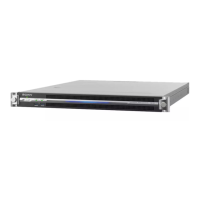
| Display | LCD |
|---|---|
| Internal | No |
| Product color | Black |
| Compatible memory cards | SxS |
| Video compression formats | MPEG, MPEG4 |
| AC input voltage | 100 - 240 V |
| Power consumption (typical) | 75 W |
| Operating temperature (T-T) | 5 - 40 °C |
| Operating relative humidity (H-H) | 20 - 90 % |
| BNC input ports | 4 |
| BNC output ports | 7 |
| USB 3.2 Gen 1 (3.1 Gen 1) Type-A ports quantity | 1 |
| Ethernet LAN | Yes |
| Ethernet interface type | Gigabit Ethernet |
 Weight and Dimensions
| Depth | 418 mm |
|---|---|
| Width | 210 mm |
| Height | 132 mm |
| Weight | 5200 g |