Preparing the Audio Input System
44
Chapter 2 Preparations
8 Repeat steps 4 to 7 until the chart stays
in focus all the way from wide angle to
telephoto.
9 Tighten the F.f or F.B ring fixing
screws.
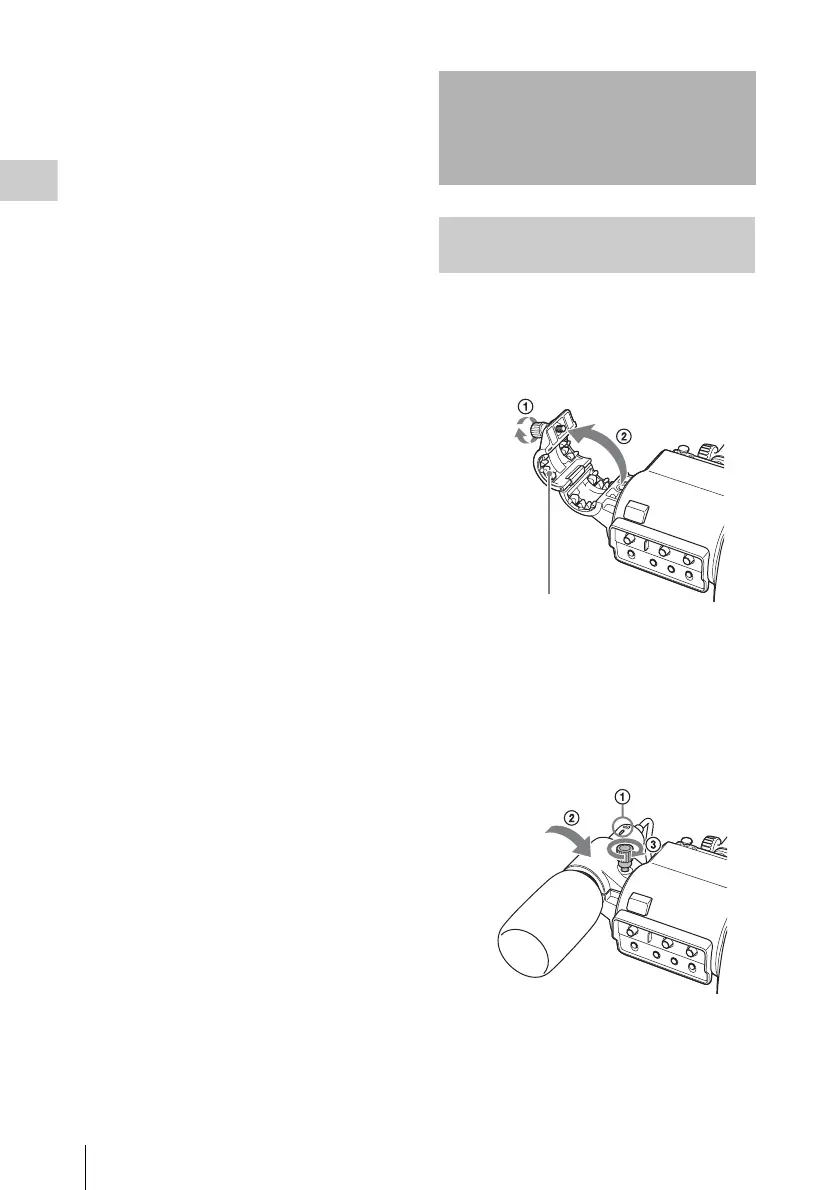
Attach the supplied microphone to the
microphone holder of the supplied viewfinder.
1 Loosen the screw (1) and open the
microphone holder clamp (2).
2 Place the microphone in the
microphone holder.
1 Place the microphone in the holder so
that “UP” is at the top.
2 Close the microphone holder.
3 Tighten the screw.
3 Plug the microphone cable into the MIC
IN connector, then set the AUDIO IN
CH1/CH2/CH3/CH4 switch for the
Preparing the Audio
Input System
Connecting a Microphone to the
MIC IN Connector
Microphone holder clamp



 To Next Page