Thumbnail Operations
89
Chapter 5 Clip Operations
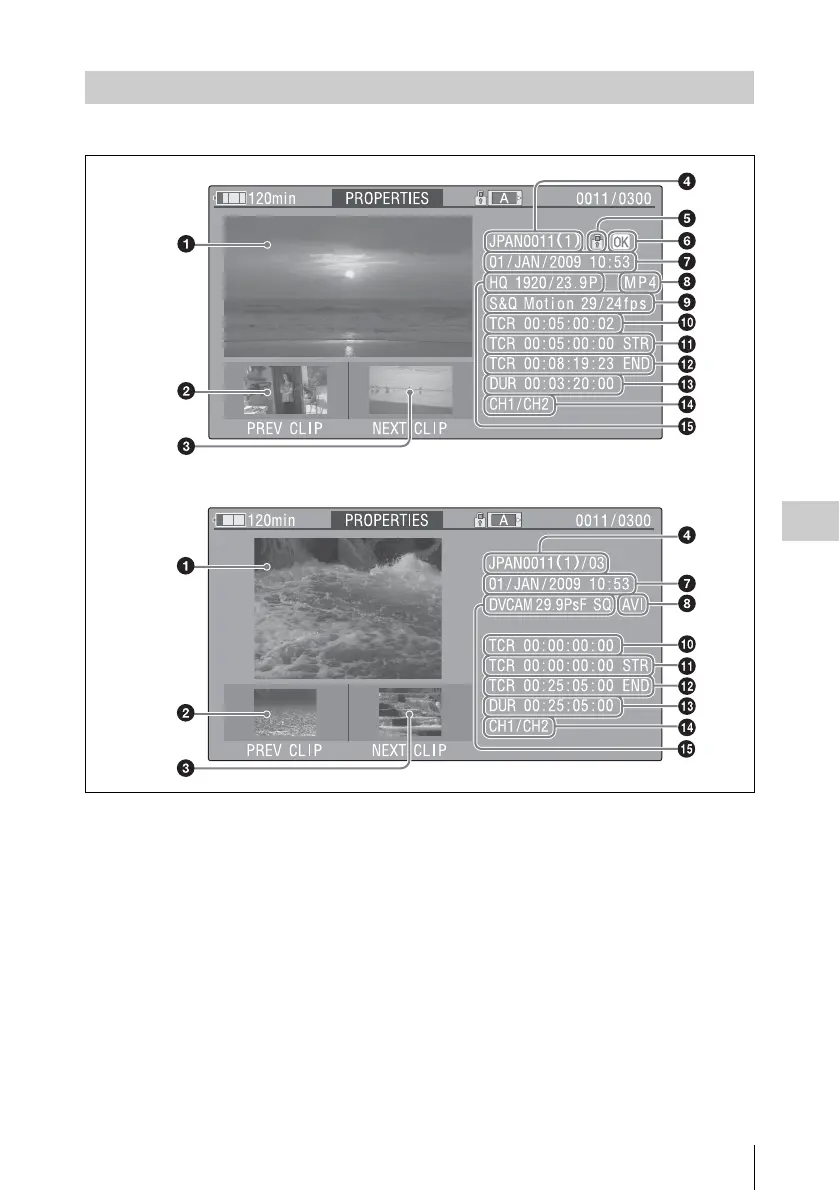
The clip properties screen appears when you select Clip Properties in the THUMBNAIL menu.
a Image of the current clip
b Image of the previous clip
Press the PREV button to display the properties of
the previous clip.
c Image of the next clip
Press the NEXT button to display the properties
of the next clip.
d Clip name
In SD mode, only for clips that have been divided
because the file size was greater than 2 GB, the
number of component clips appears after the clip
name.
When clip names are 12 characters or longer, only
the first five characters and the last five characters
are displayed. If you want to check the
abbreviated characters, press the MENU knob to
switch to long display mode. In long display
mode, up to 53 characters are displayed in clip
names.
Press the MENU knob again to exit long display
mode. Pressing the PREV or NEXT button to
display the previous or next clip also exists long
display mode.
e Lock mark (HD mode only)
This appears when the clip is marked with an OK
mark and protected.
Displaying Clip Properties
HD mode
SD mode



 To Next Page