Tripod Mounting
47
Chapter 2 Preparations
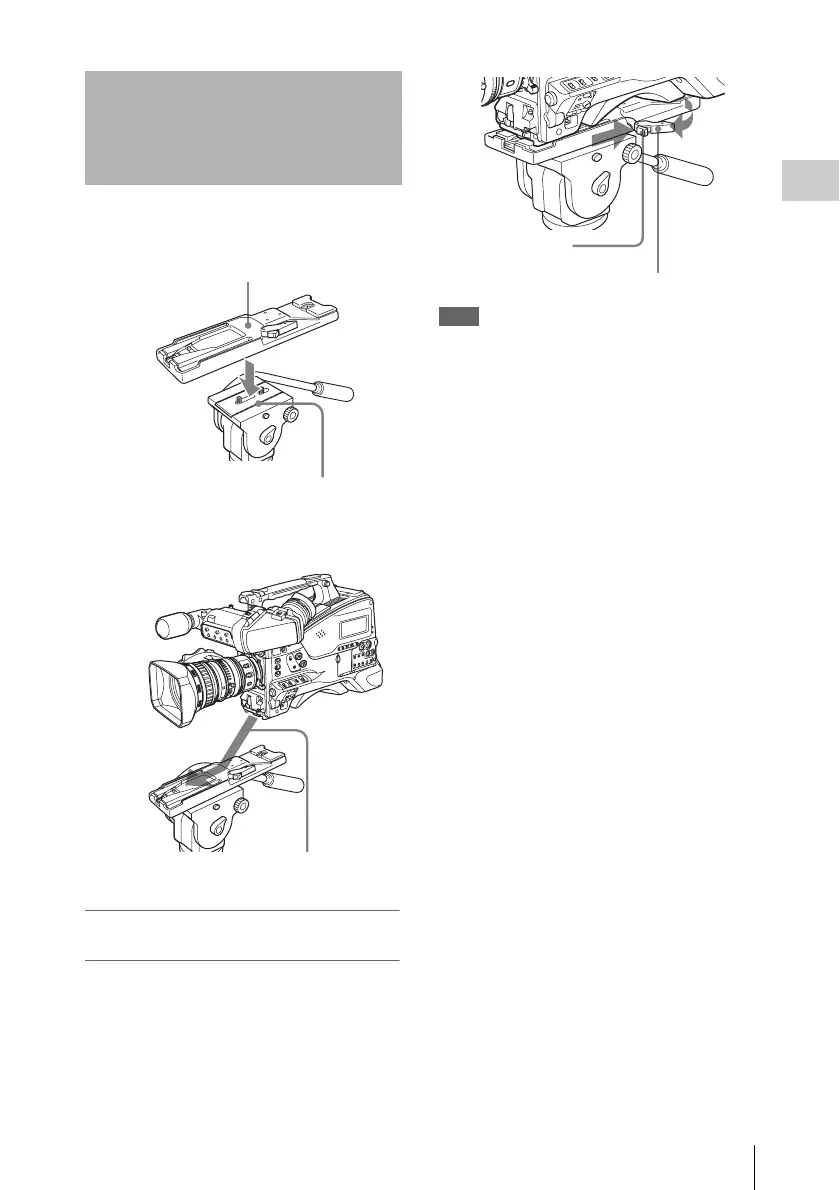
1 Attach the optional VCT-14/U14
Tripod Adaptor to the tripod.
2 Mount the camcorder on the tripod
adaptor.
To remove the camcorder from the tripod
adaptor
Hold down the red button and pull the lever in the
direction of the arrow.
Note
The tripod adaptor pin may remain in the engaged
position even after the camcorder is removed. If this
happens, press the red button and move the lever as
shown above until the pin returns to the stowed position.
If the pin remains in the engaged position, you will not
be able to mount the camcorder on the tripod adaptor.
Tripod Mounting
Tripod adaptor
Camera mount
Slide the camcorder forward along the
groove in the adaptor until it clicks.
Red button
Lever



 To Next Page