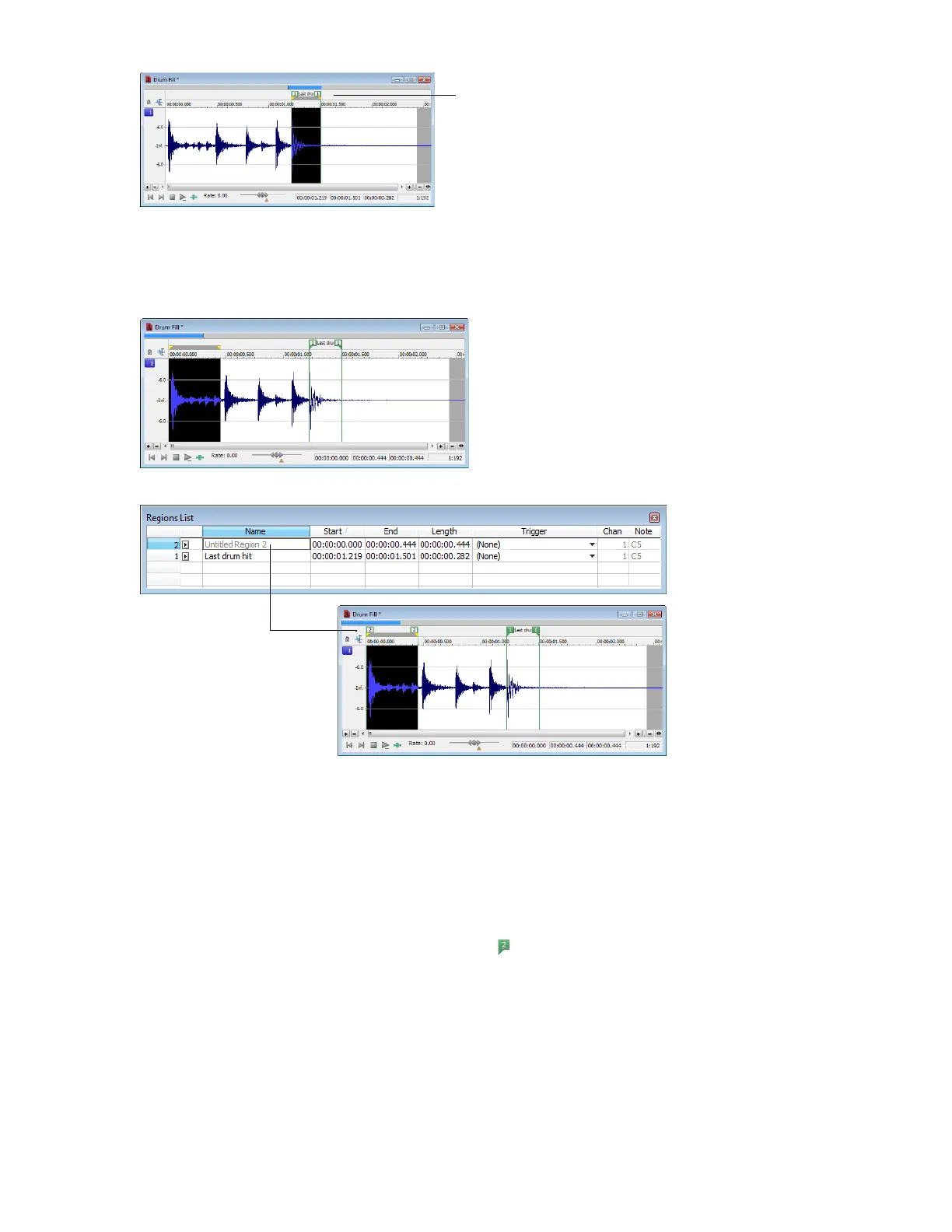
Inserting regions by dragging selections
One of the easiest ways to insert a region is to drag a selection from a data window into the Regions List.
1.
Create a selection containing the opening drum roll in Fill.pca.
2.
Drag the selection from the data window to the Regions List. The region is inserted.
Inserting regions using the time ruler shortcut
1.
Create another selection in the waveform display.
2.
Right-click the time ruler and choose Insert Marker/Region from the shortcut menu. The region is inserted.
Inserting regions using the keyboard
1.
Create a selection in the waveform display.
2.
Press R. The region is inserted and numbered region markers ( ) are placed at the start and end of the selected area.
Inserting regions automatically
In addition to the previously described methods, you can also insert regions automatically.
USING MARKERS, REGIONS, AND THE PLAYLIST/CUTLIST | 121














 To Next Page