Fade - Fade In
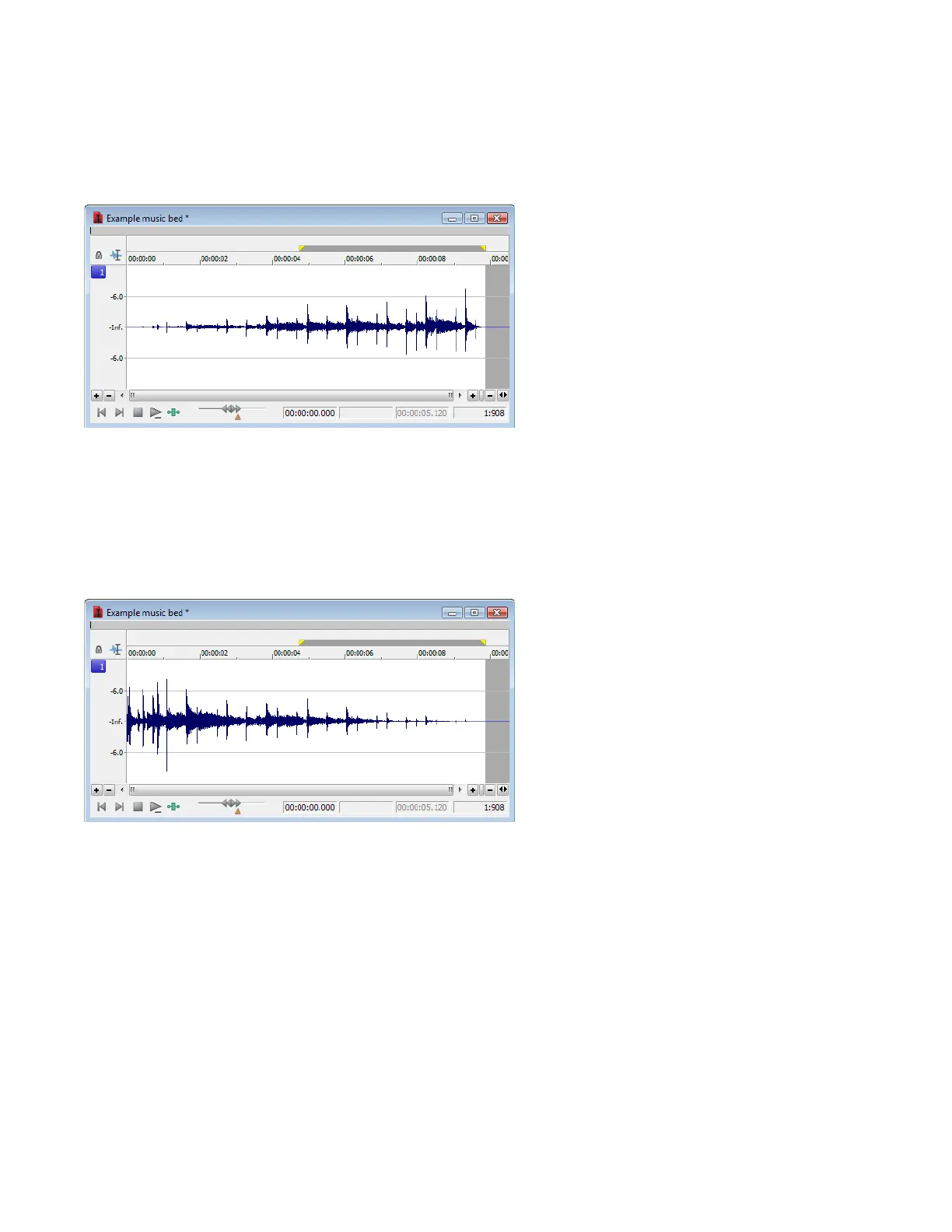
The Fade In command is used to linearly fade a selection from a volume of -Inf. to a volume of 0 dB. The size of the selection determines
the length of the fade.
1.
Open the Musicbed.pca file.
2.
From the Process menu, choose Fade, and choose In from the submenu. The fade is applied, and volume increases over the length
of the entire file.
Fade - Fade Out
The Fade Out command is used to linearly fade a selection from a volume of 0 dB to a volume of -Inf. The size of the selection determines
the length of the fade.
1.
Open the Musicbed.pca file and select all audio data.
2.
From the Process menu, choose Fade, and choose Out from the submenu. The fade is applied, and the volume decreases over the
length of the entire file.
Invert/Flip
The Invert/Flip command inverts the audio selection at its baseline, in effect reversing its polarity. Inverting a file, while creating no
audible difference, is occasionally useful for matching sample transitions when executing certain pastes, mixes, or loops.
1.
Create a selection in the data window.
2.
From the Process menu, choose Invert/Flip. The selection is inverted.
184
| CHAPTER 11














 To Next Page