Working with files
You can save a file in a variety of formats, including popular audio formats such as WAV and AIFF, and streaming media formats such as
Windows Media®. You can save a file using a standard template, or you can customize the settings to suit your needs. Once you create
custom settings, you can save those settings as a template.
You have the option to save all open files at once or to save all open files as a workspace file.
Saving a file
1.
Click anywhere in the data window to select it.
2.
From the File menu, choose Save.
Note:
When saving a new file, the Save As dialog appears. If the file was previously saved, choosing Save automatically saves the file
without your input.
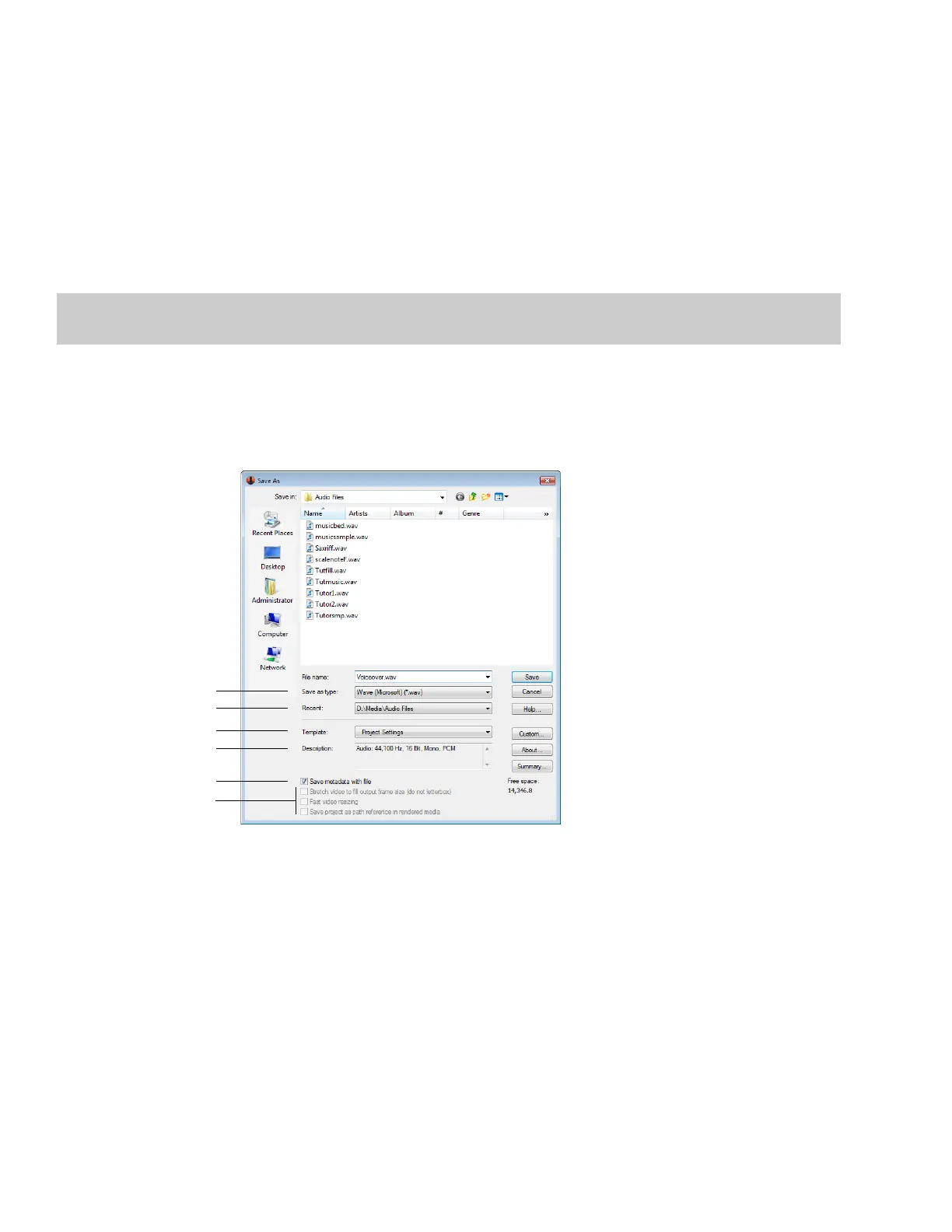
Using the Save As/Render As dialog
The Save As dialog allows you to save an audio file with a new name, in an alternate format, or with new attributes.
The Render As dialog allows you to render a file using a standard template, or you can customize the settings to suit your needs. Once
you create custom settings, you can save those settings as a template.
Select file type
Select recent directories
Select template
Template description
Select saving metadata option
Select video options
66 | CHAPTER 3














 To Next Page