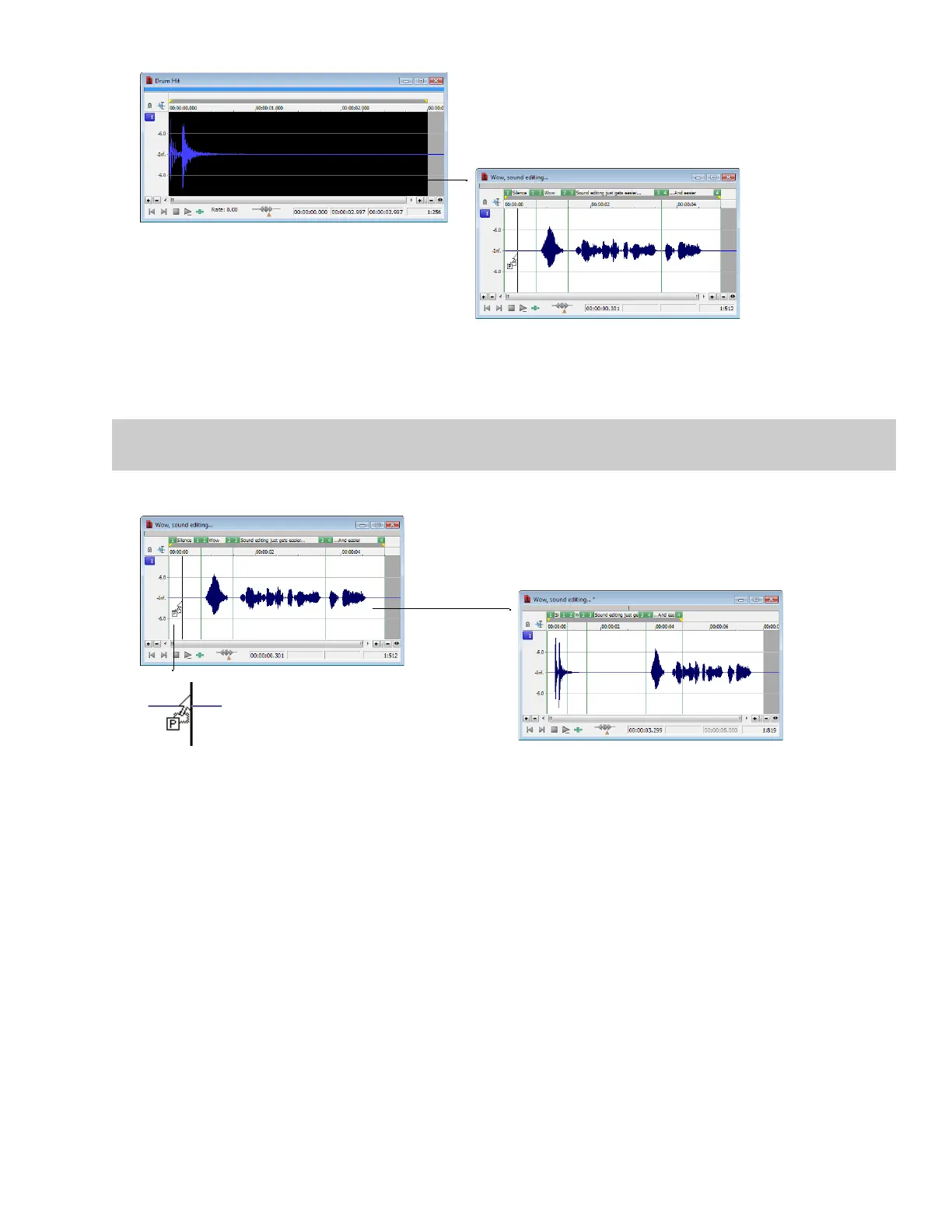
Create a selection in the
source window
Drag the selection into the
destination window and
then press and hold Ctrl
3.
Hold the Ctrl key and drag the selection to the Voiceover data window.
• A vertical line representing the leading edge of the source selection appears in the destination window.
• The letter “P” appears in the box adjacent to the pointer.
Tip:
When dragging a selection to paste sound data, drag up or down before moving the mouse left or right. Dragging left or right
before moving the mouse vertically adjusts the selection length.
4.
Use the mouse to position the line in the destination window where the source data will be pasted.
Drag the selection to the
destination window
Selection is pasted into
the destination window
Drag-and-drop
paste indicator
5.
Release the mouse button. The selection is pasted into the destination window.
EDITING, REPAIRING, AND SYNTHESIZING AUDIO | 151














 To Next Page