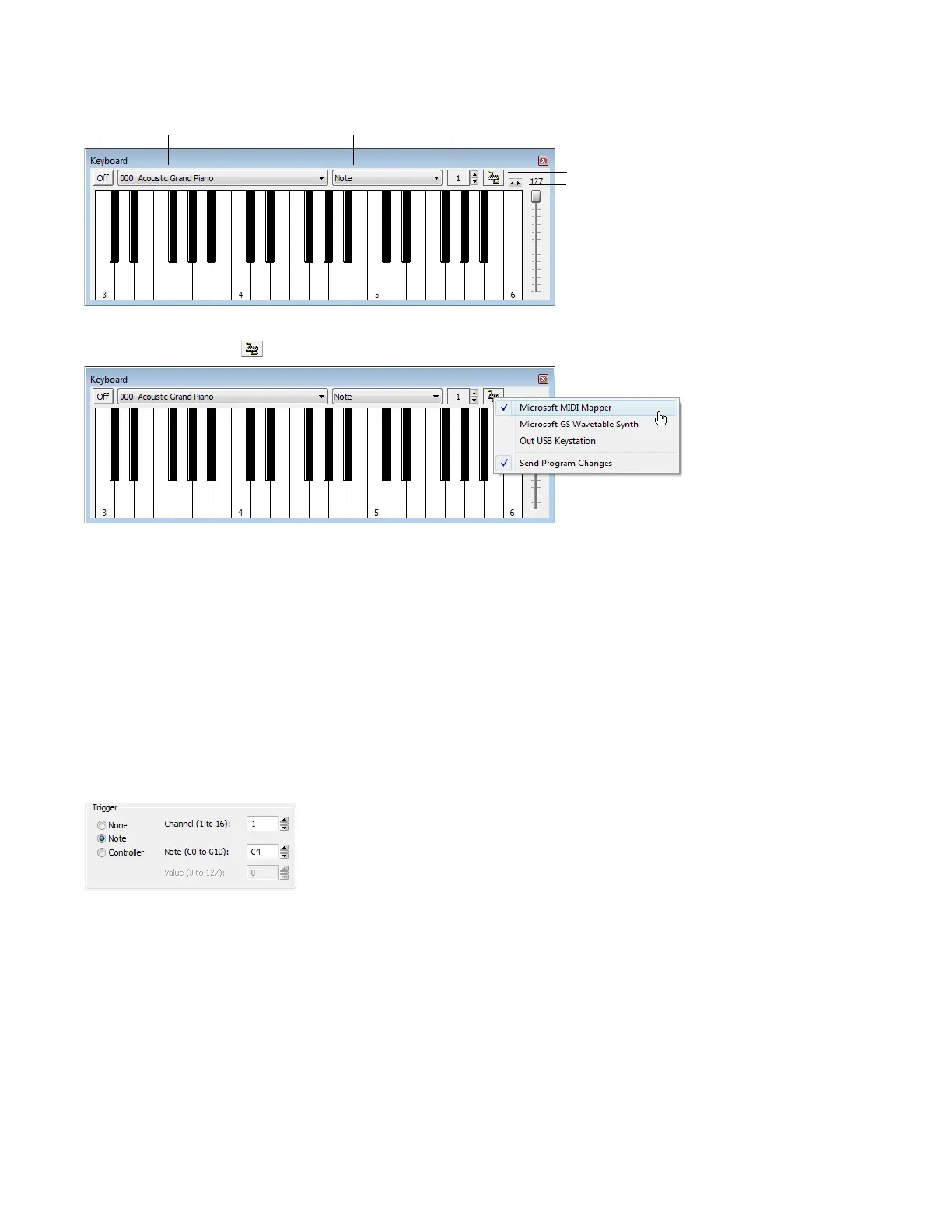
Configuring the MIDI device
1.
From the View menu, choose Keyboard. The MIDI Keyboard appears.
On/Off Voice Note/Chord Output Channel
MIDI Out
Octave
Output Velocity
2.
Open the Voiceover.pca file.
3.
Click the MIDI Out button ( ) and choose the appropriate MIDI router from the menu.
4.
Set the keyboard’s Output channel value to 1. The MIDI device is configured.
Turning on MIDI input synchronization
1.
From the Options menu, choose Preferences. The Preferences dialog appears.
2.
Click the MIDI/Sync tab.
3.
From the Input drop-down list, choose the appropriate MIDI router and click OK.
Configuring the MIDI trigger
1.
From the Options menu, choose MIDI Triggers. The MIDI Triggers dialog appears.
2.
Select Play All from the Event list box.
3.
In the Trigger section, select the Note radio button. The Channel and Note boxes become available.
4.
Type 1 in the Channel box.
5.
Type C4 in the Note box and click OK.
The Sound Forge software is now configured to play the Voiceover.pca file when it receives a C4 Note-On command on MIDI
Channel 1.
254
| CHAPTER 16














 To Next Page