Adjustment Using the Menus
30
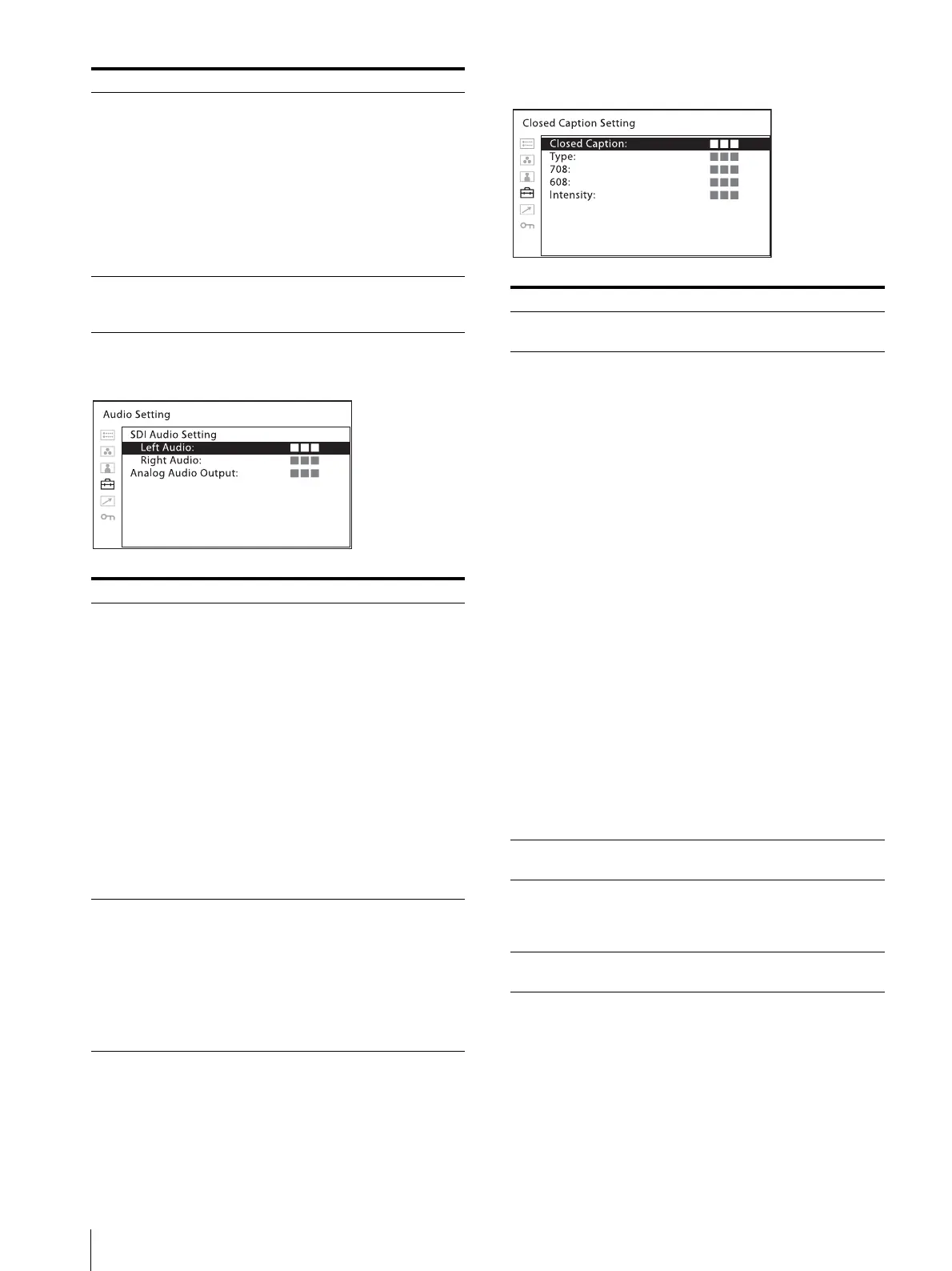
[Audio Setting]
[Closed Caption Setting]
[Line Select] Select [On] to display the waveform of
the line assigned in [Position] below,
when [WFM] is selected.
[Color]: Selects the displayed line
color from among [Red], [Green],
[Blue], [Yellow], [White].
[Position]: Sets the line position.
When the numerical value is
increased, the line will move down;
when decreased, the line will move
up.
[Target] Select [75%] or [100%]. Switches the
vectorscope target between 75% and
100%.
Submenu Setting
[SDI Audio Setting] Sets the audio channel when SDI signal
is input.
[Left Audio]: Selects from channels
[CH1] to [CH16].
[Right Audio]: Selects from channels
[CH1] to [CH16].
When a channel from [CH1] to [CH8]
is selected in [Left Audio], you can
select a channel from [CH1] to [CH8]
in [Right Audio]. When a channel from
[CH9] to [CH16] is selected in [Left
Audio], you can select a channel from
[CH9] to [CH16] in [Right Audio].
You can display the L/R audio levels of
the selected channels. (see [WFM/
ALM/Vector (waveform monitor, audio
level meter, and vectorscope) Setting]
(page 28)).
[Analog Audio
Output]
Select an audio format to output from
speakers, headphone jack, and AUDIO
OUT connector.
[Embedded]: Outputs an audio signal
embedded in SDI or HDMI
signal.
[Analog]: Outputs an audio signal
that comes from the AUDIO IN
connector.
Submenu Setting
Submenu Setting
[Closed Caption] Select [On] to display closed caption
and [Off] not to display.
[Type] Sets the closed caption display type.
[Auto1]: Select this to display
automatically 608(VBI)
3)
when
SD-SDI signal is input, or to
display automatically 708
1)
when HD-SDI signal is input.
[Auto2]: Select this to display
automatically 608(VBI)
3)
when
SD-SDI signal is input, or to
display automatically 608(708)
2)
when HD-SDI signal is input.
[708]: Select this to display 708
1)
when HD-SDI signal is input.
[608(708)]: Select this to display
608(708)
2)
when HD-SDI signal
is input.
[608(VBI)]: Select this to display
608(VBI)
3)
when SD-SDI signal
is input.
1) 708 is a closed caption signal
conforming to the EIA/CEA-708
standard.
2) 608(708) is a closed caption signal
conforming to the EIA/CEA-608
standard, and which is transmitted as
EIA/CEA-708 standard.
3) 608(VBI) is a closed caption signal
conforming to the EIA/CEA-608
standards, and which is transmitted
as Line 21.
[708] Sets the closed caption type for 708.
Select from [Service1] to [Service6].
[608] Sets the closed caption type for
608(708) and 608(VBI). Select from
among [CC1], [CC2], [CC3], [CC4],
[Text1], [Text2], [Text3], [Text4].
[Intensity] Sets the luminance of the displayed
characters. Select [Low] or [High].


 To Next Page