EasyManua.ls Logo

Sony RMT-D142P - Page 6

Sony RMT-D142P
108 pages
Print Icon
To Next Page IconTo Next Page
To Previous Page IconTo Previous Page
Loading...
6
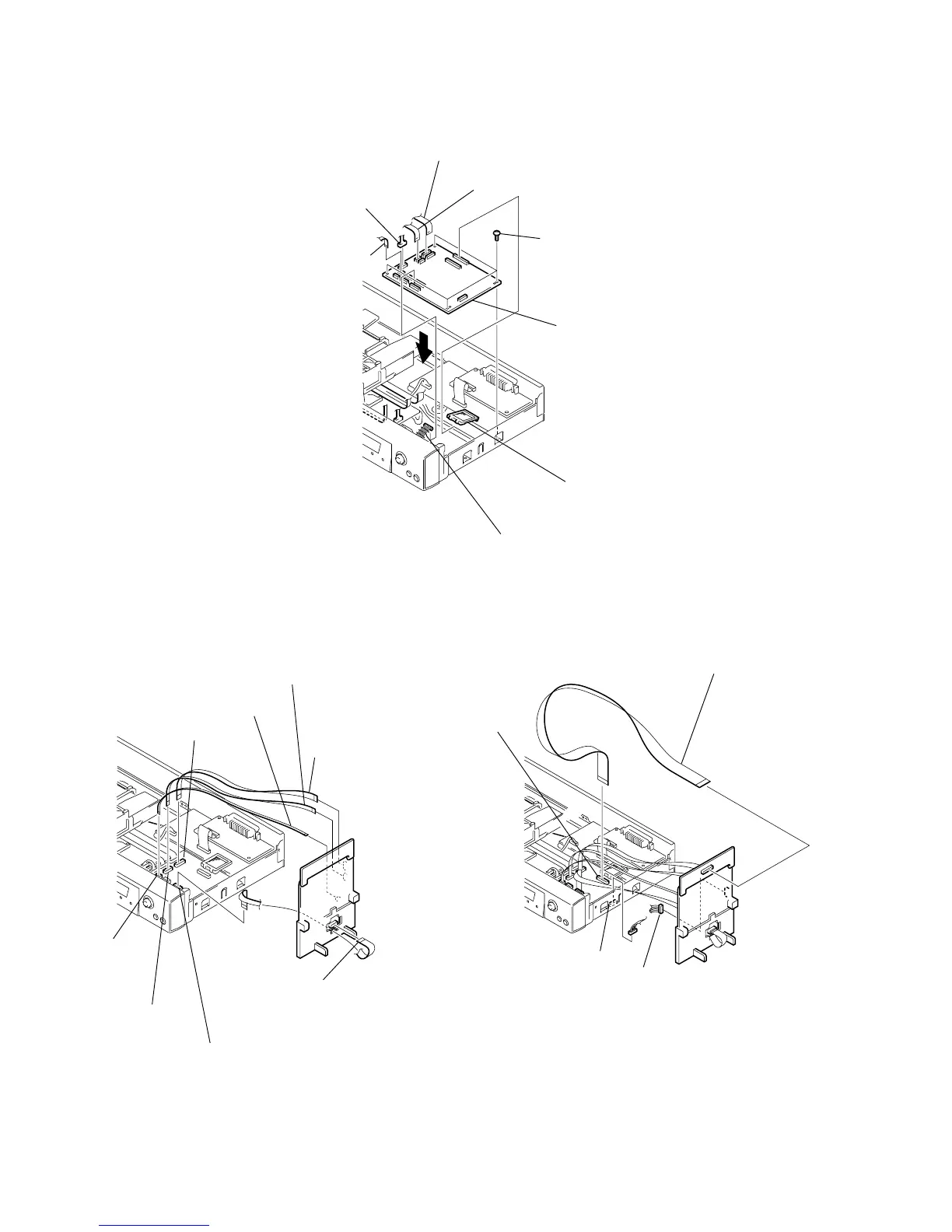
4) Fix the CK-120 board to the location where the MB-103 board is removed.
5) Set the five flexible flat cables and the harness as shown in Fig. 4 and Fig. 5.
1 CK-120 board
3 FMM-041 flexible board (CN101, 26P)
6 FMS-17 flexible board (CN105, 5P)
4 FMO-004 flexible board (CN103, 9P)
5 MF-128 Harness (CN109, 6P)
8 Connector (CN111, 9P)
7 Connector (CN113, 25P

)
2 four screws
(SUMIEITE(B3)+BV)
1 Fl
at cable
(FFC 26P :CN203)
3 Fl
at cable
(FFC 5P CN201)
2 Fl
at cable
(FFC 9P :CN204)
8 F
lat cable
(FFC 15P :CN202(CK-121 board))
6 Connector
(CN112)
7 Connector (CN102)
5 Connector
(CN104)
4 Connector
(CN106)
1 F
lat cable
(FFC 25P :CN301(CK-122 board)
3 Harness 6P (CN102)
4 Harness 6P (CN110)
2 Connector (CN114)
Fig. 4. Fig. 5.
Fig. 3.

Table of Contents

Related product manuals