36
Operating the CD Player Using OSD
To select a track number using the numeric keys on
the remote
Press the numeric button corresponding to the track
number you desire.
To enter a track number greater than 10, press >10 first,
then press the corresponding numeric buttons.
e.g. For 30, press >10m3m10/0
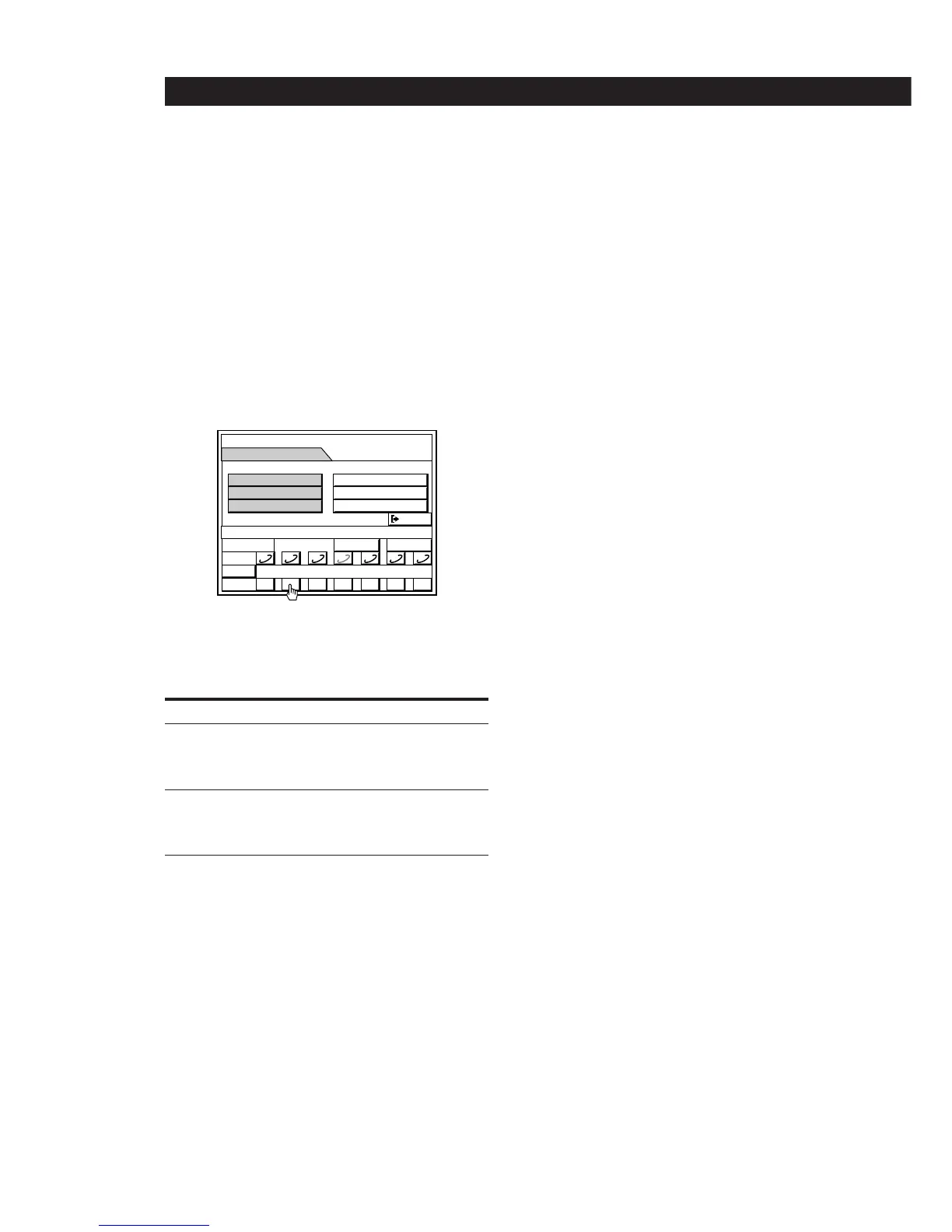
7 Repeat steps 5 and 6 to program up to 32 steps.
8 Click SUB to return to the SUB menu or EXIT to
exit to the main menu.
9 Click (.
All the tracks play in the order you have chosen.
To stop playing
Click p.
To play Do this
The next or succeeding tracks Click + repeatedly
until you find the track
(or press + on the
remote repeatedly).
The current or preceding tracks Click = repeatedly
until you find the track
(or press = on the
remote repeatedly).
To cancel program play
Click PROGRAM repeatedly to select “CONTINUE”. The
tracks continue playing in their original order.
To erase the programed contents
Click RESET in the PROGRAM EDIT menu.
Programming from the remote without
using the on-screen display
1 Press p.
If you switch to program mode during playback,
the track being played is automatically
programmed as step 1.
2 Press PLAY MODE repeatedly so that
“PROGRAM” appears in the display on the right
speaker.
3 Press DISC SKIP to select a CD.
The disc number appears and after a few seconds
the total playing time begins to flash in the
display.
4 Press = or + to select a track number.
The track number and the total playing time
including the selected track flashes in the display.
(The program is not entered at this time.)
To select a track number using the numeric keys
Press the numeric button corresponding to the track
number you desire. The track is programmed
automatically, so you can skip step 5.
To enter a track number greater than 10, press >10 first,
then press the corresponding numeric buttons.
e.g. For 30, press >10m3m10/0
5 Press PLAY MODE to enter the track.
If the track (or disc) number disappears before
you press PLAY MODE, go back to step 3.
If you program the wrong track.
Press CLEAR, and go back to step 3.
6 To program additional tracks from the same CD,
repeat step 4.
To program additional tracks from another CD,
repeat steps 3 and 4.
7 Press CD ·.
All the tracks play in the order you have chosen.
To cancel program play
Press PLAY MODE repeatedly so that the PROGRAM
indicator disappears from the display.
To erase the programmed contents
Press p during stop mode or press PLAY MODE repeatedly
so that the PROGRAM indicator disappears from the
display.
MEMO
TIME
14.51
SUB
0
DISC
() p P= +
SUB
EXIT
PRG EDITPROGRAM
4–14
1 2 3 4 5 6 7


 To Next Page