46
Operating the Tape Deck Using OSD
Playing a Tape
You can use TYPE I (normal), TYPE II (CrO2) and
TYPE IV (metal) tapes. When you insert a tape, the
deck detects the tape type automatically.
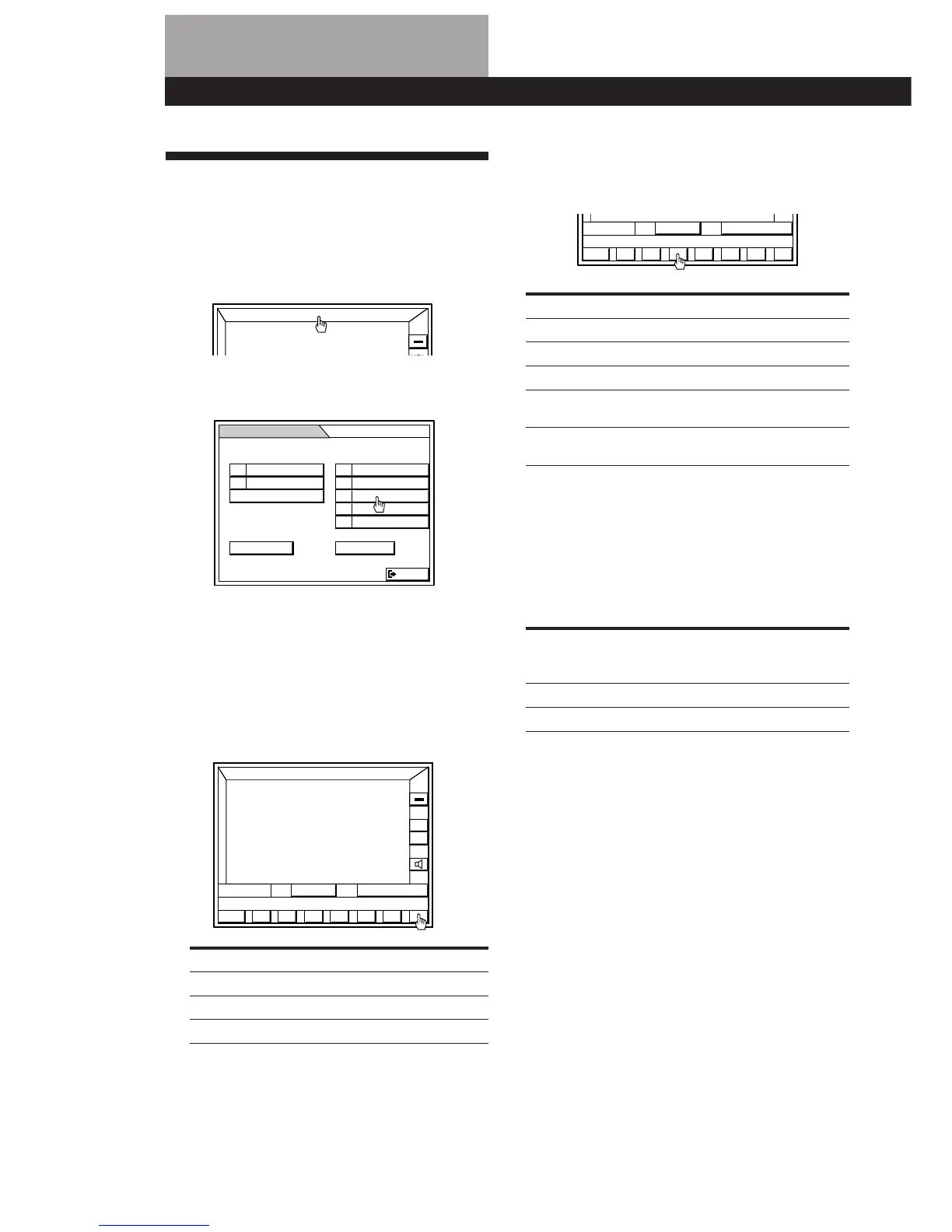
1 Click FUNCTION in the main menu.
2 Click TAPE.
3 Press EJECT § on the right speaker to open the
tape compartment. Insert a recorded tape in with
the tape side down and the side you want to play
facing forward. Push to close the compartment.
The tape will start playing from the front side.
4 Click d repeatedly to select single or dual-sided
playback.
To play Click to display
One side of the tape D
Each side once Å
Both sides repeatedly* ß
* The deck stops automatically after playing both sides
5 times.
5 Click ( (to play the front side) or 9 (to play the
reverse side).
The tape starts playing.
To Click
Stop play p
Pause P
Resume play ( or P
Fast Forward ) for the front side or
0 for the reverse side
Rewind 0 for the front side or
) for the reverse side
To find the beginning of a track (AMS)
Be sure to use the controls on the unit or the remote for this
operation.
Using the AMS (Automatic Music Sensor) feature, you can
quickly find the track you’re looking for. The deck senses
where a music track begins by detecting a blank space of
more than four seconds between tracks.
If the side of the To play the To play the
cassette being next track current track
played is the press (remote) press (remote)
Front side (() ) (TAPE ) ) 0 (TAPE 0 )
Reverse side (9) 0 (TAPE 0 ) ) (TAPE ) )
Note
The AMS function may not work correctly if:
• the blank space between tracks is less than 4 seconds long.
• the signal strength of the left and right channels are very
different.
• there is a passage of low frequencies or a very low volume
within a track.
To remove the cassette
Press EJECT § on the front of the right speaker.
When listening to a tape recorded with the Dolby noise
reduction system
Click DOLBY NR repeatedly to select “DOLBY NR: B” or
“DOLBY NR: C” according to the noise reduction system
used in recording. Dolby noise reduction system reduces
tape hiss noise in low-level high-frequency signals.
To reset the tape counter
Click RESET.
The tape counter display returns to “0000”. The tape counter
is also reset when you unplug the AC power cord or press
EJECT § to switch tapes.
FUNCTION


 To Next Page