37
Operating the CD Player Using OSD
Playing Tracks Repeatedly
(repeat play)
You can choose between two different repeat modes.
One repeats all the tracks in the current play mode, the
other repeats a single track.
The repeat play repeats a single CD or all CDs during
normal and program playback. During shuffle play,
repeat play repeats one CD only (1 DISC mode shuffle
play). In normal play mode (only), the player can also
repeat a single track.
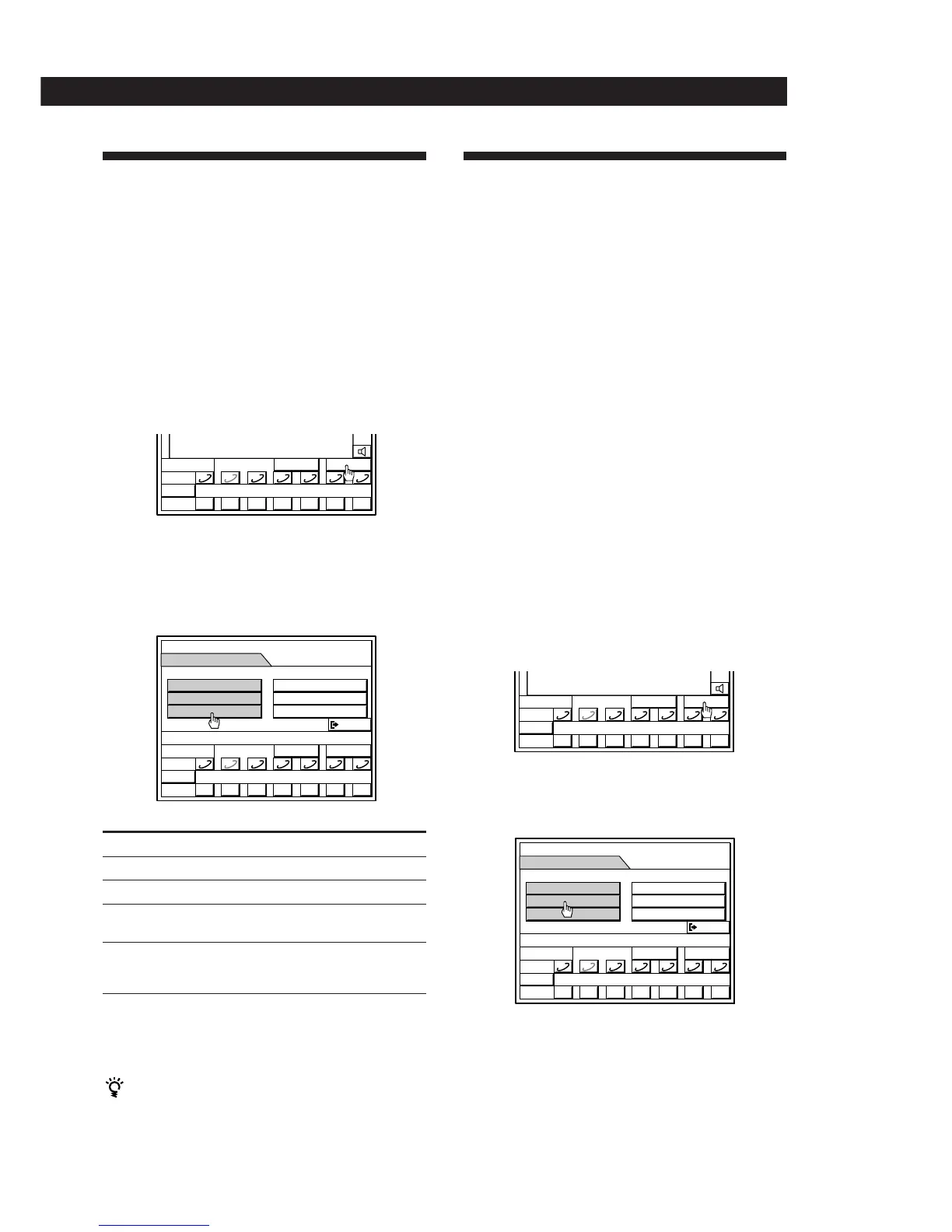
1 Click SUB.
2 Click REPEAT OFF repeatedly to select
“REPEAT” to repeat all the tracks (in any play
mode), or “REPEAT 1” to repeat a single track
while playing the desired track (during normal
play only).
Play mode Tracks to be repeated
Normal play (ALL DISCS) All tracks on all CDs
Normal play (1 DISC) All tracks on the selected CD
Shuffle play (1 DISC) All tracks on the selected CD
(reshuffled)
Program play All programmed tracks/
programs in their
programmed order
To cancel repeat play
Click the repeat button repeatedly to display “REPEAT
OFF”.
Playing tracks repeatedly without using the on-
screen display
Press REPEAT on the remote repeatedly so that
“REPEAT” or “REPEAT1” appears in the display on the
right speaker.
Assigning Names to CDs
(disc memo)
You can assign names to your CDs. The names may
consist of uppercase and lowercase letters, numbers
and symbols (up to 20 characters long for each CD).
You can store a maximum of 100 names in the unit. The
names appear in the disc memo list, making it easy to
identify which CDs are currently loaded.
Note
If the AC power cord is disconnected for about one week,
the disc memos may be cleared from the memory, and you
will have to store the names again.
Before you start assigning names
In order to take advantage of the full (100 disc)
memory capacity, do steps 1 through 4 of “Erasing all
the disc memos” on page 39 to erase the disc memo
data entered at the factory.
You only need to perform this procedure once; before
assigning names for the first time.
Assigning a Name
1 Click SUB
2 If PROGRAM or SHUFFLE appear in the SUB
menu, click them repeatedly to select
“CONTINUE”.
MEMO
D
TIME
SUB
0
DISC
() p P= +
1 2 3 4 5 6 7
DISC–2
**
MEMO
TIME
SUB
0
DISC
() p P= +
SUB
EXIT
REPEAT OFF
1 2 3 4 5 6 7
DISC–2
**
MEMO
TIME
SUB
0
DISC
() p P= +
SUB
EXIT
PROGRAM
1 2 3 4 5 6 7
DISC–2
**
MEMO
D
TIME
SUB
0
DISC
() p P= +
1 2 3 4 5 6 7
DISC–2
**
(continued)


 To Next Page