Using the Display
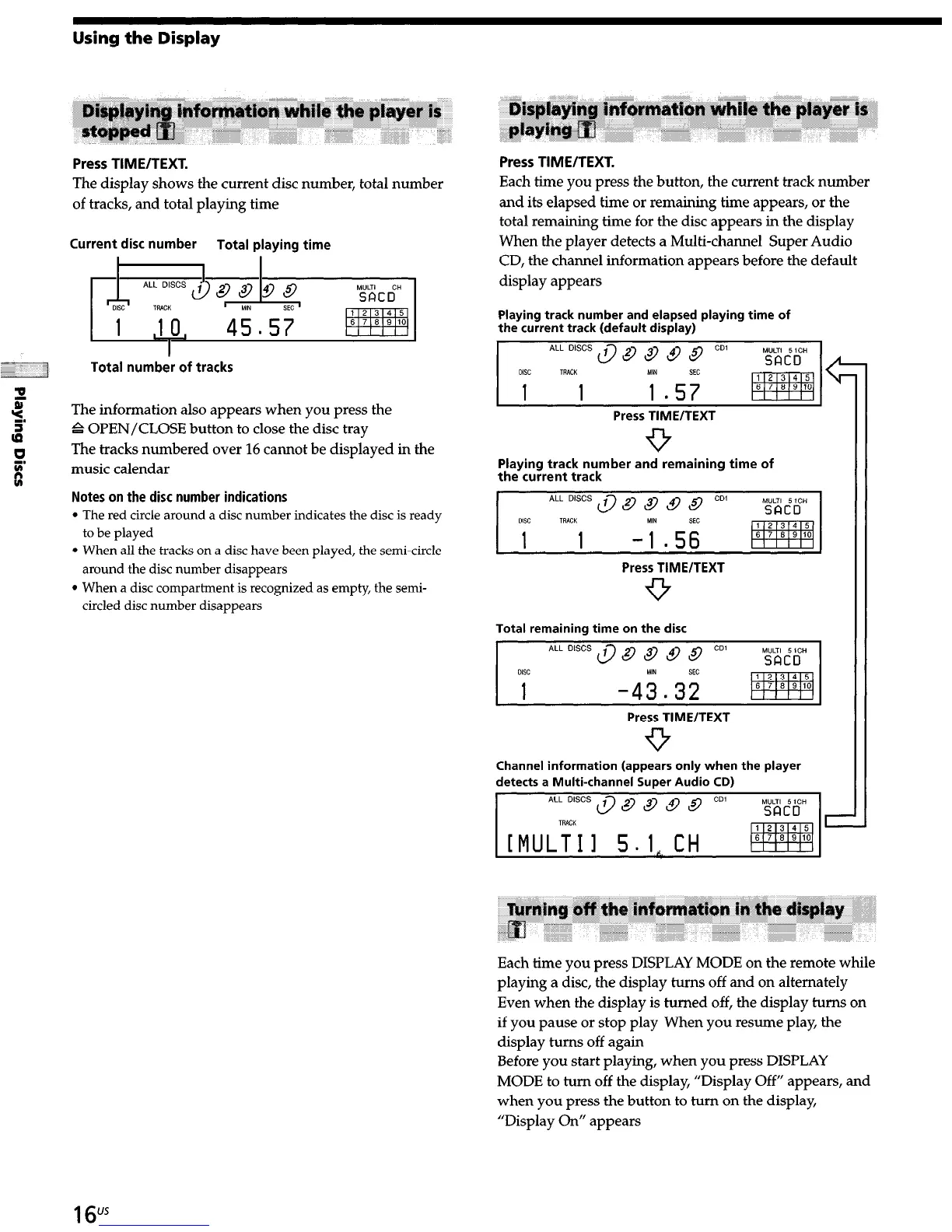
Press TIME/TEXT.
The display shows the current disc number, total number
of tracks, and total playing time
Current disc number
Total playing time
1
Total number of tracks
The information also appears when you press the
G OPEN/CLOSE button to close the disc tray
The tracks numbered over 16 cannot be displayed in the
music calendar
Notes on the disc number indications
l
The red circle around a disc number indicates the disc is ready
to be played
l
When all the tracks on a disc have been played, the semi-circle
around the disc number disappears
l
When a disc compartment is recognized as empty, the semi-
circled disc number disappears
Press TIME/TEXT.
Each time you press the button, the current track number
and its elapsed time or remaining time appears, or the
total remaining time for the disc appears in
the
display
When the player detects a Multi-channel Super Audio
CD, the channel information appears before the default
display appears
Playing track number and elapsed playing time of
the current track (default display)
Press TIME/TEXT
9
Playing track number and remaining time of
the current track
Press TIME/TEXT
9
Total remaining time on the disc
Press TIME/TEXT
9
Channel information (appears only when the player
detects a Multi-channel Super Audio CD)
Each time you press DISPLAY MODE on the remote while
playing a disc, the display turns off and on alternately
Even when the display is turned off, the display turns on
if you pause or stop play When you resume play, the
display turns off again
Before you start playing, when you press DISPLAY
MODE to turn off the display, “Display Off” appears, and
when you press the button to turn on the display,
“Display On” appears
16"*


 To Next Page