EasyManua.ls Logo

Sony SDP-E800 - Processor Operations: Sound Field Selection; Selecting a Sound Field; Turning Off Sound Fields; Dolby Digital (AC-3) Output Notes

Sony SDP-E800
44 pages
Print Icon
To Next Page IconTo Next Page
To Previous Page IconTo Previous Page
Loading...
Processor
Operations
Selecting
a
Sound
Field
You
can
select
a
sound
field
according
to
the
type
of
source
you
are
playing.
When
playing
program
sources
recorded
in
the
Dolby
Digital
(AC-3)
format,
you
can
enjoy
surround
sound
simply
by
selecting
"DOLBY".
This
unit
also
incorporates
several
pre-programmed
"Digital
Cinema
Sound"
modes.
Select
from
these
surround
modes
according
to
your
preference
to
enjoy
powerful
sound
effects
from
a
Wide
variety
of
program
sources.
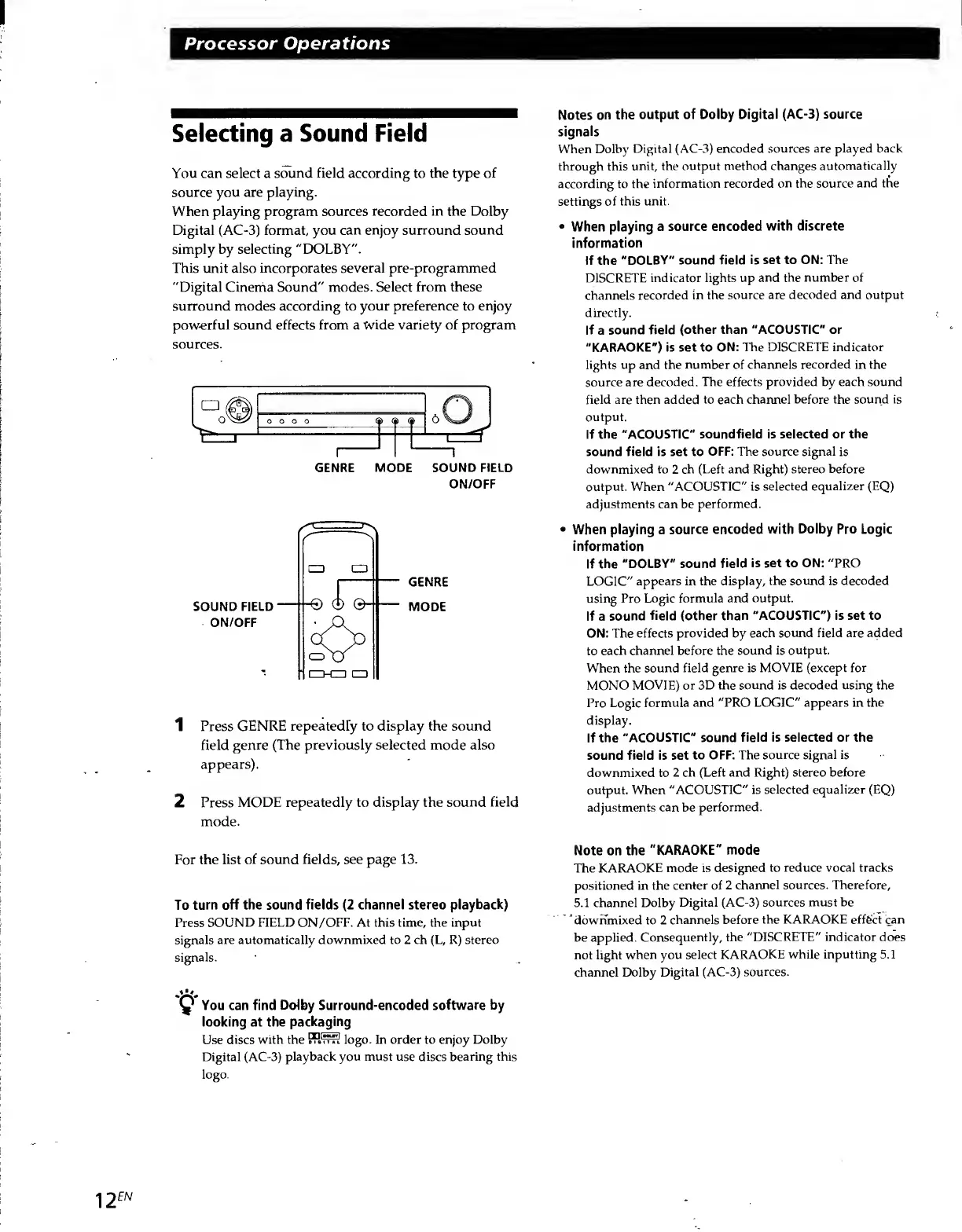
GENRE
MODE
SOUND
FIELD
ON/OFF
GENRE
MODE
1
Press
GENRE
repeatedly
to
display
the
sound
field
genre
(The
previously
selected
mode
also
appears).
2
Press
MODE
repeatedly
to
display
the
sound
field
mode.
Notes
on
the
output
of
Dolby
Digital
(AC-3)
source
signals
When
Dolby
Digital
(AC-3)
encoded
sources
are
played
back
through
this
unit,
the
output
method
changes
automatically
according
to
the
information
recorded
on
the
source
and
the
settings
of
this
unit.
When
playing
a
source
encoded
with
discrete
information
If
the
"DOLBY"
sound
field
is
set
to
ON:
The
DISCRETE
indicator
lights
up
and
the
number
of
channels
recorded
in
the
source
are
decoded
and
output
directly.
If
a
sound
field
(other
than
"ACOUSTIC"
or
"KARAOKE")
is
set
to
ON:
The
DISCRETE
indicator
lights
up
and
the
number
of
channels
recorded
in
the
source
are
decoded.
The
effects
provided
by
each
sound
field
are
then
added
to
each
channel
before
the
sound
is
output.
If
the
"ACOUSTIC"
soundfield
is
selected
or
the
sound
field
is
set
to
OFF:
The
source
signal
is
downmixed
to
2
ch
(Left
and
Right)
stereo
before
output.
When
"ACOUSTIC"
is
selected
equalizer
(EQ)
adjustments
can
be
performed.
When
playing
a
source
encoded
with
Dolby
Pro
Logic
information
If
the
"DOLBY"
sound
field
is
set
to
ON:
"PRO
LOGIC”
appears
in
the
display,
the
sound
is
decoded
using
Pro
Logic
formula
and
output.
If
a
sound
field
(other
than
"ACOUSTIC")
is
set
to
ON:
The
effects
provided
by
each
sound
field
are
added
to
each
channel
before
the
sound
is
output.
When
the
sound
field
genre
is
MOVIE
(except
for
MONO
MOVIE)
or
3D
the
sound
is
decoded
using
the
Pro
Logic
formula
and
"PRO
LOGIC"
appears
in
the
display.
If
the
"ACOUSTIC"
sound
field
is
selected
or
the
sound
field
is
set
to
OFF:
The
source
signal
is
downmixed
to
2
ch
(Left
and
Right)
stereo
before
output.
When
"ACOUSTIC"
is
selected
equalizer
(EQ)
adjustments
can
be
performed.
For
the
list
of
sound
fields,
see
page
13.
To
turn
off
the
sound
fields
(2
channel
stereo
playback)
Press
SOUND
FIELD
ON/OFF.
At
this
time,
the
input
signals
are
automatically
downmixed
to
2
ch
(L,
R)
stereo
signals.
.V!i.
You
can
find
Dolby
Surround-encoded
software
by
looking
at
the
packaging
Use
discs
with
the
PRfr?S
logo.
In
order
to
enjoy
Dolby
Digital
(AC-3)
playback
you
must
use
discs
bearing
this
logo.
Note
on
the
"KARAOKE"
mode
The
KARAOKE
mode
is
designed
to
reduce
vocal
tracks
positioned
in
the
center
of
2
channel
sources.
Therefore,
5.1
channel
Dolby
Digital
(AC-3)
sources
must
be
downmixed
to
2
channels
before
the
KARAOKE
effect
can
be
applied.
Consequently,
the
"DISCRETE"
indicator
does
not
light
when
you
select
KARAOKE
while
inputting
5.1
channel
Dolby
Digital
(AC-3)
sources.

Related product manuals