EasyManua.ls Logo

Sony SDP-E800 - Processor Operations: Digital Recording; Digital Recording Functionality; Recording a CD using a DAT deck; Recording Limitations

Sony SDP-E800
44 pages
Print Icon
To Next Page IconTo Next Page
To Previous Page IconTo Previous Page
Loading...
Processor
Operations
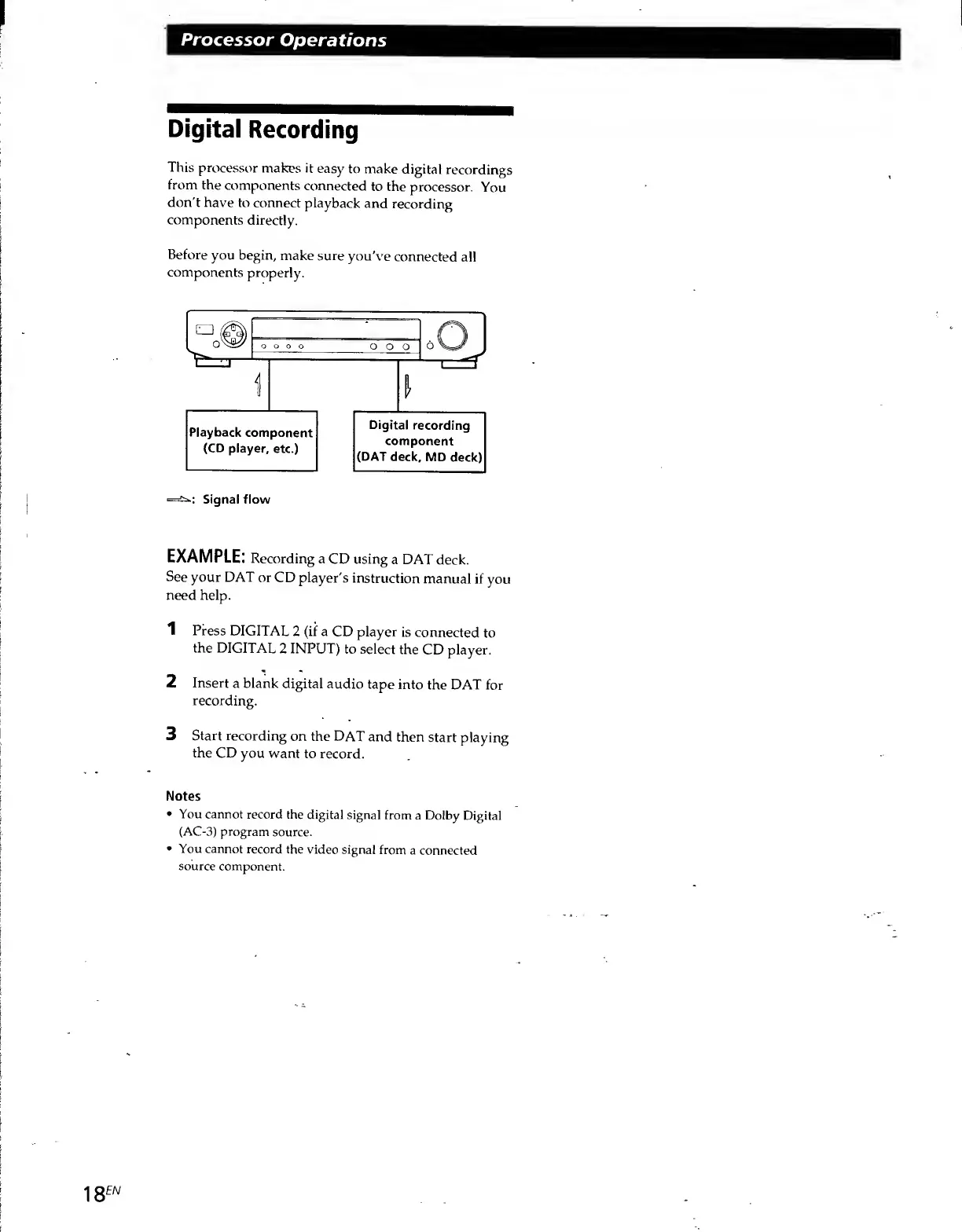
Digital
Recording
This
processor
makes
it
easy
to
make
digital
recordings
from
the
components
connected
to
the
processor.
You
don't
have
to
connect
playback
and
recording
components
directly.
Before
you
begin,
make
sure
you've
connected
all
components
properly.
Q
r\
•O
O
o
0
o
o
0
0
1
-
n
-
1
1_ZJ
l
Playback
component
(CD
player,
etc.)
Digital
recording
component
(DAT
deck,
MD
deck)
Signal
flow
EXAMPLE:
Recording
a
CD
using
a
DAT
deck.
See
your
DAT
or
CD
player's
instruction
manual
if
you
need
help.
1
Press
DIGITAL
2
(if
a
CD
player
is
connected
to
the
DIGITAL
2
INPUT)
to
select
the
CD
player.
2
Insert
a
blank
digital
audio
tape
into
the
DAT
for
recording.
3
Start
recording
on
the
DAT
and
then
start
playing
the
CD
you
want
to
record.
Notes
You
cannot
record
the
digital
signal
from
a
Dolby
Digital
(AC-3)
program
source.
You
cannot
record
the
video
signal
from
a
connected
source
component.

Related product manuals