

EasyManua.ls Logo

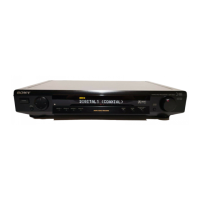
Sony SDP-E800 - User Manual

Sony SDP-E800
44 pages
Print Icon
To Next Page IconTo Next Page
Loading...
3-860-721-11(1)
Digital
Surround
Processor
Operating
Instructions
Mode
d'emploi-
SDP-E800
©
1997
by
Sony
Corporation
Question and Answer IconNeed help?

Do you have a question about the Sony SDP-E800 and is the answer not in the manual?

Summary

Precautions

On safety

Safety precautions to prevent fire or shock hazard, ensuring proper unit usage.

On power sources

Guidelines for connecting and using the unit with the AC power supply, including voltage checks and cord safety.

On placement

Recommendations for optimal placement to ensure ventilation and prevent overheating, away from heat sources.

On operation

Instructions for safe operation, including turning off power before connecting other components.

Getting Started: Unpacking and Hookups

Unpacking

Lists the items included with the processor, such as the remote commander and batteries.

Source Component Hookups

Details how to connect digital and analog audio/video source components to the surround processor.

Remote Control Setup

Instructions on inserting batteries and general usage tips for the remote commander.

Pre-operation Checks

Important checks and connections to complete before operating the processor.

Getting Started: Connections and Notes

Digital Source Connections

Illustrates signal flow and connection details for various digital sources like LD, DVD, CD, and DAT/MD players.

Analog Source Connections

Illustrates signal flow for connecting analog sources like VCRs to the processor's ANALOG input.

Important Notes and Warnings

Includes notes on player compatibility, LD connections, and warnings for DAT/MD playback.

Getting Started: Amplifier and Speaker Setup

Amplifier Hookups

Details connecting audio and video signals from the processor to a multi-channel amplifier.

Speaker Placement

Guidance on placing speakers for the best surround sound, considering listening position and room shape.

Getting Started: Pre-Operation and Speaker Configuration

Before You Use Your Processor

Ensures MASTER VOLUME is set correctly and checks the display indicator.

Speaker Set Up

How to specify front, center, and rear speaker sizes (LARGE/SMALL/NO) for optimal sound processing.

Getting Started: Speaker and Sound Adjustments

Sub woofer Settings

Setting the sub woofer to YES or NO to enable LFE channel output or activate bass redirection.

Adjusting Delay Time

Adjusting the delay time for center and rear speakers to add depth to the sound.

Adjusting Speaker Volume

Using the remote to adjust individual speaker volumes from the listening position.

Getting Started: Master Volume and Sound Field Notes

Master Volume Adjustment

Using MASTER VOLUME on the processor or remote to adjust the overall speaker volume.

Test Tone Limitations

Notes on when the test tone will not be emitted for specific sound field settings.

Processor Operations: Selecting Program Sources

Selecting a Component

How to select the desired audio or video component to listen to or watch.

Using the Remote for Input Selection

How to use the remote's INPUT SELECT buttons to cycle through available inputs.

Processor Operations: Sound Field Selection

Selecting a Sound Field

How to select sound fields based on source type for enhanced surround sound effects.

Turning Off Sound Fields

How to turn off sound fields for 2 channel stereo playback.

Dolby Digital (AC-3) Output Notes

Notes on how output methods change based on source information and unit settings.

Karaoke Mode Functionality

Explanation of the KARAOKE mode and its effect on vocal tracks and Dolby Digital sources.

Processor Operations: Sound Field Modes

Sound Field Modes Overview

Table detailing available sound field genres, modes, and their corresponding surround effects.

Processor Operations: Customizing Sound Fields

Customizing the Sound Fields

How to adjust equalizer and surround sound parameters to suit listening preferences.

Adjusting Sound Parameters

Steps to select and adjust sound parameters like equalizer and surround settings.

Dynamic Range Compression

Explanation of compressing dynamic range for movie watching at low volumes.

Processor Operations: Adjustable Sound Parameters

Adjustable Sound Parameters Table

Table outlining adjustable equalizer and surround sound parameters for different sound field modes.

Parameter Definitions

Definitions of parameters like C.LEV., R.LEV., W.LEV., LFE MIX, WALL, SEAT, REVERB, EFFECT.

Processor Operations: Surround Menu Details

Surround Effect Level

Adjusting the 'presence' of surround effects and vocal cancellation in Karaoke mode.

Wall Type Adjustment

Adjusting the 'brightness' of surround sound by simulating soft or hard wall reflections.

Seat Position Adjustment

Adjusting front-to-rear and left-to-right seat positions for balanced sound perception.

Reverberation Time

Adjusting the amount of reverberation (echoes) present in the sound effect.

Low Frequency Extension (LFE) Mix Level

Adjusting the LFE channel output level from the sub woofer.

Dynamic Range Compression Ratio

Compressing the dynamic range of the sound track for low-volume listening.

Equalizer Menu: Speaker Bass and Treble

Adjusting bass and treble levels and frequencies for front and center speakers.

Processor Operations: Setup and Level Adjustment Menus

Rear Speaker Bass and Treble Adjustment

Adjusting bass and treble levels and frequencies for rear speakers.

Other Setup Menu Options

Settings for center/rear speaker delay and front panel display dimmer level.

SP. SETUP Menu Parameters

Parameters for setting speaker type, size, and placement for realistic surround sound.

Level Adjust Menu: Speaker Balancing

Adjusting speaker levels, balances, and sub woofer levels for optimal output.

Processor Operations: Digital Recording

Digital Recording Functionality

How to make digital recordings from connected components without direct connections.

Recording a CD using a DAT deck

Step-by-step example for recording audio from a CD player to a DAT deck.

Recording Limitations

Notes on restrictions for recording Dolby Digital (AC-3) signals or video signals.

Additional Information: Troubleshooting

Troubleshooting Guide

Guide to diagnosing and resolving common issues like no sound, unbalanced audio, or noise.

Surround Effect Issues

Troubleshooting steps for when surround effects cannot be obtained or are weak.

Picture and Display Issues

Steps to resolve problems with no picture, unclear picture, or remote function failure.

Audio Specific Issues

Troubleshooting for no sound from specific speakers or weak rear/center speaker output.

Karaoke Vocal Reduction Issues

Troubleshooting weak vocal reduction in the KARAOKE sound field.

Additional Information: Specifications and Glossary

Specifications

Technical details including digital/analog inputs/outputs, power requirements, dimensions, and mass.

Glossary: Center Mode

Explanation of the Center Mode setting and its relation to speaker size parameters.

Glossary: Digital Cinema Sound

Explanation of Sony's digital signal processing technology for simulating sound environments.

Glossary: Dolby Pro Logic Surround

Explanation of the Dolby Pro Logic Surround decoding system and its requirements.

Glossary: Dolby Surround

Explanation of the Dolby Surround encoding and decoding system for consumer use.

Glossary: Surround Sound

Definition of surround sound elements: direct sound, early reflections, and reverberation.

Glossary: Dolby Digital (AC-3)

Explanation of Dolby Digital (AC-3) as a digital surround system for home use.

Front Panel Descriptions

Front Panel Controls Overview

Identification and brief description of the buttons and indicators on the front panel.

Rear Panel Descriptions

Rear Panel Connections Overview

Identification and description of the various input and output jacks on the rear panel.

Index

Index of Topics

Alphabetical listing of topics and their corresponding page numbers for quick reference.
Summary

Precautions

On safety

Safety precautions to prevent fire or shock hazard, ensuring proper unit usage.

On power sources

Guidelines for connecting and using the unit with the AC power supply, including voltage checks and cord safety.

On placement

Recommendations for optimal placement to ensure ventilation and prevent overheating, away from heat sources.

On operation

Instructions for safe operation, including turning off power before connecting other components.

Getting Started: Unpacking and Hookups

Unpacking

Lists the items included with the processor, such as the remote commander and batteries.

Source Component Hookups

Details how to connect digital and analog audio/video source components to the surround processor.

Remote Control Setup

Instructions on inserting batteries and general usage tips for the remote commander.

Pre-operation Checks

Important checks and connections to complete before operating the processor.

Getting Started: Connections and Notes

Digital Source Connections

Illustrates signal flow and connection details for various digital sources like LD, DVD, CD, and DAT/MD players.

Analog Source Connections

Illustrates signal flow for connecting analog sources like VCRs to the processor's ANALOG input.

Important Notes and Warnings

Includes notes on player compatibility, LD connections, and warnings for DAT/MD playback.

Getting Started: Amplifier and Speaker Setup

Amplifier Hookups

Details connecting audio and video signals from the processor to a multi-channel amplifier.

Speaker Placement

Guidance on placing speakers for the best surround sound, considering listening position and room shape.

Getting Started: Pre-Operation and Speaker Configuration

Before You Use Your Processor

Ensures MASTER VOLUME is set correctly and checks the display indicator.

Speaker Set Up

How to specify front, center, and rear speaker sizes (LARGE/SMALL/NO) for optimal sound processing.

Getting Started: Speaker and Sound Adjustments

Sub woofer Settings

Setting the sub woofer to YES or NO to enable LFE channel output or activate bass redirection.

Adjusting Delay Time

Adjusting the delay time for center and rear speakers to add depth to the sound.

Adjusting Speaker Volume

Using the remote to adjust individual speaker volumes from the listening position.

Getting Started: Master Volume and Sound Field Notes

Master Volume Adjustment

Using MASTER VOLUME on the processor or remote to adjust the overall speaker volume.

Test Tone Limitations

Notes on when the test tone will not be emitted for specific sound field settings.

Processor Operations: Selecting Program Sources

Selecting a Component

How to select the desired audio or video component to listen to or watch.

Using the Remote for Input Selection

How to use the remote's INPUT SELECT buttons to cycle through available inputs.

Processor Operations: Sound Field Selection

Selecting a Sound Field

How to select sound fields based on source type for enhanced surround sound effects.

Turning Off Sound Fields

How to turn off sound fields for 2 channel stereo playback.

Dolby Digital (AC-3) Output Notes

Notes on how output methods change based on source information and unit settings.

Karaoke Mode Functionality

Explanation of the KARAOKE mode and its effect on vocal tracks and Dolby Digital sources.

Processor Operations: Sound Field Modes

Sound Field Modes Overview

Table detailing available sound field genres, modes, and their corresponding surround effects.

Processor Operations: Customizing Sound Fields

Customizing the Sound Fields

How to adjust equalizer and surround sound parameters to suit listening preferences.

Adjusting Sound Parameters

Steps to select and adjust sound parameters like equalizer and surround settings.

Dynamic Range Compression

Explanation of compressing dynamic range for movie watching at low volumes.

Processor Operations: Adjustable Sound Parameters

Adjustable Sound Parameters Table

Table outlining adjustable equalizer and surround sound parameters for different sound field modes.

Parameter Definitions

Definitions of parameters like C.LEV., R.LEV., W.LEV., LFE MIX, WALL, SEAT, REVERB, EFFECT.

Processor Operations: Surround Menu Details

Surround Effect Level

Adjusting the 'presence' of surround effects and vocal cancellation in Karaoke mode.

Wall Type Adjustment

Adjusting the 'brightness' of surround sound by simulating soft or hard wall reflections.

Seat Position Adjustment

Adjusting front-to-rear and left-to-right seat positions for balanced sound perception.

Reverberation Time

Adjusting the amount of reverberation (echoes) present in the sound effect.

Low Frequency Extension (LFE) Mix Level

Adjusting the LFE channel output level from the sub woofer.

Dynamic Range Compression Ratio

Compressing the dynamic range of the sound track for low-volume listening.

Equalizer Menu: Speaker Bass and Treble

Adjusting bass and treble levels and frequencies for front and center speakers.

Processor Operations: Setup and Level Adjustment Menus

Rear Speaker Bass and Treble Adjustment

Adjusting bass and treble levels and frequencies for rear speakers.

Other Setup Menu Options

Settings for center/rear speaker delay and front panel display dimmer level.

SP. SETUP Menu Parameters

Parameters for setting speaker type, size, and placement for realistic surround sound.

Level Adjust Menu: Speaker Balancing

Adjusting speaker levels, balances, and sub woofer levels for optimal output.

Processor Operations: Digital Recording

Digital Recording Functionality

How to make digital recordings from connected components without direct connections.

Recording a CD using a DAT deck

Step-by-step example for recording audio from a CD player to a DAT deck.

Recording Limitations

Notes on restrictions for recording Dolby Digital (AC-3) signals or video signals.

Additional Information: Troubleshooting

Troubleshooting Guide

Guide to diagnosing and resolving common issues like no sound, unbalanced audio, or noise.

Surround Effect Issues

Troubleshooting steps for when surround effects cannot be obtained or are weak.

Picture and Display Issues

Steps to resolve problems with no picture, unclear picture, or remote function failure.

Audio Specific Issues

Troubleshooting for no sound from specific speakers or weak rear/center speaker output.

Karaoke Vocal Reduction Issues

Troubleshooting weak vocal reduction in the KARAOKE sound field.

Additional Information: Specifications and Glossary

Specifications

Technical details including digital/analog inputs/outputs, power requirements, dimensions, and mass.

Glossary: Center Mode

Explanation of the Center Mode setting and its relation to speaker size parameters.

Glossary: Digital Cinema Sound

Explanation of Sony's digital signal processing technology for simulating sound environments.

Glossary: Dolby Pro Logic Surround

Explanation of the Dolby Pro Logic Surround decoding system and its requirements.

Glossary: Dolby Surround

Explanation of the Dolby Surround encoding and decoding system for consumer use.

Glossary: Surround Sound

Definition of surround sound elements: direct sound, early reflections, and reverberation.

Glossary: Dolby Digital (AC-3)

Explanation of Dolby Digital (AC-3) as a digital surround system for home use.

Front Panel Descriptions

Front Panel Controls Overview

Identification and brief description of the buttons and indicators on the front panel.

Rear Panel Descriptions

Rear Panel Connections Overview

Identification and description of the various input and output jacks on the rear panel.

Index

Index of Topics

Alphabetical listing of topics and their corresponding page numbers for quick reference.

Sony SDP-E800 Specifications

General IconGeneral
BrandSony
ModelSDP-E800
CategoryProcessor
LanguageEnglish

Related product manuals
