Getting Started
23
Setting the clock
Notes
• The clock cannot be set automatically if you do not receive a channel that carries a time
signal in your area. If so, set the clock manually (page 24).
• If there are only a few channels in your area that carry time signals, setting the clock
automatically may take up to about 20 minutes. If nothing happens even after you wait about
20 minutes, set the clock manually (page 24).
• If you made Hookup 3, make sure you leave the cable box on.
• To record TV programs using the timer, you must set the clock accurately.
3
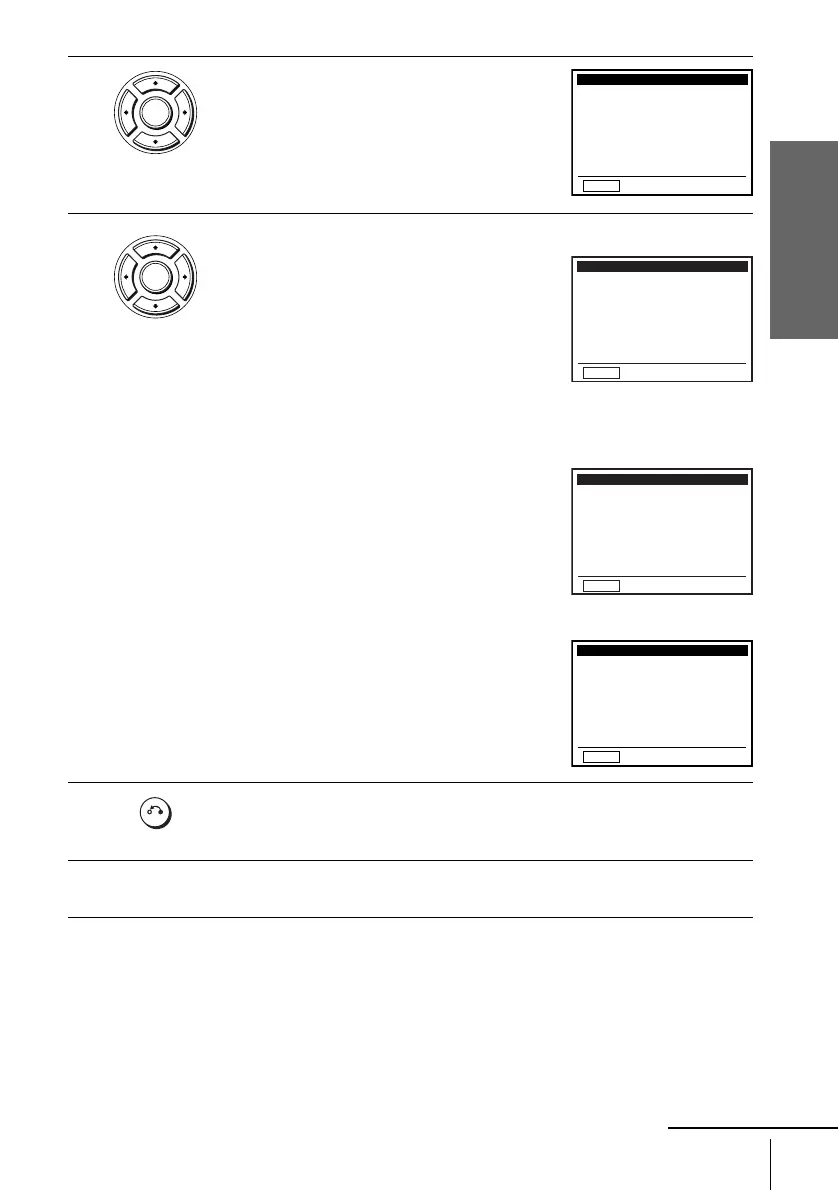
Press V/v to select “Auto”, then press
ENTER.
4
Press V/v to select the item you want. Then press B/b to make the setting.
• For “Clock data CH”
Leave the setting to “Auto” to have the
DVD-VCR automatically search for a
channel that carries a time signal. Press
B/b
to select a channel that carries a time signal.
Use this option if you know of a channel that
carries a time signal. Most PBS member
stations broadcast a time signal. For the
fastest response, select your local PBS
station.
• For “Time zone”
Select the time zone of your area, or select
“Auto” to have the DVD-VCR automatically
set your time zone.
The options are:
Auto y Atl. (Atlantic) y East (Eastern)
y Cen. (Central) y Mtn. (Mountain) y
Pac. (Pacific) y Alas (Alaska) y
Haw. (Hawaii) y Auto
• For “Daylight saving”
Select “Yes” or “No” (standard time), or
“Auto” to have the DVD-VCR automatically
set the daylight saving time.
5
Press O RETURN repeatedly to exit the menu.
6
To activate the Auto Clock Set function, turn off the DVD-VCR.
ENTER
RETURN
CLOCK SET/ADJUST
v
V
b
B
B
Time zone:
Clock data CH:
Daylight saving:
Auto
Auto
[
[
]
Auto
[]
]
ENTER
RETURN
CLOCK SET/ADJUST
v
V
b
B
B
Time zone:
Clock data CH:
Daylight saving:
123
[]
Auto
[]
Auto
[]
RETURN
CLOCK SET/ADJUST
v
V
b
B
B
Time zone:
Clock data CH:
Daylight saving:
[]
Pac.
[]
Auto
Auto
[]
RETURN
CLOCK SET/ADJUST
B
Time zone:
Clock data CH:
Daylight saving:
Auto
Auto
[
[
]
No
[]
]
v
V
b
B
RETURN
continued














 To Next Page