22
Setting the clock
Step 5 : Setting the clock
Using the Auto Clock Set
feature
Some TV and cable channels transmit time
signals with their broadcasts. Your DVD-
VCR can pick up this time signal to
automatically set the clock.
The Auto Clock Set feature works only if a
channel in your area is broadcasting a time
signal. If broadcasters in your area are not
yet sending time signals, set the time
manually (page 24).
Before you start…
• Turn on the DVD-VCR and your TV.
When using a cable box, turn it on.
• Set the “RF Output Channel” to “3CH” or
“4CH” in “OPTION SETUP” menu
(page 87). If your TV is connected to the
DVD-VCR using A/V connections, set the
TV to video input.
• If the DVD player is in play mode, you
cannot display the “SETUP MENU.” Stop
the DVD playback.
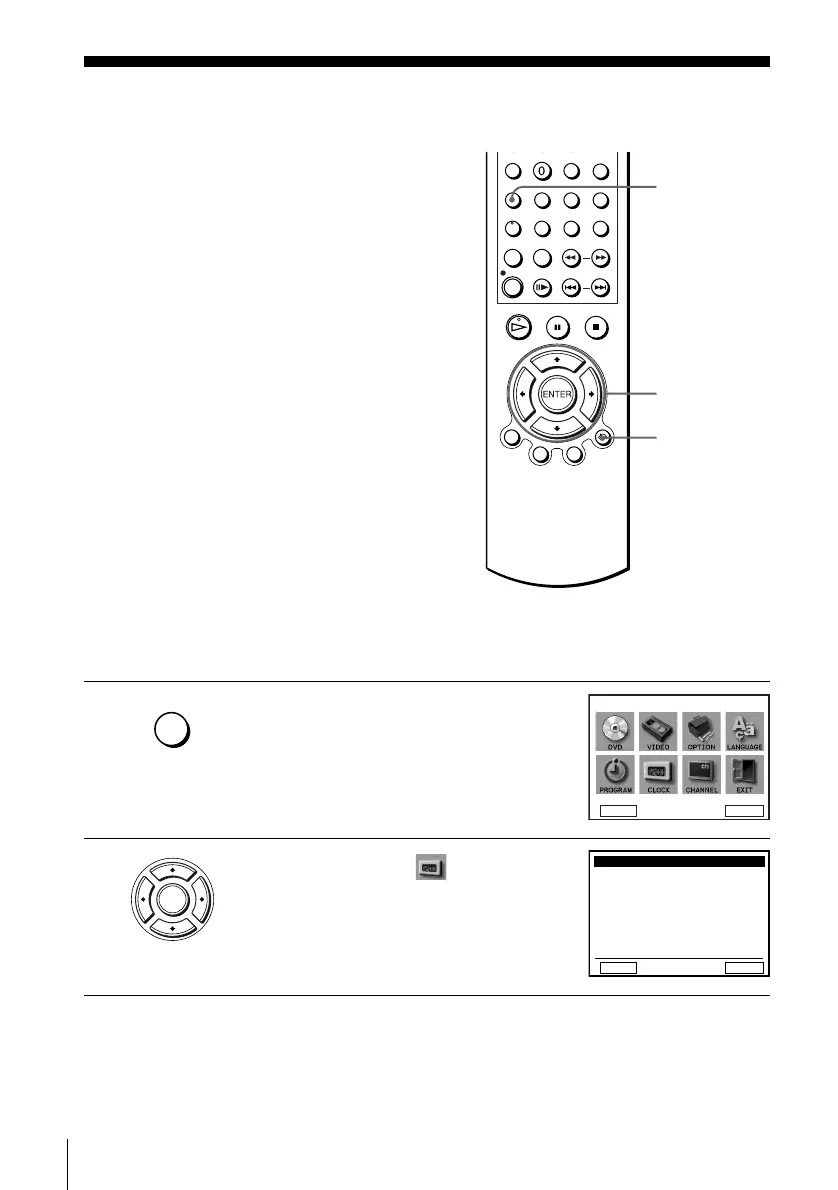
1
Press SET UP.
The “SETUP MENU” appears.
2
Press V/v/B/b to select (Clock Set/
Adjust), then press ENTER.
The “CLOCK SET/ADJUST” menu appears.
V/v/B/b
ENTER
SET UP
O RETURN
SET UP
DVD Setup
RETURN
SETUP MENU
Vv
b
B
ENTER
ENTER
RETURN
CLOCK SET/ADJUST
v
V
B
ENTER
Auto
Manual














 To Next Page