64
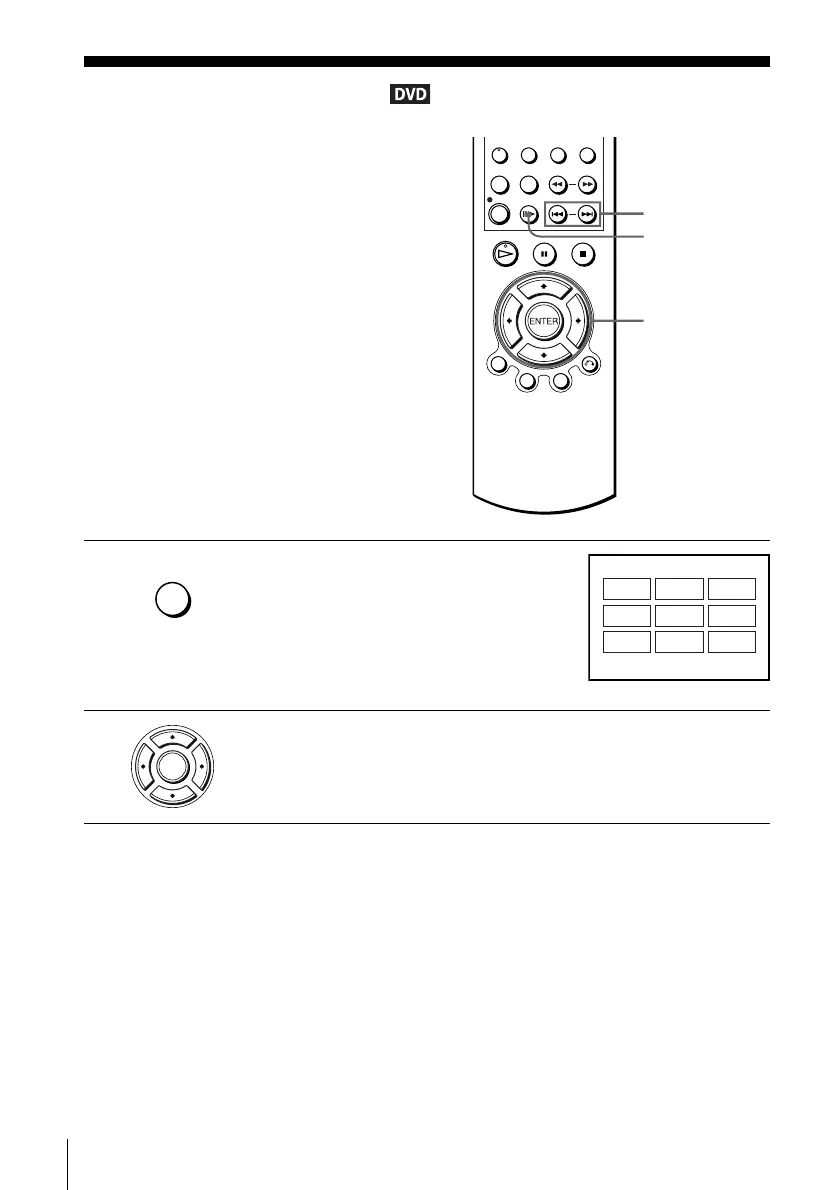
Picture navigation
Picture navigation
Note
• If the DVD has more than 9 chapters, press .
/> to view the following subscreens.
• The picture navigation function may not work depending on the DVD.
You can devide the screen into 9 subscreens
and display the first scene of each chapter.
1
Press PICTURE NAVI during playback.
The 9 subscreens appear.
The scenes represent each of the chapters on
the DVD.
The displayed subscreens differ depending on
the DVD.
2
Press V/v/B/b repeatedly to select the scene you want, then press ENTER.
You can start playback from the desired chapter.
PICTURE
NAVI
V/v/B/b
ENTER
./>
SKIP/
PICTURE NAVI
PICTURE NAVI
PAGE ./>
01
04
07
02
05
08
03
06
09
ENTER














 To Next Page