53
Screen Setup
DVD Settings and Adjustements
Menu choices
• TV Type (DVD only)
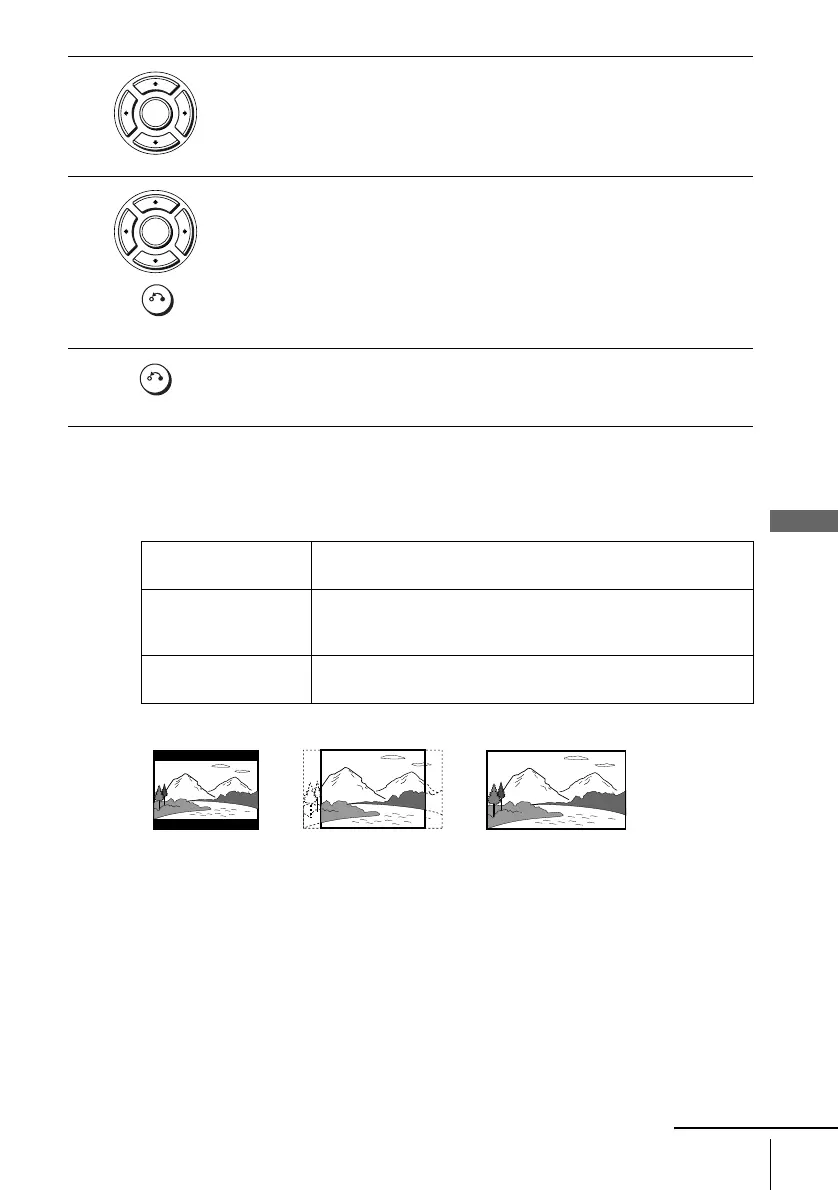
Selects the aspect ratio of the connected TV (4:3 standard or wide).
The default setting is indicated in bold print.
4
Press V/v to select the setup item from the displayed list:
“TV Type,” “Black level,” or “Video Out.”
5
Press B/b to select an item, then press O RETURN to confirm the setting.
6
Press O RETURN repeatedly to exit the menu.
4:3 Letter Box Select this when you connect a 4:3 screen TV. Displays a wide
picture with bands on the upper and lower portions of the screen.
4:3 Pan Scan Select this when you connect a 4:3 screen TV. Automatically
displays the wide picture on the entire screen and cuts off the
portions that do not fit.
16:9 Select this when you connect a wide-screen TV or a TV with a wide
mode function.
ENTER
RETURN
ENTER
RETURN
4:3 Pan Scan4:3 Letter Box 16:9
continued














 To Next Page