18
US
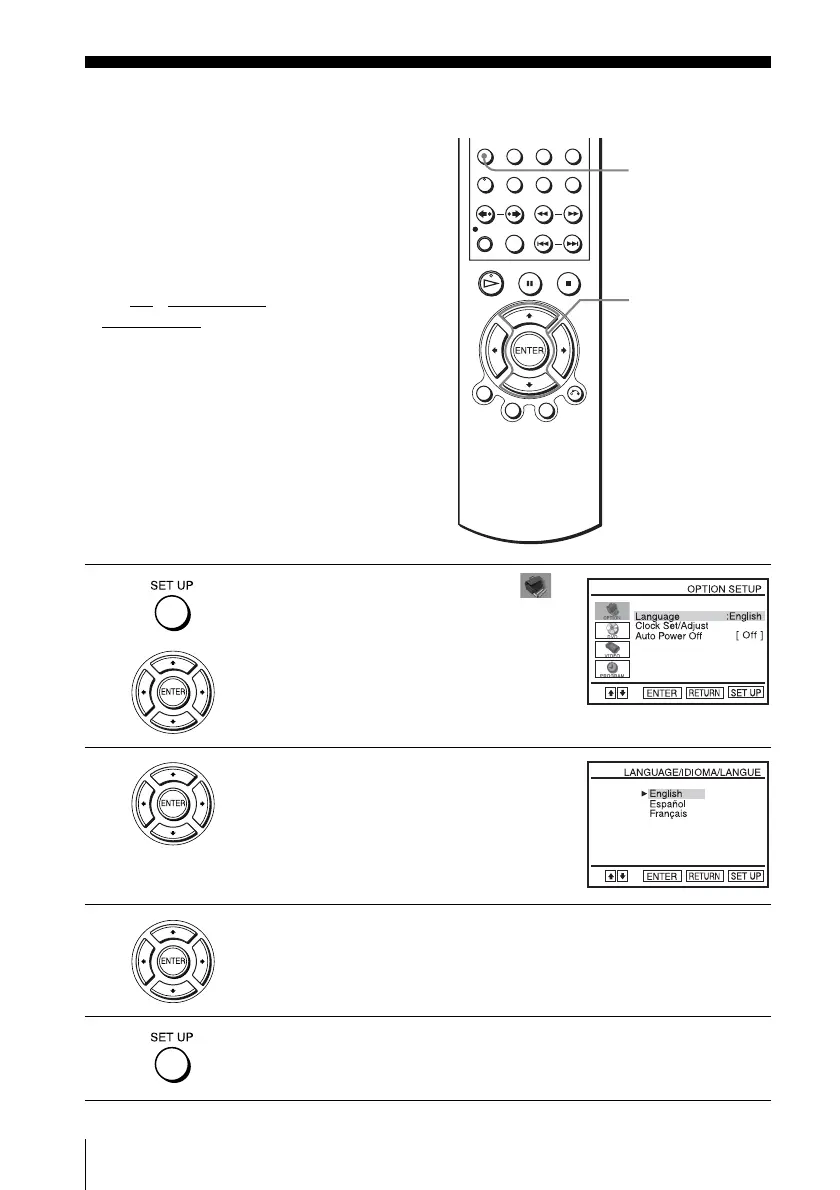
Selecting a language
Step 4 : Selecting a language
You can change the on-screen display
language.
Before you start…
• Turn on the DVD-VCR and your TV.
• Set the TV to video input so that the signal
from the player appears on the TV screen.
•Set TV
/ DVD·VIDEO switch to
DVD·VIDEO on the remote.
• If the DVD player is in play mode, you
cannot display the setup menu. Stop the
DVD playback.
1
Press SET UP, then press V/v to select
(OPTION) and press ENTER.
2
Press V/v to select “Language”, then press
ENTER.
The “LANGUAGE/IDIOMA/LANGUE”
menu appears.
3
Press V/v to select the desired language, English, Spanish or French, then
press ENTER.
4
Press SET UP to exit the menu.
V/v
ENTER
SET UP














 To Next Page