52
US
Parental Control (limiting playback by children)
Parental Control (limiting playback by children)
Playback of some DVD VIDEOs can be
limited according to a predetermined level
such as the age of the users. The “Parental
Control” function allows you to set a
playback limitation level.
Before you start…
•Set TV
/ DVD·VIDEO switch to
DVD·VIDEO
on the remote.
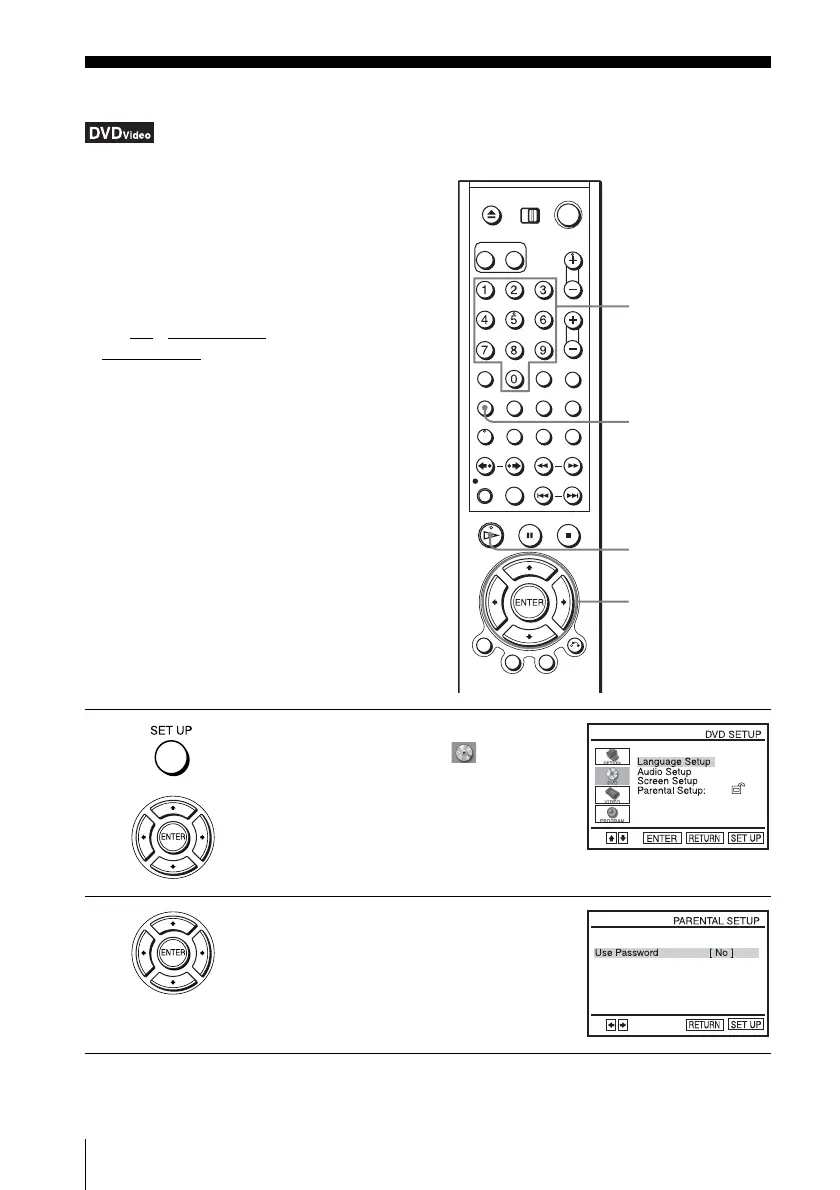
1
Press SET UP when the DVD player is in stop
mode, then press V/v to select (DVD) and
press ENTER.
2
Press V/v to select “Parental Setup,” then
press ENTER.
Number buttons
SET UP
H PLAY
V/v/B/b
ENTER














 To Next Page