1-15
60
Setting the recording duration time
Setting the recording duration time
After you have started recording in the normal way, you can have the VCR stop
recording automatically after a specified duration.
Before you start
…
•Refer to “Index to parts and controls” for button locations.
To ex tend the duration
Press z REC repeatedly to set a new duration time.
To cancel the duration
Press z REC repeatedly until the indicator disappears and the VCR
returns to the normal recording mode.
To stop recording
To stop the VCR while recording, press x (stop).
Note
•You cannot display the current tape time in the display window when setting the
recording duration time.
1
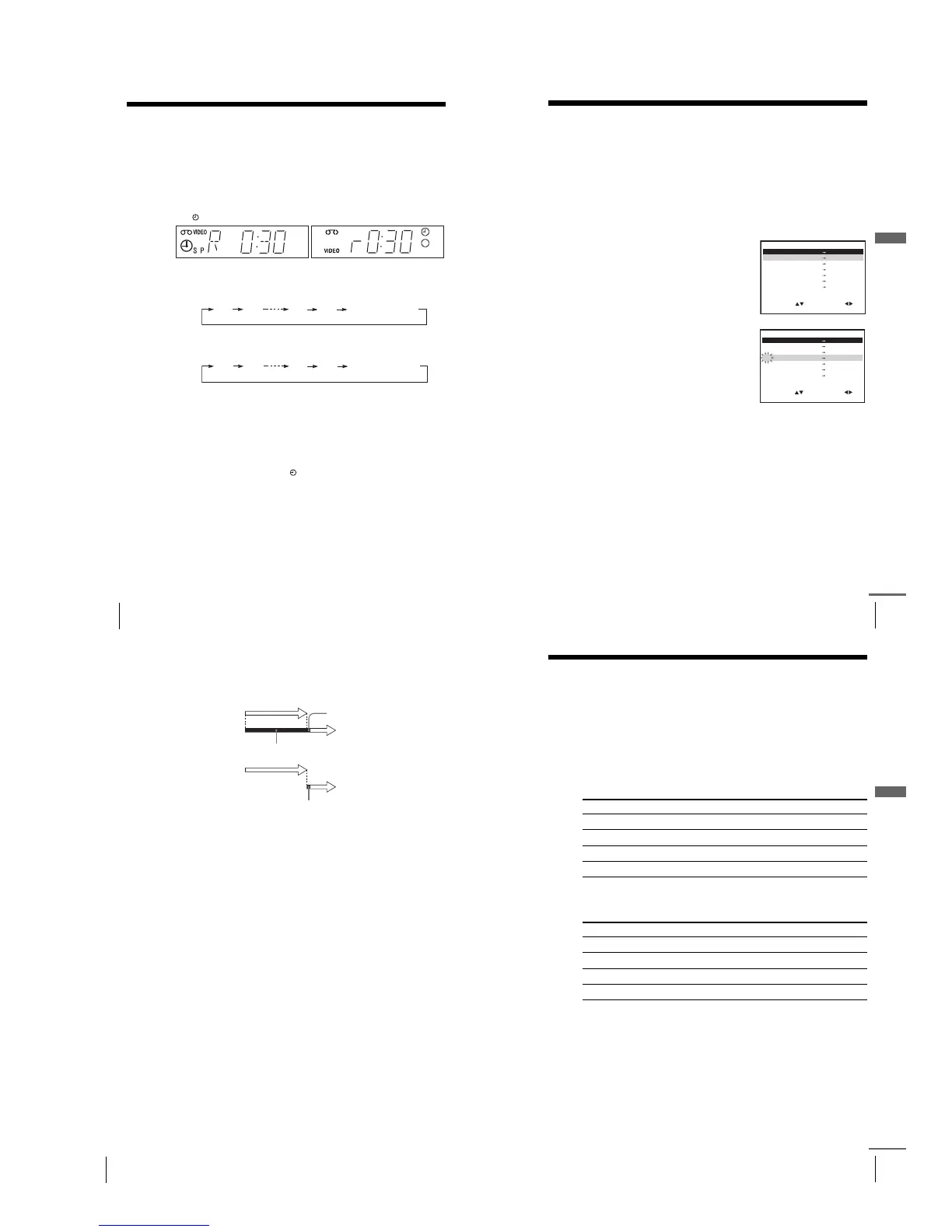
While recording, press z REC.
The indicator appears in the display window.
2
Press z REC repeatedly to set the duration time.
In SP mode
Each press advances the time in increments of 30 minutes.
In LP mode
Each press advances the time as shown below.
The tape counter decreases minute by minute to 0:00, then the VCR stops
recording and turns off automatically.
0:30 1:00
4:00 4:30
Normal recording
0:30 1:00
8:00 9:00
Normal recording
62
Checking/changing/cancelling timer settings
When the timer settings overlap
The programme that starts first has priority and the second programme starts
recording only after the first programme has finished. If the programmes
start at the same time, the programme listed first in the menu has priority.
about 20 seconds
will be cut off
Programme 1
Programme 2
about 20 seconds will be cut off
Programme 1
Programme 2
63
Recording stereo and bilingual programmes (not available on SLV-SE430K)
Additional Operations
Recording stereo and bilingual
programmes
(not available on SLV-SE430K)
In the ZWEITON (German stereo) system
This VCR automatically receives and records stereo and bilingual
programmes based on the ZWEITON system. When a stereo or bilingual
programme is received, the STEREO indicator appears in the display
window.
To select bilingual sound while recording
Press AUDIO MONITOR to select the sound you want.
*Usually the main channel heard from both the left and right in bilingual
programmes
To select stereo programme while recording
*Usually the mixed sound of left and right channels in stereo programmes
To listen to On-screen display Display window
Main MAIN STEREO
Sub SUB STEREO
Main and sub MAIN/SUB STEREO
Standard sound* MONO STEREO
To listen to On-screen display Display window
Stereo STEREO STEREO
Left channel LCH STEREO
Right channel RCH STEREO
Standard sound LCH + RCH STEREO
continued
61
Checking/changing/cancelling timer settings
Additional Operations
Checking/changing/cancelling timer
settings
Before you start…
•Turn on your TV and set it to the video channel.
•Refer to “Index to parts and controls” for button locations.
1
Press ?/1 to turn on the VCR.
2
Press MENU, then press M/m to highlight TIMER PROGRAMMING
and press OK.
•If you want to change or cancel a
setting, go on to the next step.
•If you do not need to change or cancel
the settings, press MENU, then turn
off the VCR to return to recording
standby.
3
Press M/m to select the setting you want
to change or cancel, then press ,.
The PR number on the selected row
flashes.
4
•To change the setting, press </, to select the item you want to
change, then press M/m to reset it.
•To cancel the setting, press CLEAR.
5
Press MENU to exit the menu.
If any settings remain, turn off the VCR to return to recording standby.
SET
MENU:
:
OK:END
SELECT
–– –––– –– –– – –– ––::
PR DAY START STOP
V/P
35 SA29 19 00 2 00
ON
0::
29 SA29 21 00 2 30 –1::
30 SA 6 12 00 1 30 –3::
–– –––– –– –– – –– ––::
–– –––– –– –– – –– –
–
SP
–
–
–
––::
:
EXIT
SET
MENU:
:
OK:END
SELECT
–– –––– –– –– – –– ––::
PR DAY START STOP
V/P
35 SA29 19002 00
ON
0::
29 SA29 21002 30 –1::
30 SA 6 12001 30 –3::
–– –––– –– –– – –– ––::
–– –––– –– –– – –– –
–
SP
–
–
–
––::
:
EXIT
continued



 To Next Page