104
GB
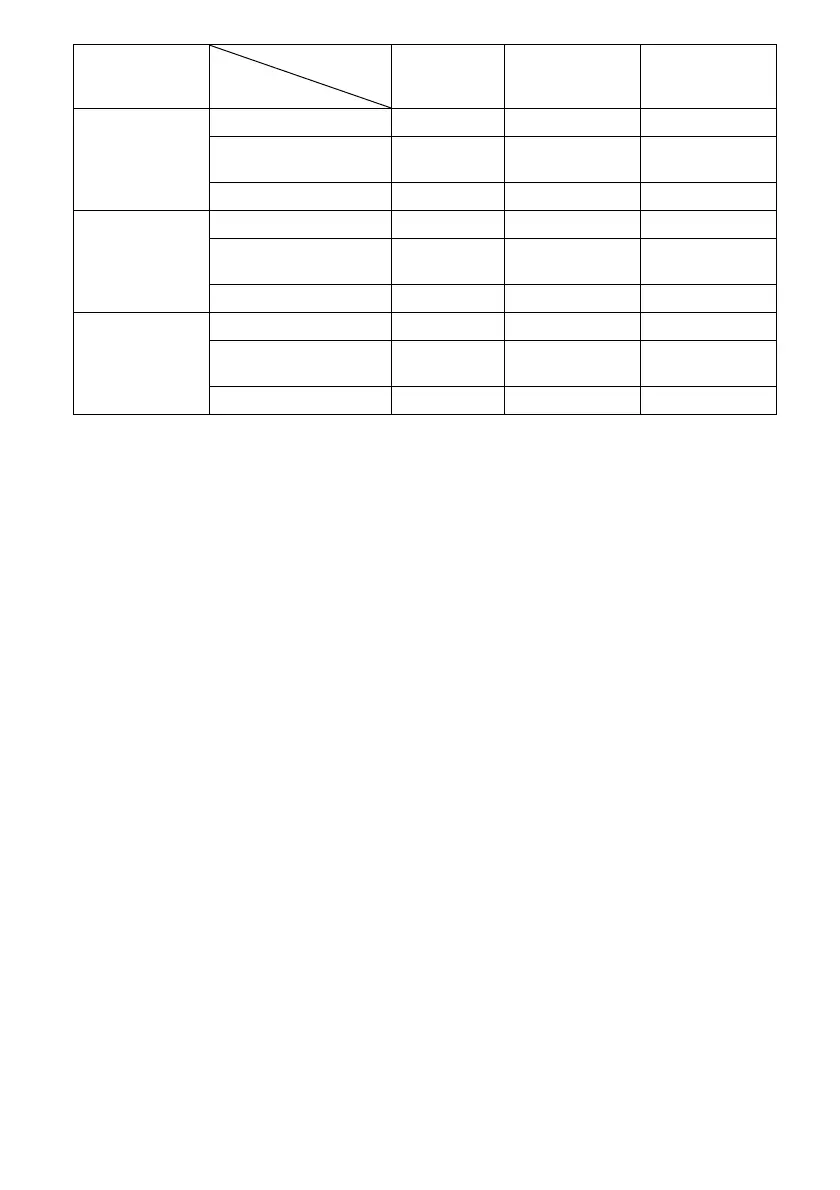
z : Video signals are output without a video conversion or processing.
a : Video signals are output. (Values for the resolution are shown when video signals are output at the specified
resolution.)
a
a)
:Video signals are converted automatically to an optimum resolution that the monitor connected supports,
and then they are output.
a
b)
:Video signals are output at the resolution specified in the “Resolution” menu.
a
c)
:Video signals are output at the resolution specified in the “Resolution” menu. Video signals protected by
Macrovision are output at the 480p/576p resolution.
– : Video signals are not output.
Notes
• If you select a resolution which the connected TV
does not support in the “Resolution” menu, the
images from the TV cannot be output correctly.
• Converted HDMI image output does not support
“x.v.Colour,” Deep Colour, and 3D.
480i/576i, 480p/
576p
HDMI IN jacks – – –
COMPONENT VIDEO IN
jacks
– a
b)
a
VIDEO IN jacks – a
b)
z
720p, 1080i HDMI IN jacks – – –
COMPONENT VIDEO IN
jacks
– a
c)
–
VIDEO IN jacks – a
c)
z
1080p HDMI IN jacks – – –
COMPONENT VIDEO IN
jacks
– z –
VIDEO IN jacks – – z
“Resolution”
menu setting
HDMI OUT
jacks
MONITOR
COMPONENT
VIDEO OUT jacks
MONITOR VIDEO
OUT jack
Input from
Output from















 To Next Page