73
GB
Using Multi-zone Features
Operating the receiver
from another zone
(ZONE 2/ZONE 3 operations)
You can operate the receiver from zone 2 or
zone 3. The procedures in this section describe
the operations when an IR repeater, useful for
multi-zone features, is connected. When an IR
repeater is not connected, use this receiver in
the main zone.
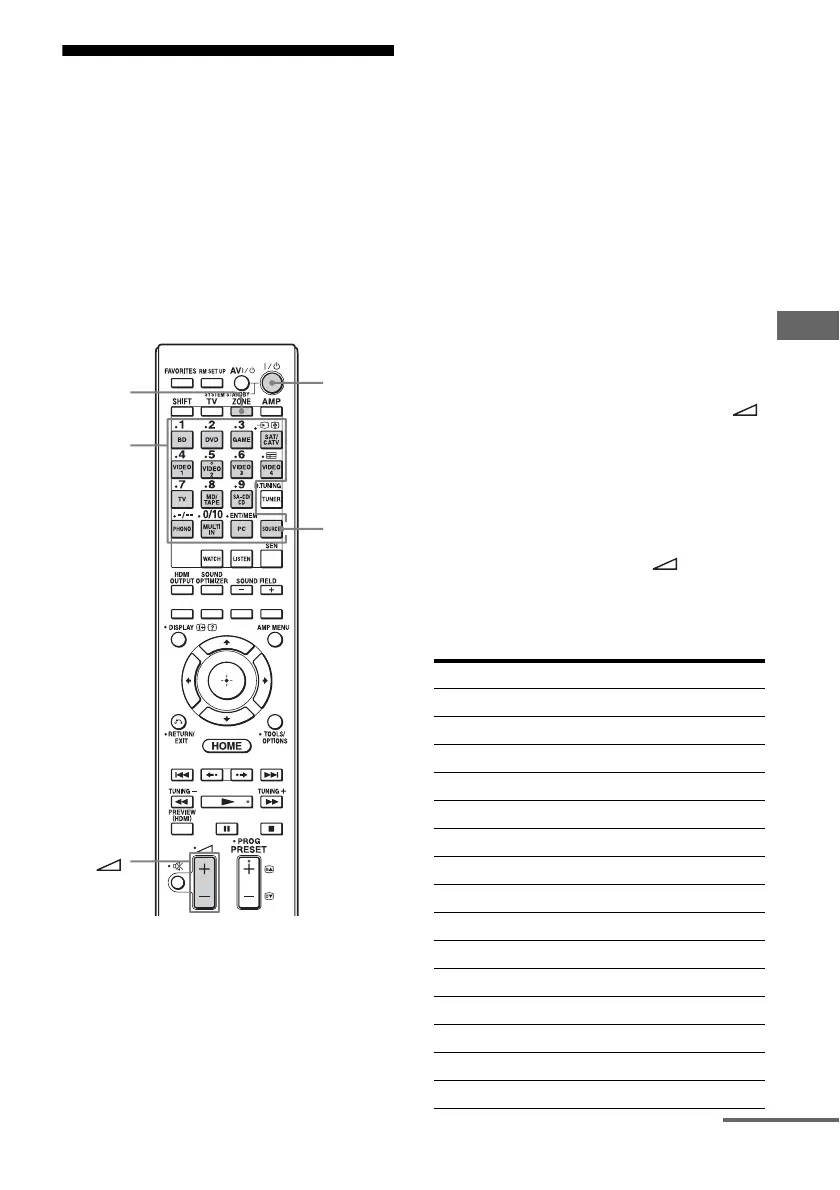
1 Turn on the amplifier in zone 2
or zone 3.
In the case of illustration 1-1 (page 68),
skip this step.
2 Press ZONE.
The remote control switches to zone 2 or
zone 3. Change the zone setting of the
remote control to zone 2 or zone 3 in
advance (page 72).
3 Press ?/1.
The zone function is activated.
4 Press one of the input buttons
on the remote control to select
the source signals you want to
output.
5 Adjust to a suitable volume.
• In the case of illustration 1-1
(page 68), adjust the volume using
+/– on the remote control.
• In the case of illustration 1-2 (page 69)
or 2 (page 70), adjust the volume using
the receiver in zone 2 or zone 3. If you
set “Line Out” for “Zone2” to
“Variable,” you can also adjust the
volume in zone 2 using +/– on the
remote control (page 71).
Available multi-zone operations
ZONE
?/1
Input
buttons
SOURCE
INPUT ZONE 2
1)
ZONE 3
1)
SOURCE
2)
aa
BD a
DVD aa
GAME aa
SAT/CATV aa
VIDEO 1 aa
VIDEO 2 aa
VIDEO 3 a
VIDEO 4 a
TV
3)
MD/TAPE aa
SA-CD/CD aa
FM
4)
aa
AM
4)
aa
PHONO
3)
continued















 To Next Page