35
GB
Getting Started
Notes
• When connecting optical digital cords, insert the plugs straight until they click into place.
• Do not bend or tie optical digital cords.
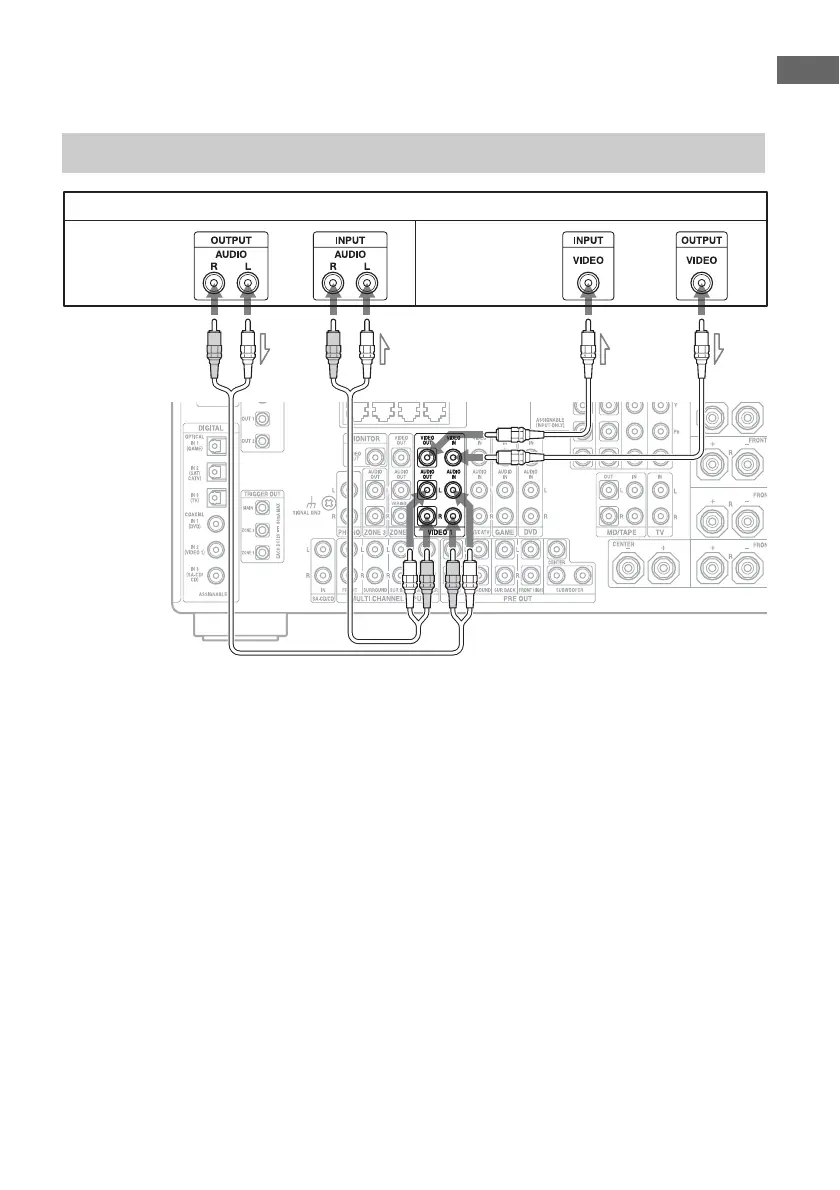
A Audio cord (not supplied)
B Video cord (not supplied)
Connections required for watching content recorded on video tapes
VCR
AB
Audio signals Video signals















 To Next Page