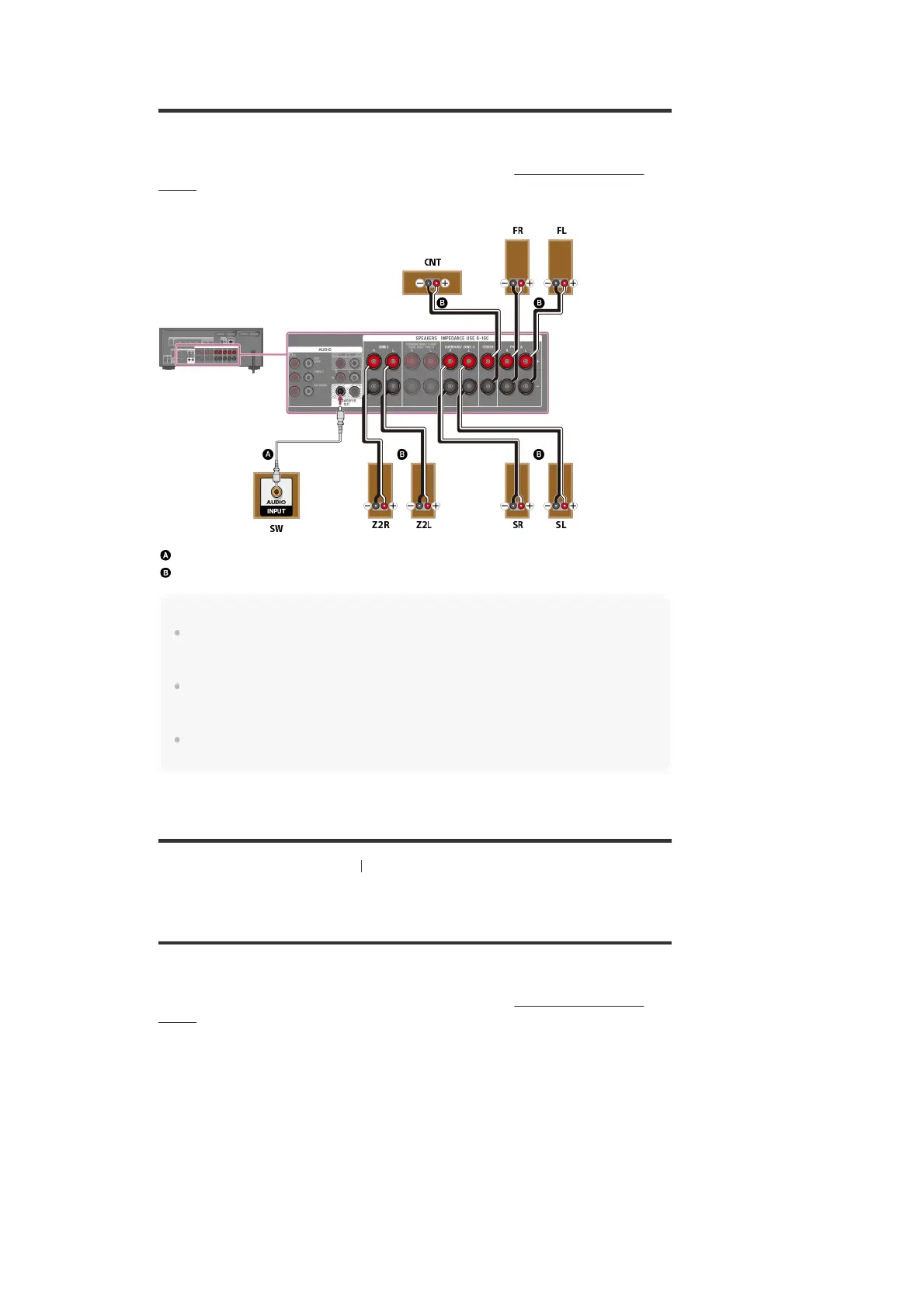
Connecting 5.1-channel speaker system with Zone 2
connection
Connect each speaker as illustrated below.
Before connecting cables, be sure to disconnect the AC power cord (mains lead).
For details on how to connect speaker cables to the receiver, see “How to connect speaker
cables.”
Monaural audio cable (not supplied)
Speaker cable (not supplied)
Note
You can only enable the SPEAKERS ZONE 2 terminals if you set [SURROUND BACK/ZONE2
Priority] to [ZONE2 Terminals] in the [Speaker Settings] menu,and set [Zone2 Power] to [On] in the
[Zone Controls] menu.
Only audio signals from [USB], [Bluetooth] (while in BLUETOOTH RX mode only), [Home Network],
[Music Services], [FM TUNER] and audio signals input from AUDIO IN jacks are output to the Zone
2 speakers.
External digital input from OPTICAL IN, COAXIAL IN, HDMI IN jacks and Screen mirroring cannot be
output to Zone 2.
[105] Using the Multi-Zone Features Enjoying sound from speakers located in other rooms
Connecting 3.1-channel speaker system with Zone 2
and Zone 3 connections
Connect each speaker as illustrated below.
Before connecting cables, be sure to disconnect the AC power cord (mains lead).
For details on how to connect speaker cables to the receiver, see “How to connect speaker
cables.”



 To Next Page