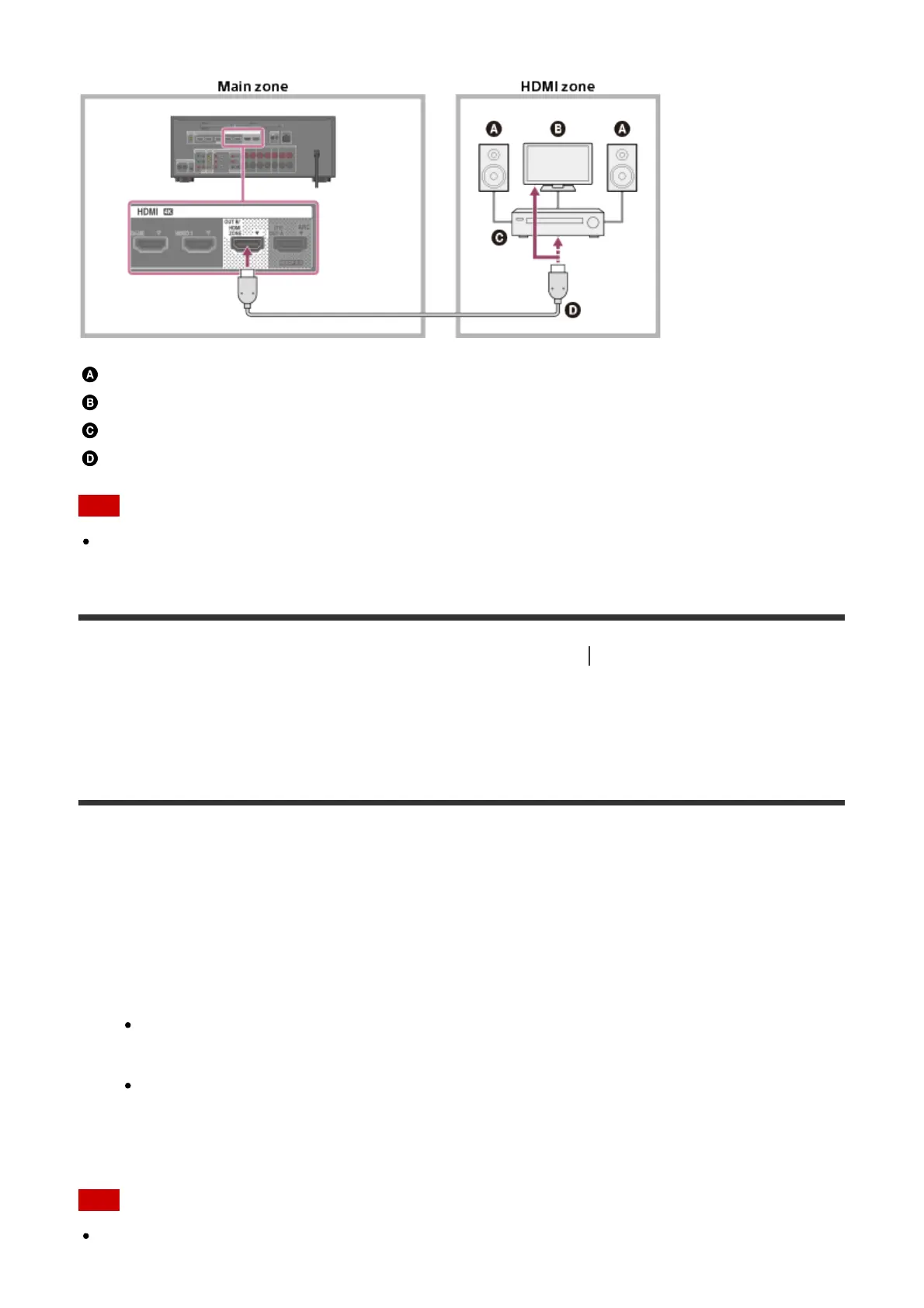
Speakers
TV
Amplifier/receiver
HDMI cable (not supplied)
Note
To use this connection, set [HDMI Out B Mode] in the HDMI Settings menu to [Zone].
[113] Using the Multi-Zone Features (for STR-DN1060 only)
Enjoying video and sound in
another room using a TV or another receiver (for STR-DN1060 only)
2. Selecting the method to use the HDMI OUT B jack
(HDMI Out B Mode) (for STR-DN1060 only)
The HDMI OUT B/HDMI ZONE jack can be used for HDMI zone.
1. Select [Setup] - [HDMI Settings] from the home menu.
2. Select [HDMI Out B Mode].
3. Select the setting you want.
Main: Uses the jack for HDMI OUT B. Recommended when you enjoy TV or
projector content in only one room (main zone).
Zone: Uses the jack for HDMI zone. Recommended when enjoying video and sound
from a device connected to the receiver in another room (HDMI zone).
Note
When [Zone] is selected, the Control for HDMI function and Fast View function do not



 To Next Page