Enjoying music services offered on the Internet
[75] Using Network Features Setting up a wired LAN connection (for wired LAN
connections only)
Connecting the receiver to the network using a LAN
cable (for wired LAN connections only)
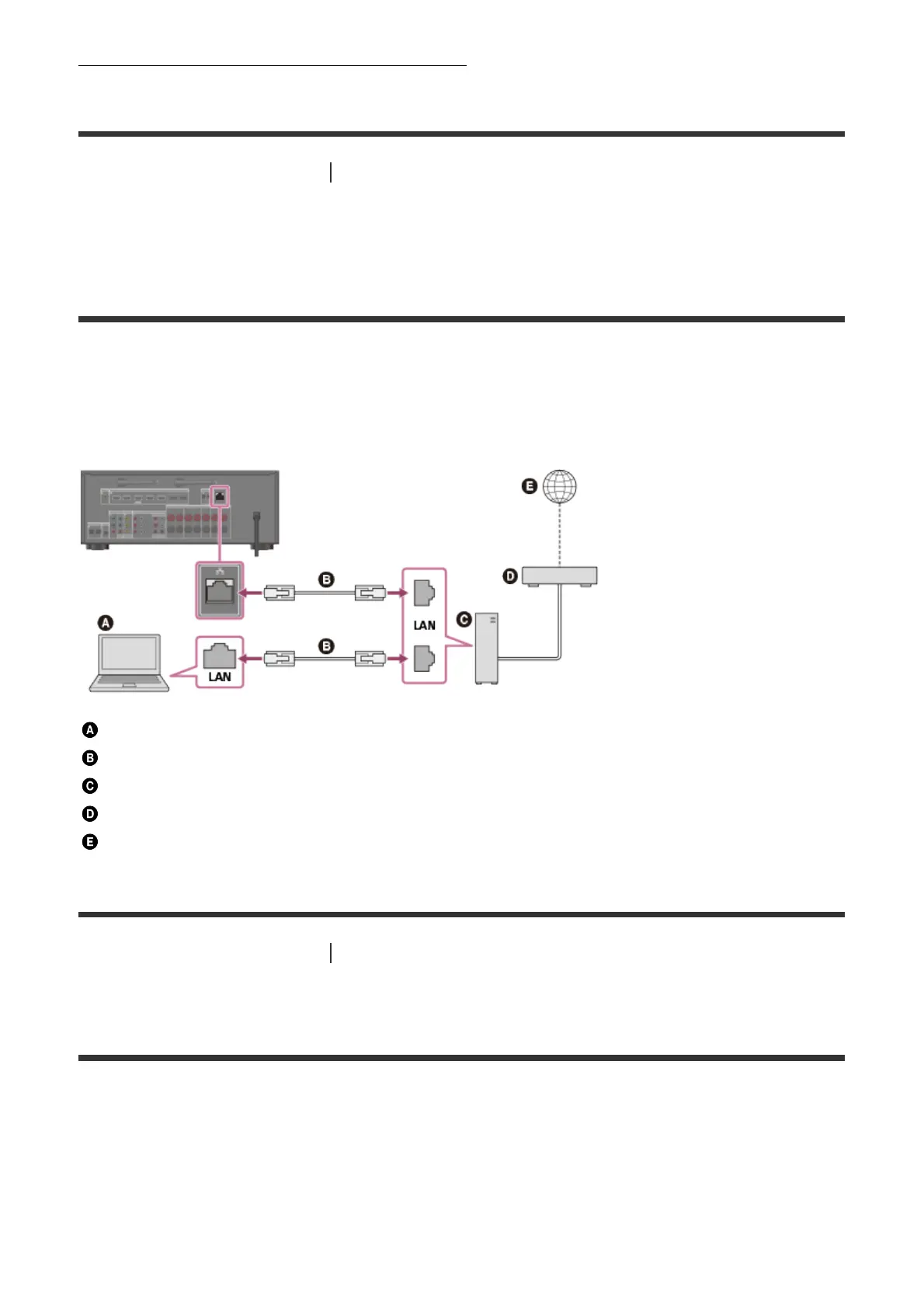
The following illustration is an example configuration of a home network with the receiver
and a server.
We recommend that you connect the server to the router with a wired connection.
Server (computer, etc.)
LAN cable (not supplied)
Router
Modem
Internet
[76] Using Network Features Setting up a wired LAN connection (for wired LAN
connections only)
Setting up a wired LAN connection
You can set up a wired LAN connection by the following procedure.
1. Select [Setup] - [Network Settings] from the home menu.
2. Select [Internet Settings].
3. Select [Wired Setup].



 To Next Page