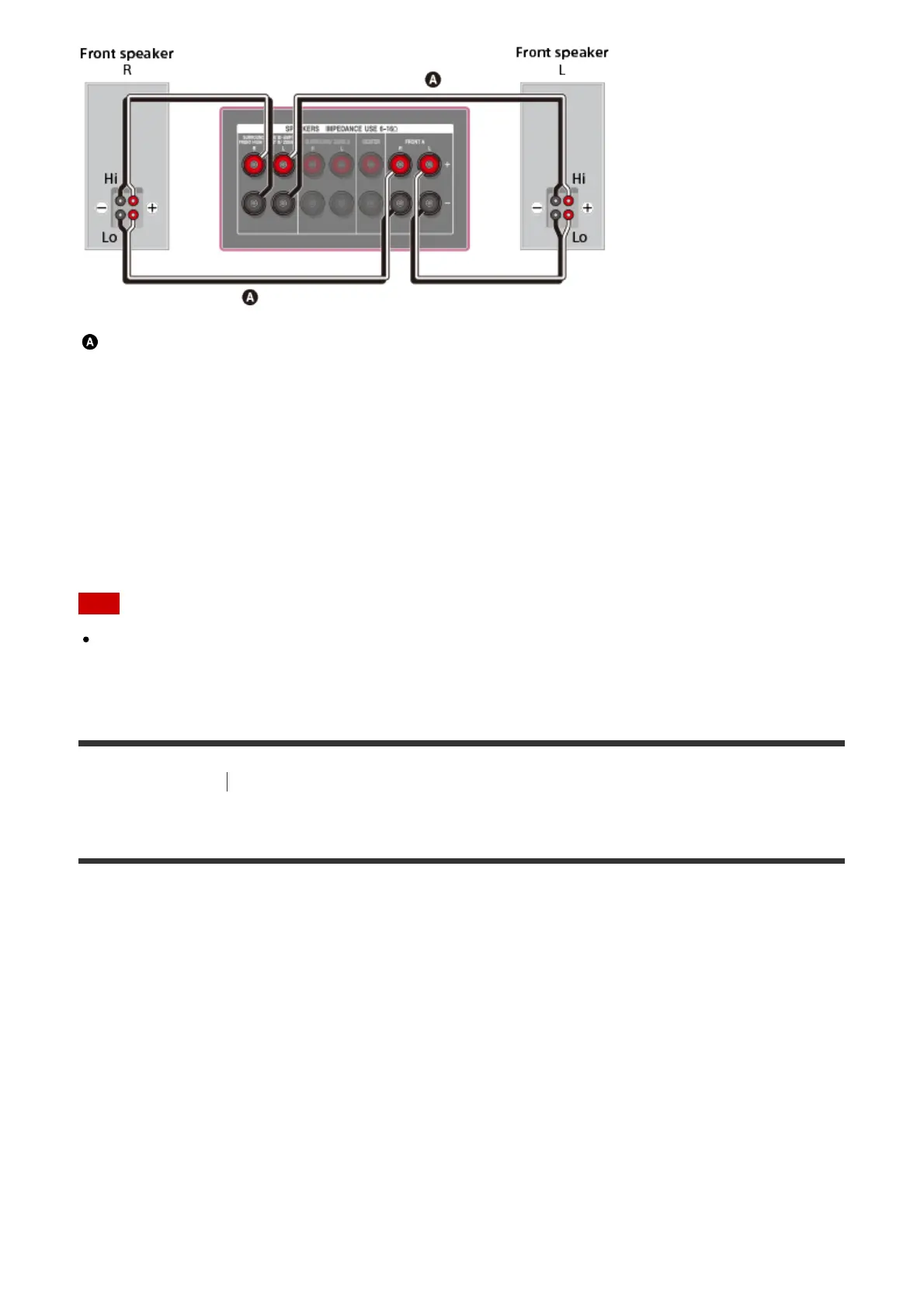
Speaker cable (not supplied)
Connect the jacks on the Lo (or Hi) side of the front speakers to the SPEAKERS FRONT A
terminals, and connect the jacks on the Hi (or Lo) side of the front speakers to the
SPEAKERS SURROUND BACK/BI-AMP/FRONT HIGH/FRONT B terminals.
Make sure that metal fittings of Hi/Lo attached to the speakers have been removed from the
speakers to avoid receiver malfunction.
After you have made the bi-amplifier connection, set [Sur Back SP Assign] in the Speaker
Settings menu to [Bi-Amp].
Note
You can only set [Sur Back SP Assign] if the speaker pattern is set to a setting that does
not have surround back and front high speakers.
[20] Preparation
3. Connecting a TV
Connecting a TV (for STR-DN1060)
Connect a TV to the HDMI OUT or MONITOR OUT jack. You can operate this receiver using
the menu on the TV screen when you connect the TV to the HDMI OUT A (TV) jack.
Be sure to disconnect the AC power cord (mains lead) before connecting cables.
Connecting a TV incompatible with the Audio Return Channel (ARC)
function via an HDMI connection
Solid lines show recommended connections and the dashed lines show alternative
connections for audio signals. It is not necessary to connect all the cables. HDMI connection
for audio/video signals is required.



 To Next Page