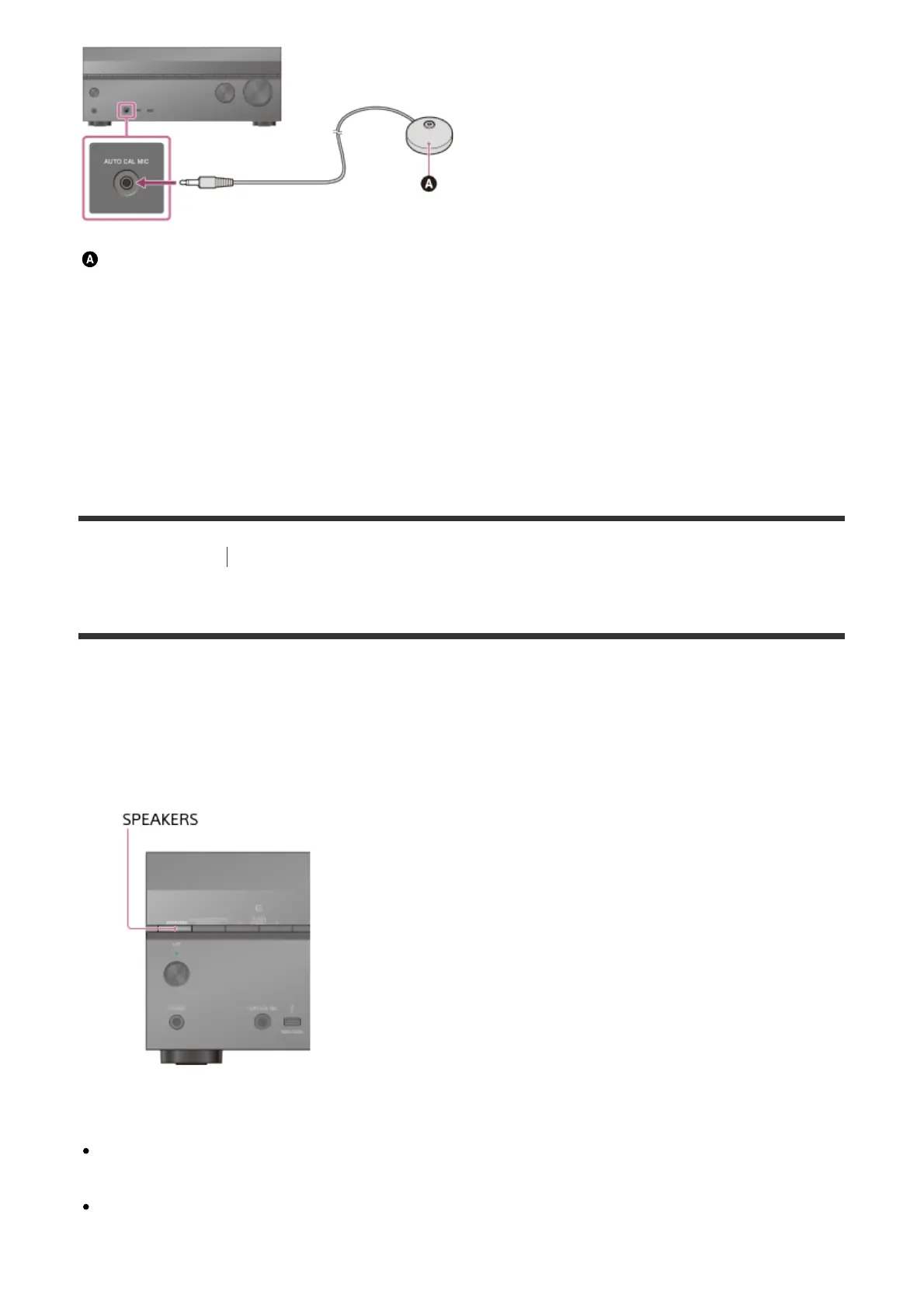
Optimizer microphone (supplied)
1. Connect the supplied optimizer microphone to the AUTO CAL MIC jack.
2. Set up the optimizer microphone.
Place the optimizer microphone where you will sit and set it at the same height as your
ears.
[46] Preparation Tips for automatic calibration (Auto Calibration)
4. Selecting the front speakers
You can select the front speakers you want to operate.
Be sure to use the buttons on the receiver to perform this operation.
1. Press SPEAKERS on the receiver repeatedly to select the front speaker system you
want to operate.
The indicators on the display panel shows which set of terminals are selected.
SP A :
Speakers connected to the SPEAKERS FRONT A terminals.
SP B (*):
Speakers connected to the SPEAKERS SURROUND BACK/BI-AMP/FRONT



 To Next Page