[68] Enjoying Video and Sound Enjoying sound effects
Resetting sound fields to the default settings
Be sure to use the buttons on the receiver to perform this operation.
1. Turn off the receiver.
2. Hold down MUSIC and press (on/standby) on the receiver.
[S.F. CLEAR] appears on the display panel and all sound fields are reset to their
default setting.
[69] Enjoying Video and Sound Enjoying sound effects
Adjusting the equalizer (Equalizer)
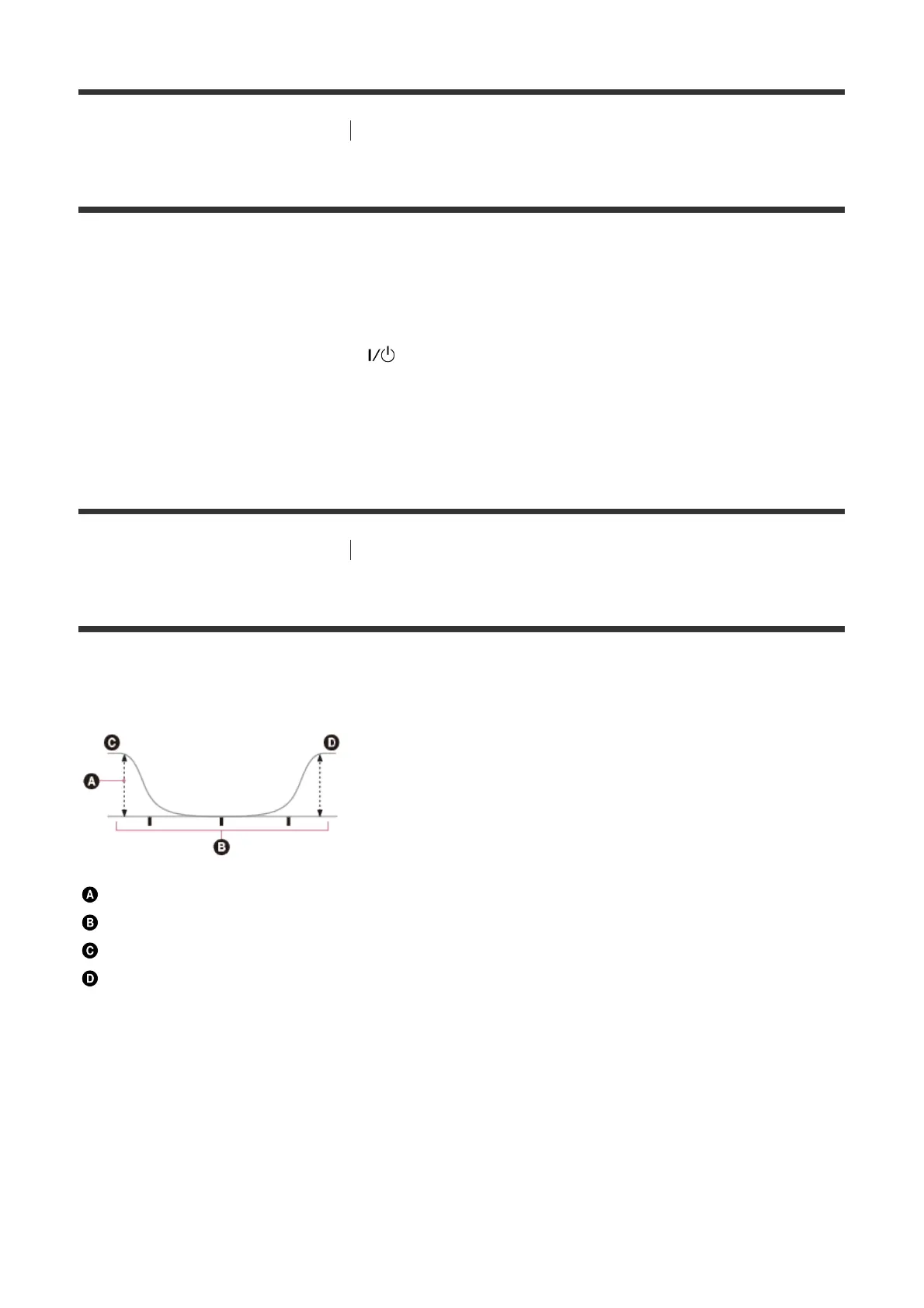
You can use the following parameters to adjust the tonal quality (bass/treble level) of the
front, center, surround/surround back and front high speakers.
Level (dB)
Frequency (Hz)
Bass
Treble
1. Select [Setup] - [Speaker Settings] from the home menu.
2. Select [Equalizer].
3. Select [Front], [Center], [Surround] or [Front High].
4. Select [Bass] or [Treble].
5. Adjust the gain.



 To Next Page