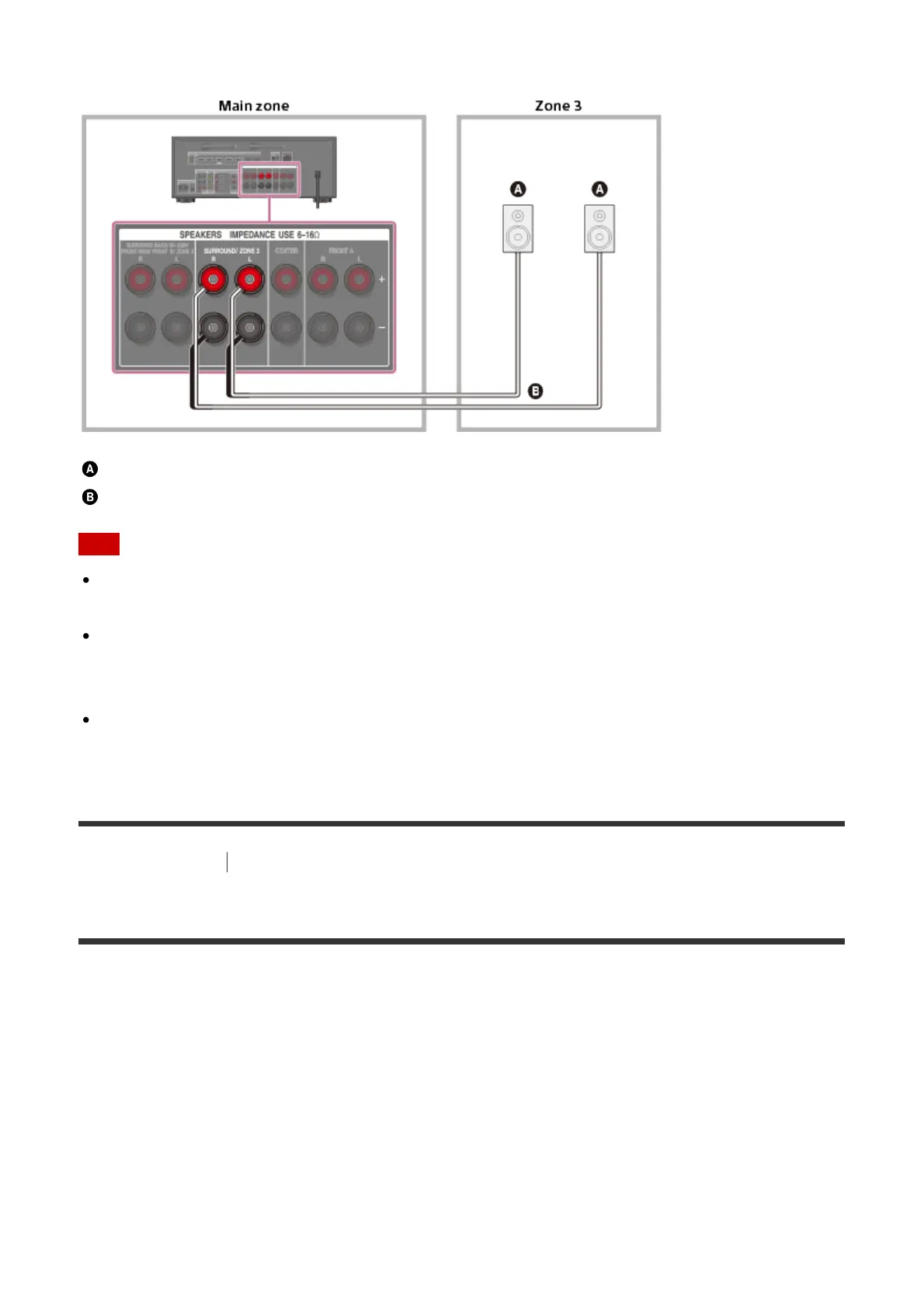
Connecting the speakers in Zone 3
Speakers
Speaker cable (not supplied)
Note
When using this Zone 3 connection, you need to set up the SPEAKERS
SURROUND/ZONE 3 terminals.
Only audio signals from [USB], [Bluetooth] (while in BLUETOOTH RX mode only), [Home
Network], [Music Services], [FM TUNER] and audio signals input from AUDIO IN jacks
are output to the Zone 3 speakers.
External digital input from OPTICAL IN, COAXIAL IN, HDMI IN jacks and Screen mirroring
cannot be output to Zone 3.
[19] Preparation
2. Connecting speakers
Bi-amplifier connections
You can enhance the sound quality by connecting different amplifiers to both a tweeter and a
woofer, using bi-amplifier connection.
If you are not using surround back speakers or front high speakers, you can connect the
front speakers to the SPEAKERS SURROUND BACK/BI-AMP/FRONT HIGH/FRONT B
terminals using a bi-amplifier connection.



 To Next Page