Select [Watch] or [Listen] on the home menu directly. When pressing these buttons on
the Watch or Listen screen, you can move the focus to select the desired input.
7. CUSTOM PRESET (1, 2, 3)
Saves and recalls various settings for the receiver. Press to select the custom preset
setting(s). Press and hold to save the current settings to a preset.
8. A.F.D./2CH, MOVIE, MUSIC
Select a sound field.
*
For USA, Canadian and Asia-Pacific models only.
Note
The above explanations are intended to serve as examples.
Depending on the model of your connected device, some functions explained in this
section may not work with the supplied remote control.
[12] Parts and Controls
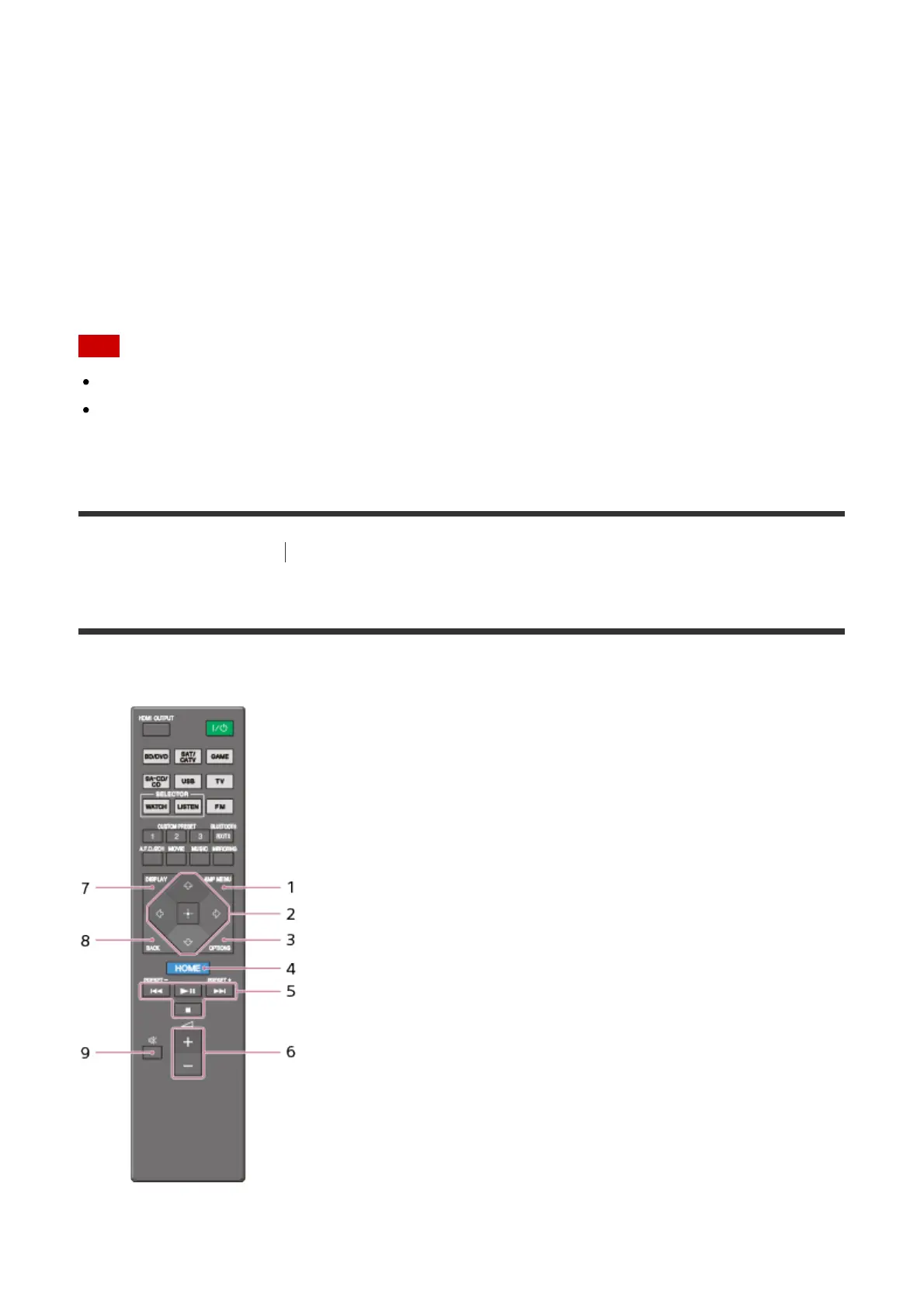
Remote control
Remote control (lower section)
Use the supplied remote control to operate this receiver.
1. AMP MENU



 To Next Page