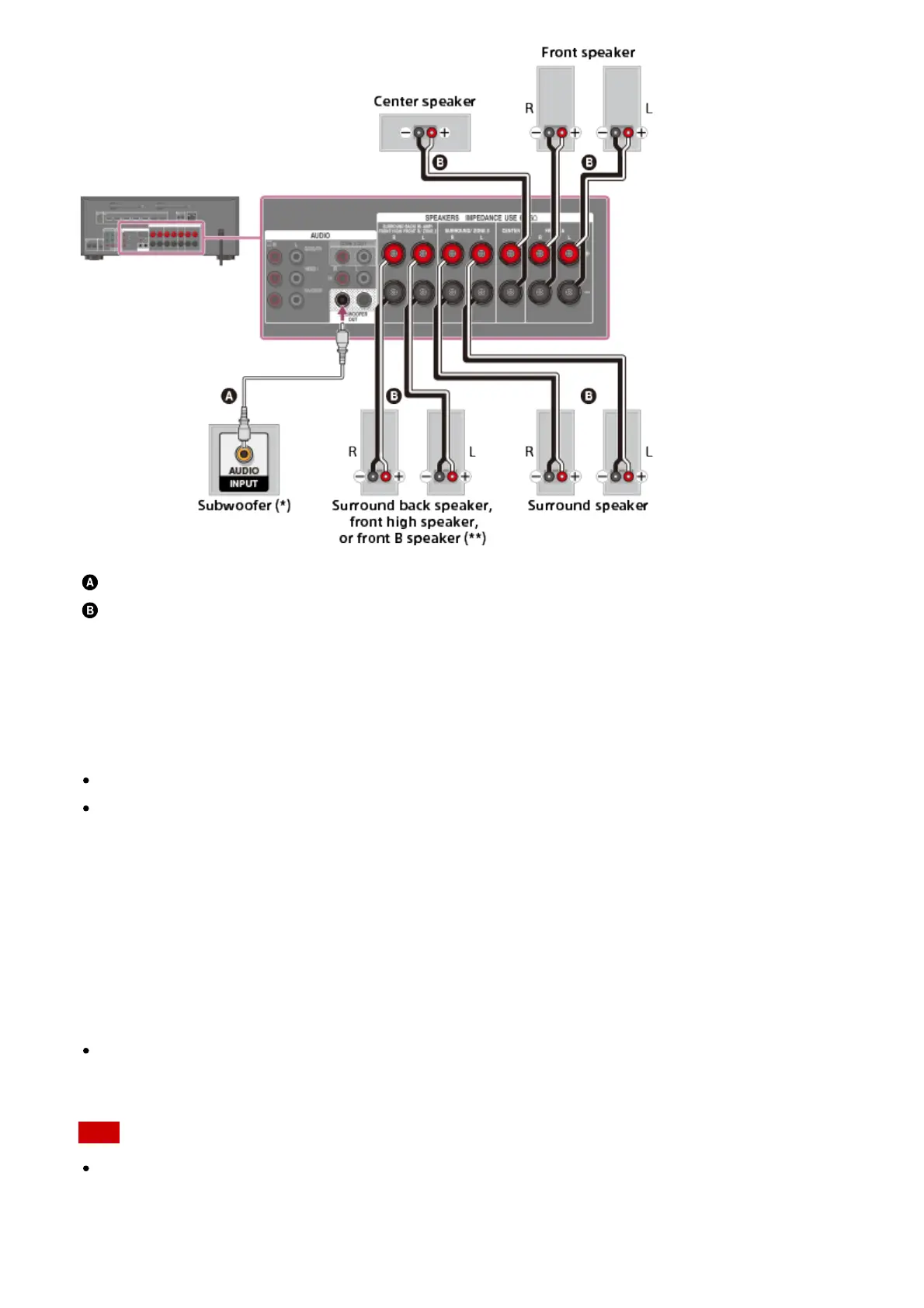
Monaural audio cable (not supplied)
Speaker cable (not supplied)
*
If you connect a subwoofer with an auto standby function, turn off this function when watching
movies. If the auto standby function is turned on, it switches to standby mode automatically based
on the level of the input signal to the subwoofer, and the sound may not be output.
**
Notes on connections to the SPEAKERS SURROUND BACK/BI-AMP/FRONT HIGH/FRONT B
terminals
If connecting only one surround back speaker, connect it to the L (+/–) terminals.
If you have an additional front speaker system, connect it to these terminals. In this case,
perform the following procedure:
1. Select [Speaker Pattern] in the Speaker Settings menu, then select one of the
following speaker patterns displayed on the TV screen:
3/2.1, 3/2, 2/2.1, 2/2, 3/0.1, 3/0, 2/0.1 or 2/0, and select [Save].
2. Set [Sur Back SP Assign] in the Speaker Settings menu to [Front B].
You can select the front speaker system you want by using the SPEAKERS button on the
receiver.
You can connect the front speakers to this terminal using a bi-amplifier connection. In this
case, set [Sur Back SP Assign] in the Speaker Settings menu to [Bi-Amp].
Note
After you have installed and connected your speakers, be sure to select the speaker
pattern you want using [Speaker Pattern] in the Speaker Settings menu.



 To Next Page