Sony recommends that you use an HDMI-authorized cable or HDMI cable made by Sony.
Note
For this connection, you need to turn the Control for HDMI function on. Press HOME to
display the home menu, select [Setup] - [HDMI Settings], and set [Control for HDMI] to
[On].
Hint
If the HDMI jack of the TV (labeled "ARC") is already connected to another device,
disconnect the device and connect the receiver.
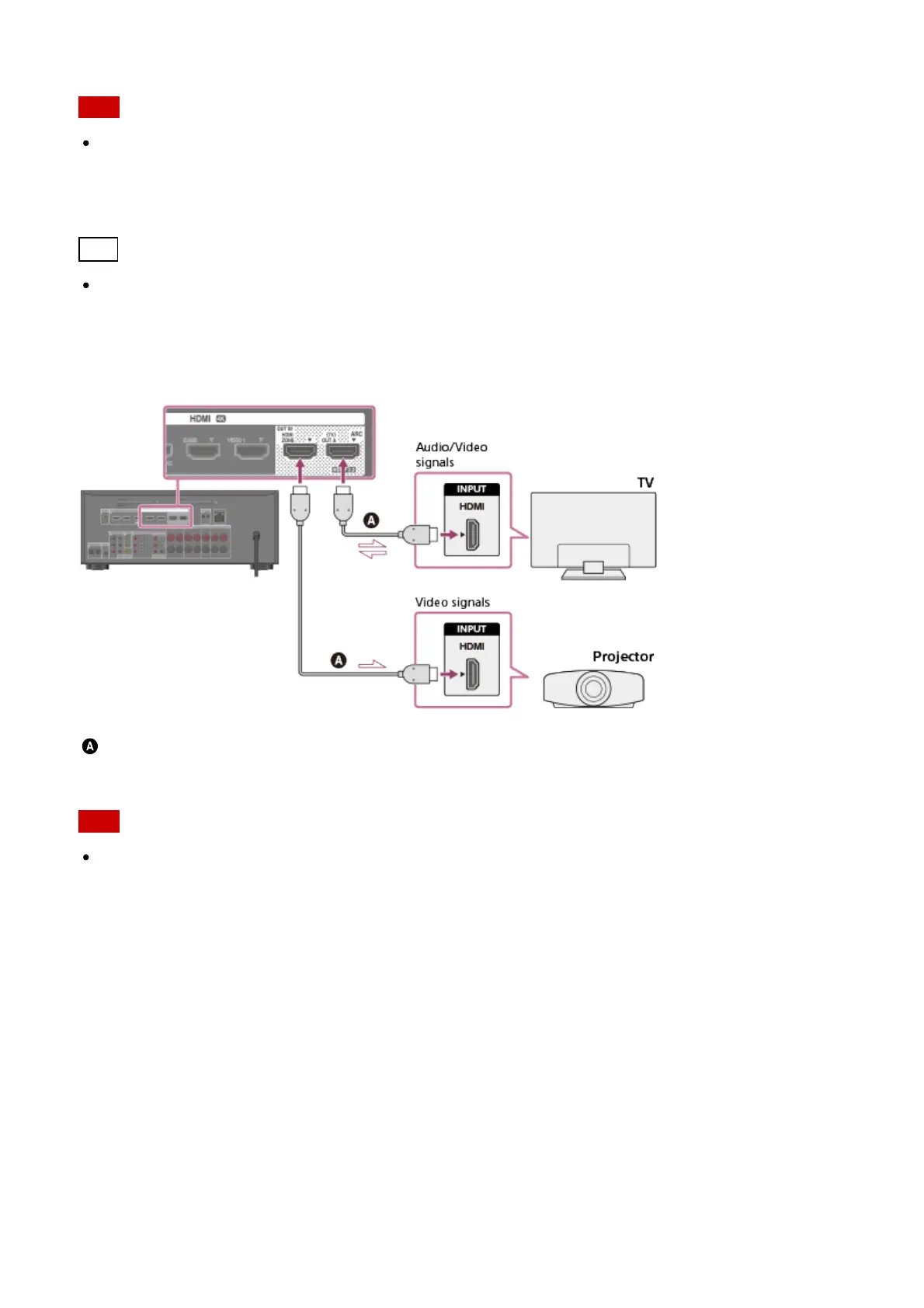
Connecting a TV and a projector
HDMI cable (not supplied)
Sony recommends that you use an HDMI-authorized cable or HDMI cable made by Sony.
Note
For this connection, set [HDMI Out B Mode] in the HDMI Settings menu to [Main].
Connecting a TV without HDMI jacks
Solid lines show recommended connections and the dashed lines show alternative
connections for both video and audio signals. It is not necessary to connect all the cables.



 To Next Page