The image quality depends on the connecting jack. We recommend that you connect your
devices via an HDMI connection if they have HDMI jacks.
[28] Preparation
4. Connecting audio-visual devices and the antennas (aerials)
Connecting devices with jacks other than HDMI jacks
(for STR-DN860)
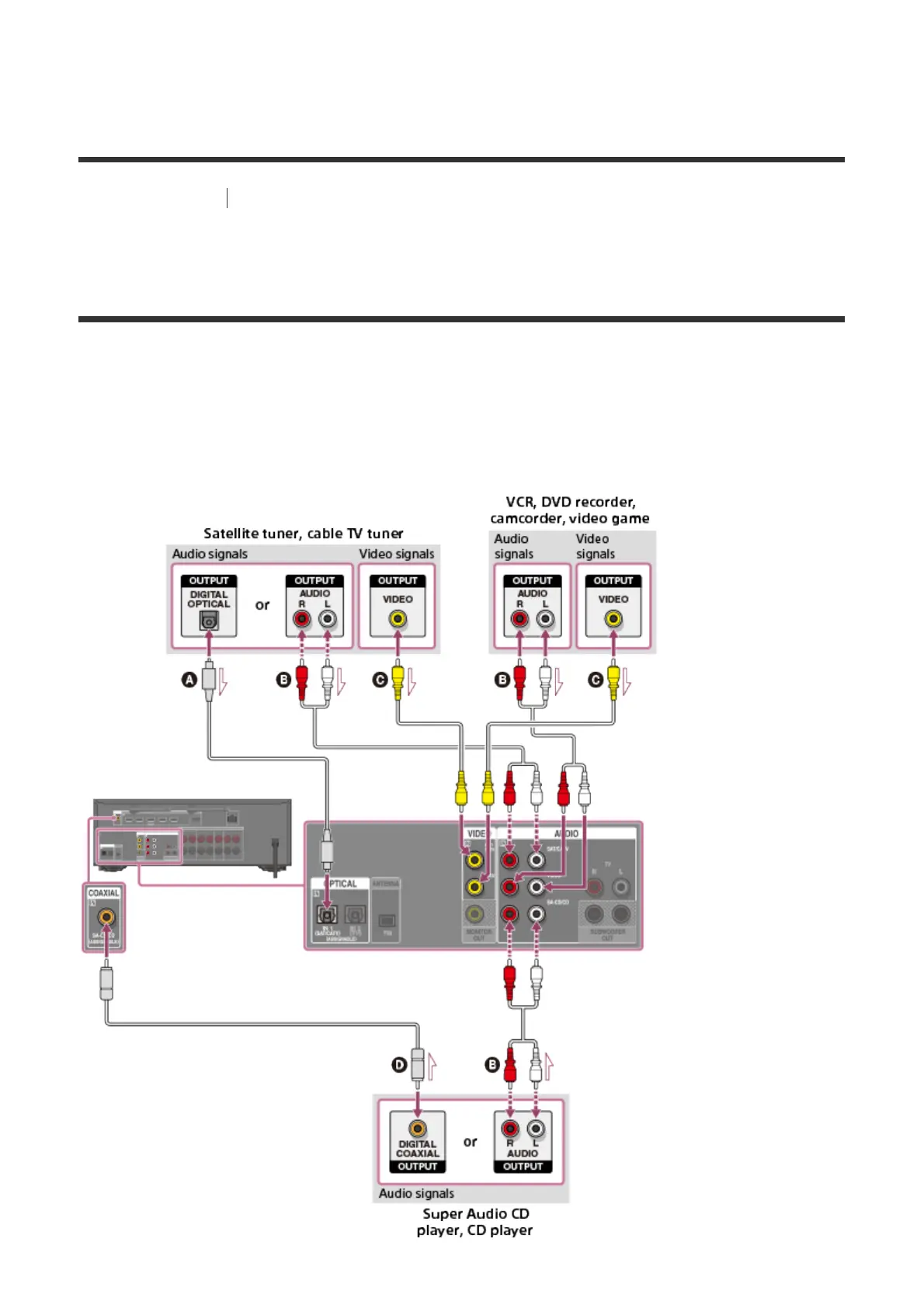
Connect devices to the receiver as illustrated below.
Solid lines show recommended connections and the dashed lines show alternative
connections. It is not necessary to connect all the cables.
Be sure to disconnect the AC power cord (mains lead) before connecting cables.



 To Next Page