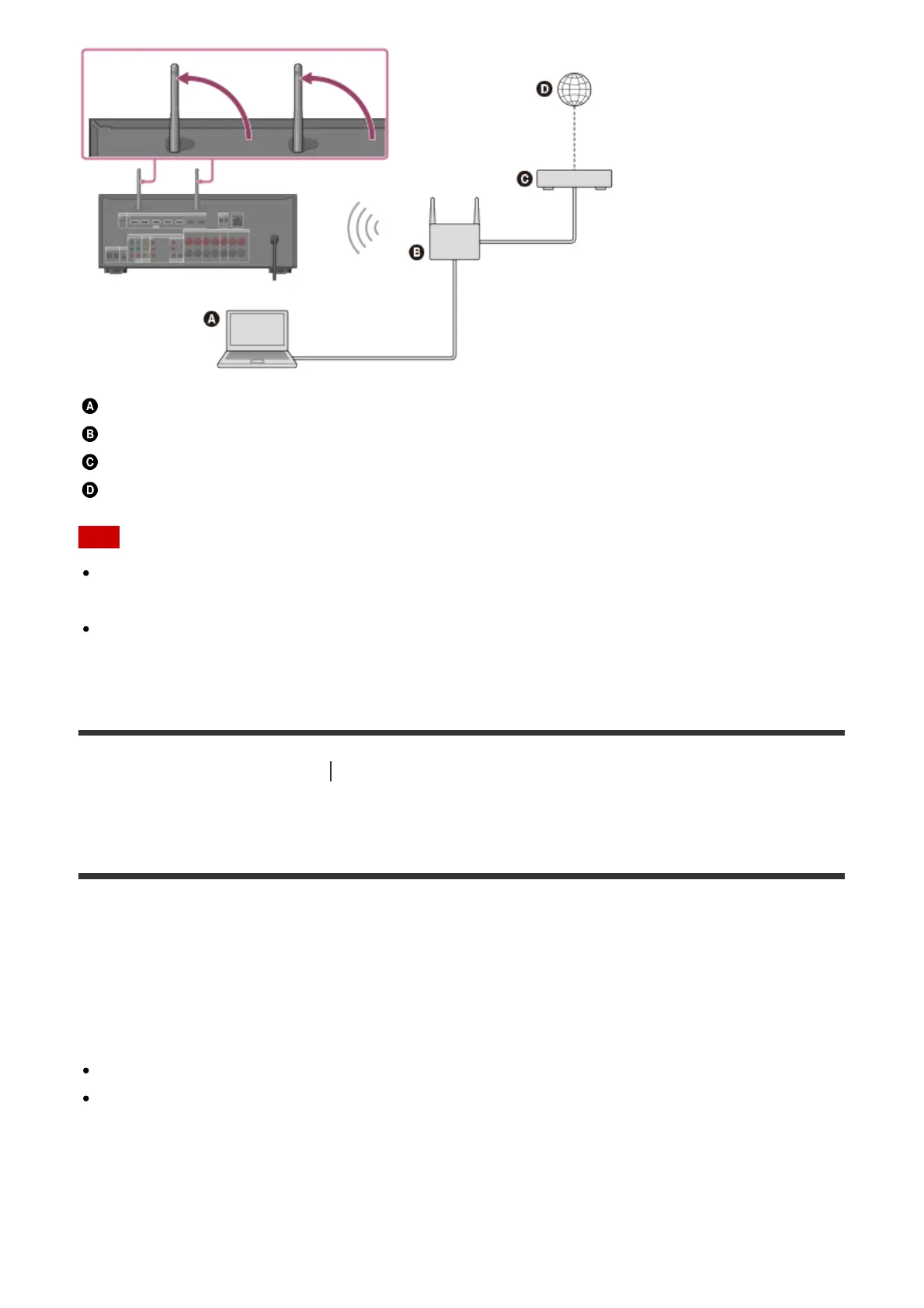
Server (computer, etc.)
Router
Modem
Internet
Note
Audio playback on a server may occasionally be interrupted if you use a wireless
connection.
When using Screen mirroring, BLUETOOTH TX or BLUETOOTH RX function, stand up
both wireless LAN antennas for better performance.
[78] Using Network Features
Setting up a wireless LAN connection (for wireless LAN
connections only)
Setting up a wireless LAN connection
Before performing network settings
When your wireless LAN router (access point) is Wi-Fi Protected Setup (WPS)-compatible,
you can easily set the network settings with the WPS button.
If not, you will be required to select or enter the following information. Check the following
information in advance.
The network name (SSID) (*) of the wireless LAN router/access point
The security key (password) (**) for the network
*
SSID (Service Set Identifier) is a name that identifies a particular access point.
**
This information should be available from a label on your wireless LAN router/access point, from the
operating instructions, from the person who set up your wireless network, or from the information
provided by your Internet service provider.



 To Next Page