8 Numeric keypad
Use the numeric keypad to enter menu settings and
channel numbers for signals that you want to input to
the monitor.
9 MANUAL adjustment buttons and knobs
Each press of one of these buttons turns the button’s
green LED on or off. When the corresponding button
is on (lit), you can rotate the knobs to adjust the
picture’s contrast, brightness (black level), chroma,
and phase. These buttons are also used to enter
adjustment values from the menus.
You can use the CONTROL PRESET ADJ menu to
set preset values for each adjustment item.
For information about the CONTROL PRESET ADJ menu,
refer to the monitor’s operation manual.
Notes on using a SECAM, PAL D, component, and
component digital system
•The phase of component signals cannot be adjusted.
•The phase and chroma of RGB signals cannot be
adjusted.
4 Menu operation buttons
For more information about using monitor menus, refer to
the monitor’s operation manual.
5 POWER switch
Press to power the monitor on or off. If your system
includes more than one monitor, you can use the
ADDRESS menu to power all monitors on or off at
once.
For information about the ADDRESS menu, refer to the
monitor’s operation manual.
6 DEGAUSS button
Press to manually degauss the monitor CRT. When
degaussing repeatedly, wait for 5 minutes before
pressing the button again. (The monitor CRT is
degaussed automatically each time the power is turned
on.)
7 DISPLAY UNIT connector (rear)
Connect to the CONTROL UNIT connector of a
monitor designed for use with a separate control panel
such as a BVM-20F1U/20F1E/14F1U/14F1E, using a
straight cable with D-sub 9-pin plugs (not supplied) as
shown in the figure below.
This connector is used to exchange control signals and
to supply power from the monitor to the BKM-10R.
MENU button: Press to display
monitor menus.
UP and DOWN buttons: Press to
select menu items and item
settings.
ENTER button: Press to confirm
selections and settings (the
same function with the Ent
button of the numeric keypad
8).
6(E)
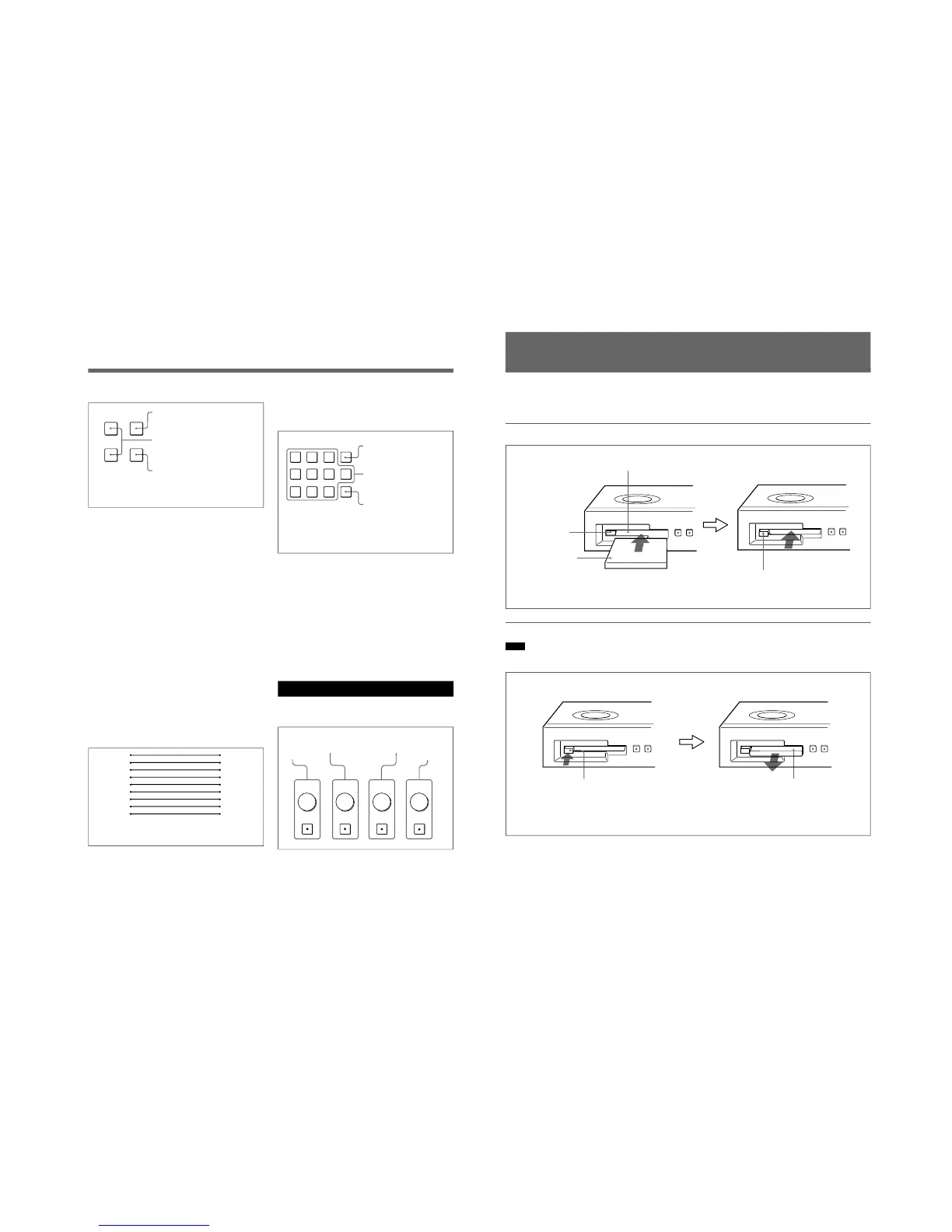
Proceed as follows to insert and eject an optional
BKM-12Y Monitor Memory Card.
Inserting and Ejecting the Monitor Memory Card
For information about using data on the monitor memory
card, refer to the monitor’s operation manual.
Inserting the monitor memory card
Ejecting the monitor memory card
Note
Do not eject the monitor memory card while data is
being saved or loaded.
Monitor memory card insertion slot
EJECT button
Monitor memory
card
Push the monitor memory card
in until the EJECT button
comes out.
Be careful not to let your hands
touch the connectors on the
front edge of the monitor
memory card.
EJECT button
Press the EJECT button to
eject the monitor memory
card.
Take out the
monitor memory
card.







 To Next Page