7(E)
To mount the BKM-10R in an EIA standard 19-inch
rack, an optional MB-510 Rack Mount Kit is required.
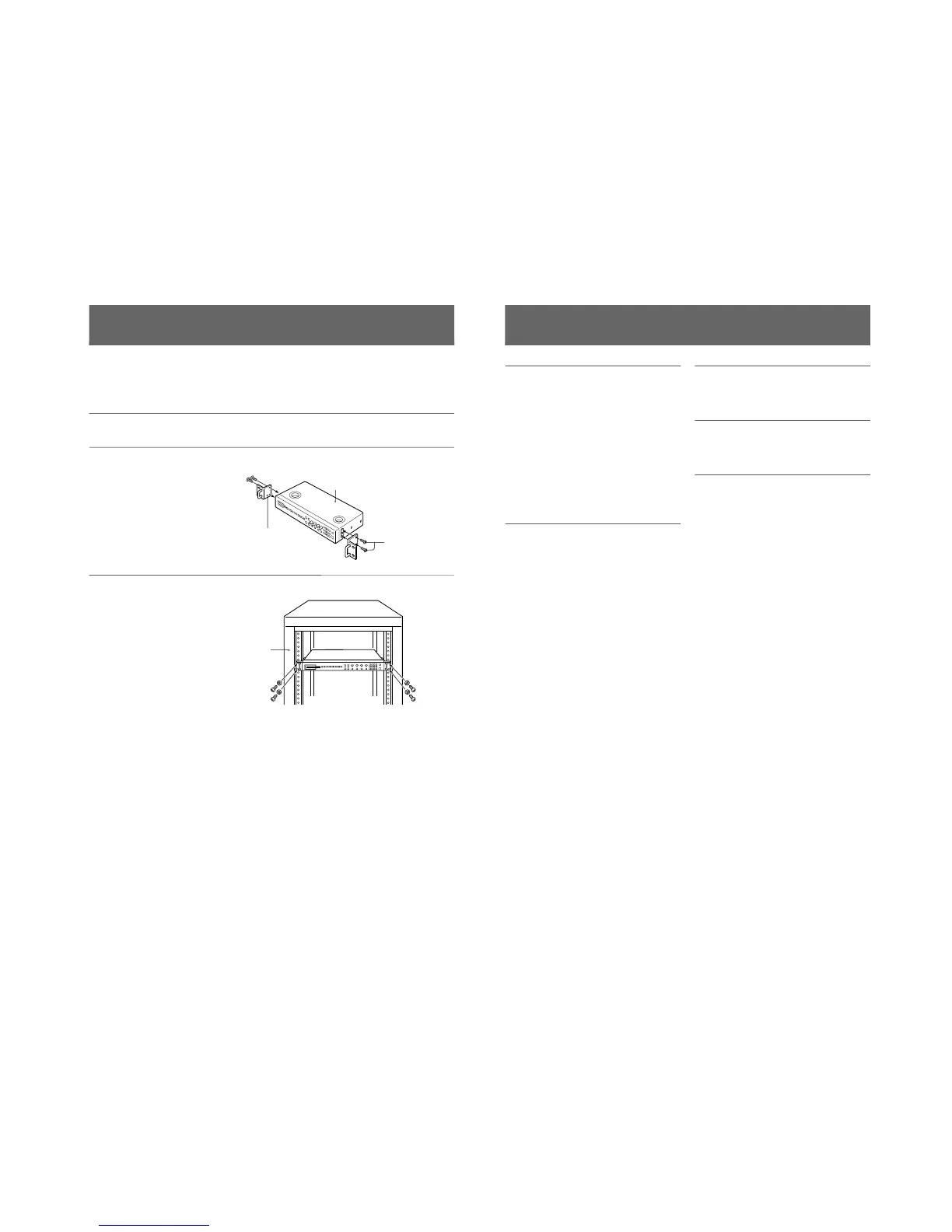
Mounting the Unit in a Rack
Proceed as follows to mount the unit in the rack.
1
Remove the four feet from the
bottom of the BKM-10R.
2
Use the rack mount attachment
screws supplied with the
BKM-10R to attach the rack
mount brackets of the optional
MB-510 Rack Mount Kit to
each side of this unit.
3
Screw the rack mount brackets
to the rack to mount the BKM-
10R in the rack. Use screws
that match the size of the
rack’s screw holes.
BKM-10R
Rack mount
attachment
screws
Rack mount
bracket
Rack
8(E)
Specifications
General
Power requirements 5 V DC (supplied from the
connected monitor)
Power consumption 0.5 W
0.7 W max.
Maximum dimensions (w/h/d)
424 × 44 × 157 mm (16 3/4 ×
1 3/4 × 6 1/4 inches)
Mass 1.4 kg (3 lb 1 oz)
Operating temperature
0˚C to 40˚C (32˚F to 104˚F)
Recommended working temperature
20˚C to 30˚C (68˚F to 86˚F)
Operating humidity 0% to 90% (no condensation)
Control connectors
DISPLAY UNIT D-sub 9-pin, × 1
Accessories supplied
Rack mount attachment screws (4)
Operation Manual (1)
Accessories not supplied
BKM-12Y Monitor Memory Card
MB-510 Rack Mount Kit
Related equipment
BVM-20F1U/20F1E/14F1U/14F1E Color Video
Monitor
Design and specifications are subject to change
without notice.







 To Next Page