EasyManua.ls Logo

Sony TRINITRON KV-29C3A - Page 14

Sony TRINITRON KV-29C3A
84 pages
Print Icon
To Next Page IconTo Next Page
To Previous Page IconTo Previous Page
Loading...
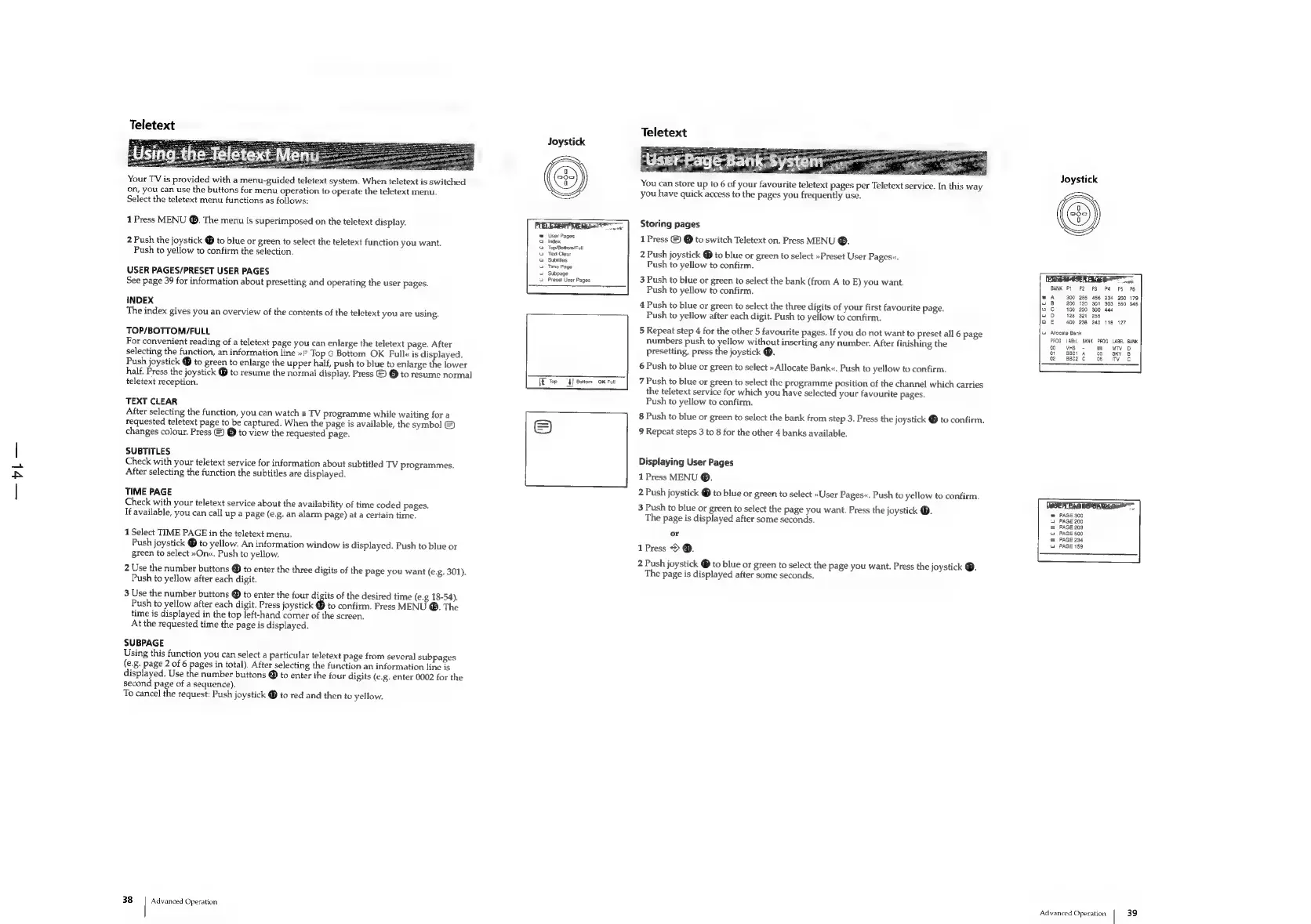
Teletext
Your
TV
is
provided
with
a
menu-guided
teletext
system.
When
teletext
is
switched
on,
you
can
use
the
buttons
for
menu
operation
to
operate
the
teletext
menu.
Select
the
teletext
menu
functions
as
follows:
1
Press
MENU
@.
The
menu
is
superimposed
on
the
teletext
display.
2
Push
the
joystick
@
to
blue
or
green
to
select
the
teletext
function
you
want.
Push
to
yellow
to
confirm
the
selection.
USER
PAGES/PRESET
USER
PAGES
See
page
39
for
information
about
presetting
and
operating
the
user
pages.
INDEX
The
index
gives
you
an
overview
of
the
contents
of
the
teletext
you
are
using.
TOP/BOTTOM/FULL
For
convenient
reading
of
a
teletext
page
you
can
enlarge
the
teletext
page.
After
selecting
the
function,
an
information
line
»F
Top
G
Bottom
OK
Full«
is
aml
be
be
Push
joystick
@
to
green
to
enlarge
the
upper
half,
push
to
blue
to
enlarge
the
lower
half.
Press
the
joystick
@
to
resume
the
normal
display.
Press
©)
@
to
resume
normal
teletext
reception.
TEXT
CLEAR
After
selecting
the
function,
you
can
watch
a
TV
programme
while
waiting
for
a
requested
teletext
page
to
be
captured.
When
the
page
is
available,
the
symbol
©)
changes
colour.
Press
©)
@
to
view
the
requested
page.
SUBTITLES
Check
with
your
teletext
service
for
information
about
subtitled
TV
programmes.
After
selecting
the
function
the
subtitles
are
displayed.
TIME
PAGE
Check
with
your
teletext
service
about
the
availability
of
time
coded
pages.
If
available,
you
can
call
up
a
page
(e.g.
an
alarm
page)
at
a
certain
time.
1
Select
TIME
PAGE
in
the
teletext
menu.
Push
joystick
to
yellow.
An
information
window
is
displayed.
Push
to
blue
or
green
to
select
»On«.
Push
to
yellow.
2
Use
the
number
buttons
@
to
enter
the
three
digits
of
the
page
you
want
(e.g.
301).
Push
to
yellow
after
each
digit.
3
Use
the
number
buttons
®
to
enter
the
four
digits
of
the
desired
time
(e.g
18-54).
Push
to
yellow
after
each
digit.
Press
joystick
@
to
confirm.
Press
MENU
®.
The
time
is
displayed
in
the
top
left-hand
corner
of
the
screen.
At
the
requested
time
the
page
is
displayed.
SUBPAGE
Using
this
function
you
can
select
a
particular
teletext
page
from
several
subpages
(e.g.
page
2
of
6
pages
in
total).
After
selecting
the
function
an
information
line
is
displayed.
Use
the
number
buttons
®
to
enter
the
four
digits
(e.g.
enter
0002
for
the
second
page
of
a
sequence).
To
cancel
the
request:
Push
joystick
@
to
red
and
then
to
yellow.
38
Advanced
Operation
Joystick
User
Pages
Index
Top/Bottom
Full
Text
Clear
Subtitles
Time
Page
‘Subpage
Preset
User
Pages
cececcos
[€
Top
4}
Bottom
OK
Full
Teletext
You
can
store
up
to
6
of
your
favourite
teletext
pages
per
Teletext
service.
In
this
way
you
have
quick
access
to
the
pages
you
frequently
use.
Storing
pages
1
Press
©)
©
to
switch
Teletext
on.
Press
MENU
®.
2
Push
joystick
@
to
blue
or
green
to
select
»Preset
User
Pages«.
Push
to
yellow
to
confirm.
3
Push
to
blue
or
green
to
select
the
bank
(from
A
to
E)
you
want.
Push
to
yellow
to
confirm.
4
Push
to
blue
or
green
to
select
the
three
digits
of
your
first
favourite
page.
Push
to
yellow
after
each
digit.
Push
to
yellow
to
confirm.
5
Repeat
step
4
for
the
other
5
favourite
pages.
If
you
do
not
want
to
preset
all
6
page
numbers
push
to
yellow
without
inserting
any
number,
After
finishing
the
presetting,
press
the
joystick
@.
6
Push
to
blue
or
green
to
select
»
Allocate
Bank«.
Push
to
yellow
to
confirm.
7
Push
to
blue
or
green
to
select
the
programme
position
of
the
channel
which
carries
the
teletext
service
for
which
you
have
selected
your
favourite
pages.
Push
to
yellow
to
confirm.
8
Push
to
blue
or
green
to
select
the
bank
from
step
3.
Press
the
joystick
@
to
confirm.
9
Repeat
steps
3
to
8
for
the
other
4
banks
available.
Displaying
User
Pages
1
Press
MENU
®.
2
Push
joystick
@
to
blue
or
green
to
select
»User
Pages«.
Push
to
yellow
to
confirm.
3
Push
to
blue
or
green
to
select
the
page
you
want.
Press
the
joystick
@.
The
page
is
displayed
after
some
seconds.
or
1Press
>
@.
2
Push
joystick
®
to
blue
or
green
to
select
the
page
you
want.
Press
the
joystick
@.
The
page
is
displayed
after
some
seconds.
_—————$——________
Joystick
285
120
220
321
238
240
Attocate
Bank
PROG
LABEL
BANK
PROG
LABEL
BANK
00
VHS
-
04
MTV
D
01
BBC1
A
05
SKY
B
o2
BBC2
COT
SER
EAGESUANKG™”™
=
PAGE
300
2
PAGE
200
2
PAGE
203
a
PAGE
500
PAGE
234
PAGE
159
Advanced
Operation
39

Related product manuals