15
Advanced Operations
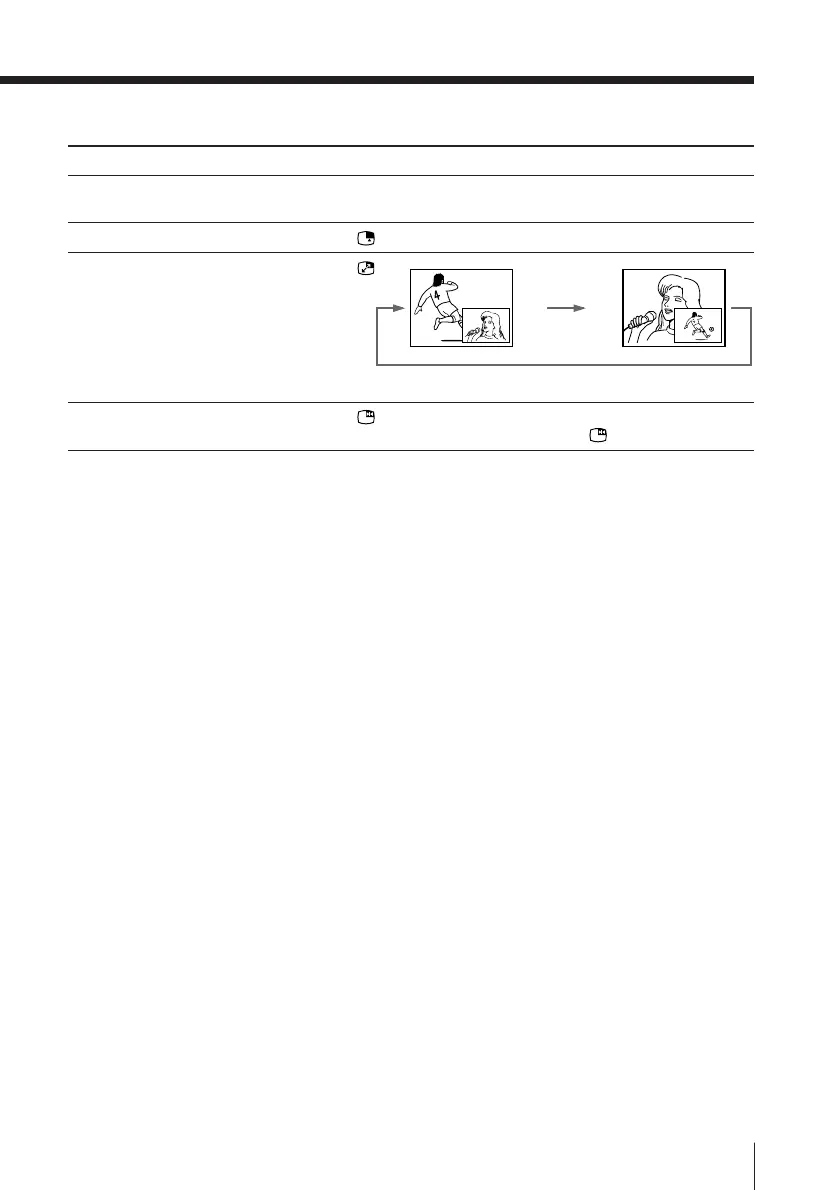
Additional PIP tasks
To
change the program number in the
sub screen
select a video input in the sub screen
swap pictures between the main
and sub screens
freeze the sub screen
Tips
• You can also display the sub screen and exchange pictures between the
main and sub screens using the menu (see Changing the “PIP” setting on
page 26).
• You can change the position of the sub screen (see Changing the “PIP”
setting on page 26).
Notes
• When you display a video input on the sub screen at a faster/slower
speed, the picture may be disrupted depending on the VCR type.
• If you display different color systems on the sub screen, the size of the sub
screen may be different and the picture may be disrupted. This does not
indicate a malfunction of the TV.
Press
V (PIP PROGR +) or v (PIP PROGR –).
.
.
.
To unfreeze the screen, press the button again.








 To Next Page