25Adjusting Your Setup (MENU)
Adjusting the “ADJUST” items under “SOUND MODE”
1
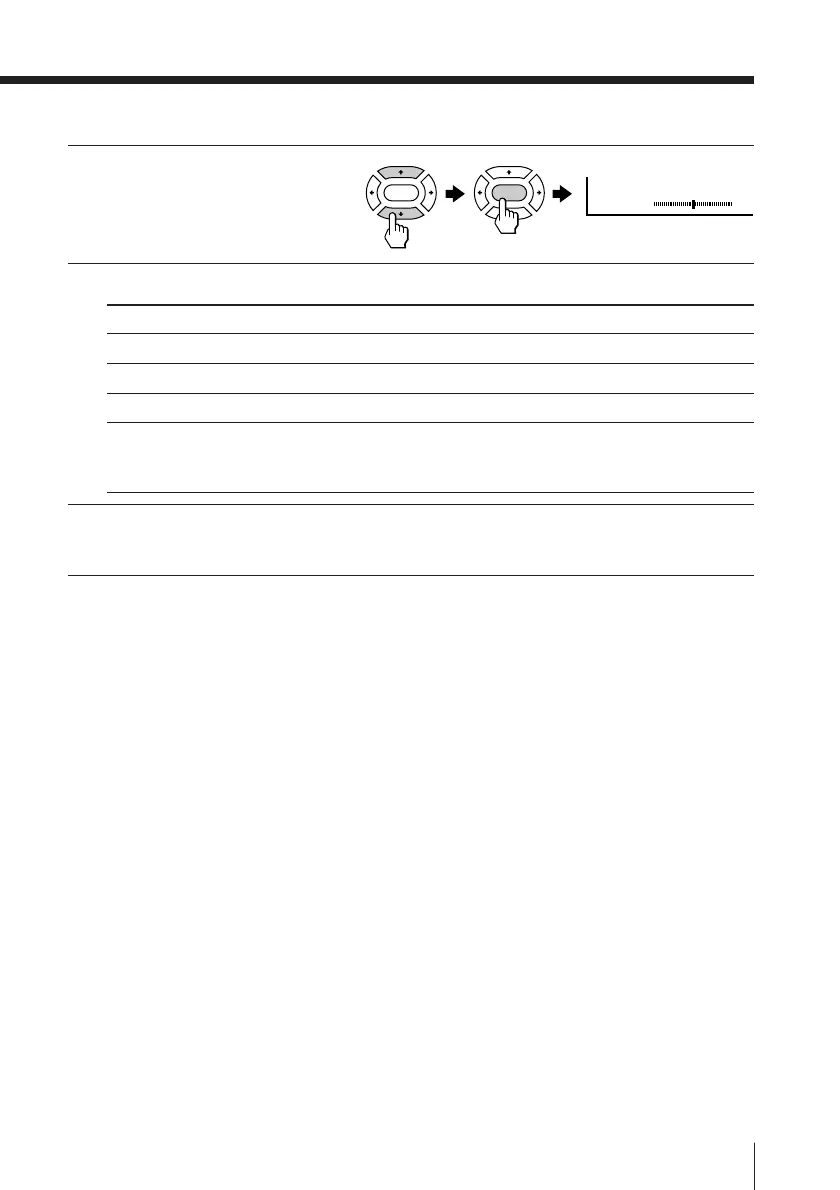
Press V or v to select the
desired item
(e.g., ”BALANCE“),
then press ENTER.
2
Adjust the value according to the following table, then press ENTER.
For Press v/B to Press V/b to
“BASS” decrease the bass increase the bass
“TREBLE” decrease the treble increase the treble
“BALANCE” increase the left speaker’s volume
increase the right speaker’s volume
“BBE” select “HIGH” for higher enhancement of sound clarity;
select “LOW” for lower enhancement of sound clarity;
select “OFF” to turn off the BBE sound
3
Repeat the above steps to adjust other items.
The adjusted settings will be received when you select “PERSONAL”.
Tip
• For details on the menu system and how to use the menu, refer to
Introducing the menu system on page 19.
BALANCE 00
ENTER ENTER








 To Next Page