20 Menu Adjustment
Sony KV-HW21N63 Group A12 (GB)_4-094-461-11 (1)
x C
hanging the “Channel Block”
setting
The “Channel Block” menu allows you to block unwanted channels.
1
Press MENU.
2
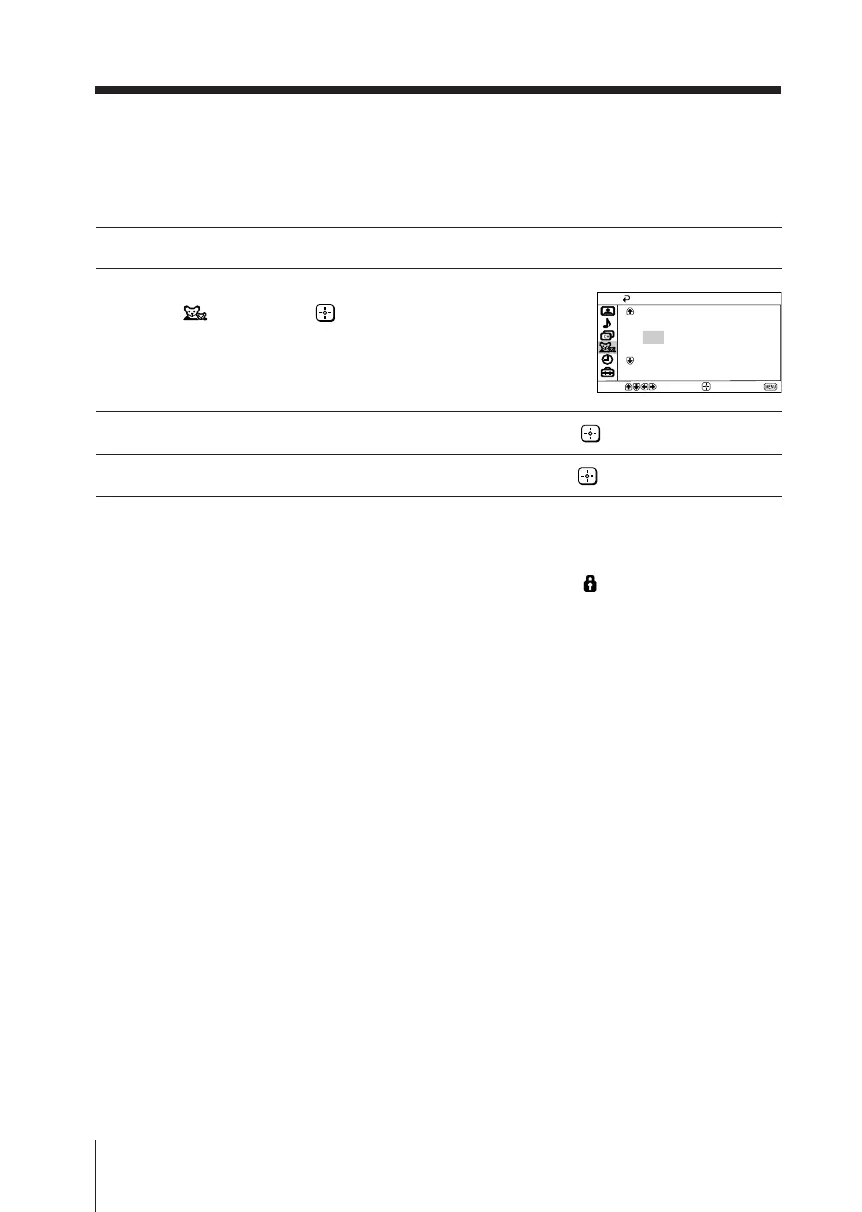
Press V or v to select the “Channel Block”
icon ( ), then press .
3
Press V or v to select the desired channel, then press .
4
Press V or v to select “Block” or “Allow”, then press .
Notes
• When you first enter the “Channel Block” menu, the channel highlighted is the current
channel that is being viewed.
• When a channel is blocked, the word “Blocked” and lock symbol ( ) will appear on the black
screen.
• “Channel Block” is disabled when in video mode.
Channel Block
2: Allow
3: Allow
4: Allow
5: Allow
6: Allow
Select channel to block
Move
End
Select
01GB06ADJ-PHI.p65 29/08/03, 3:34 PM20






 To Next Page