21
Menu Adjustment
Sony KV-HW21N63 Group A12 (GB)_4-094-461-11 (1)
x C
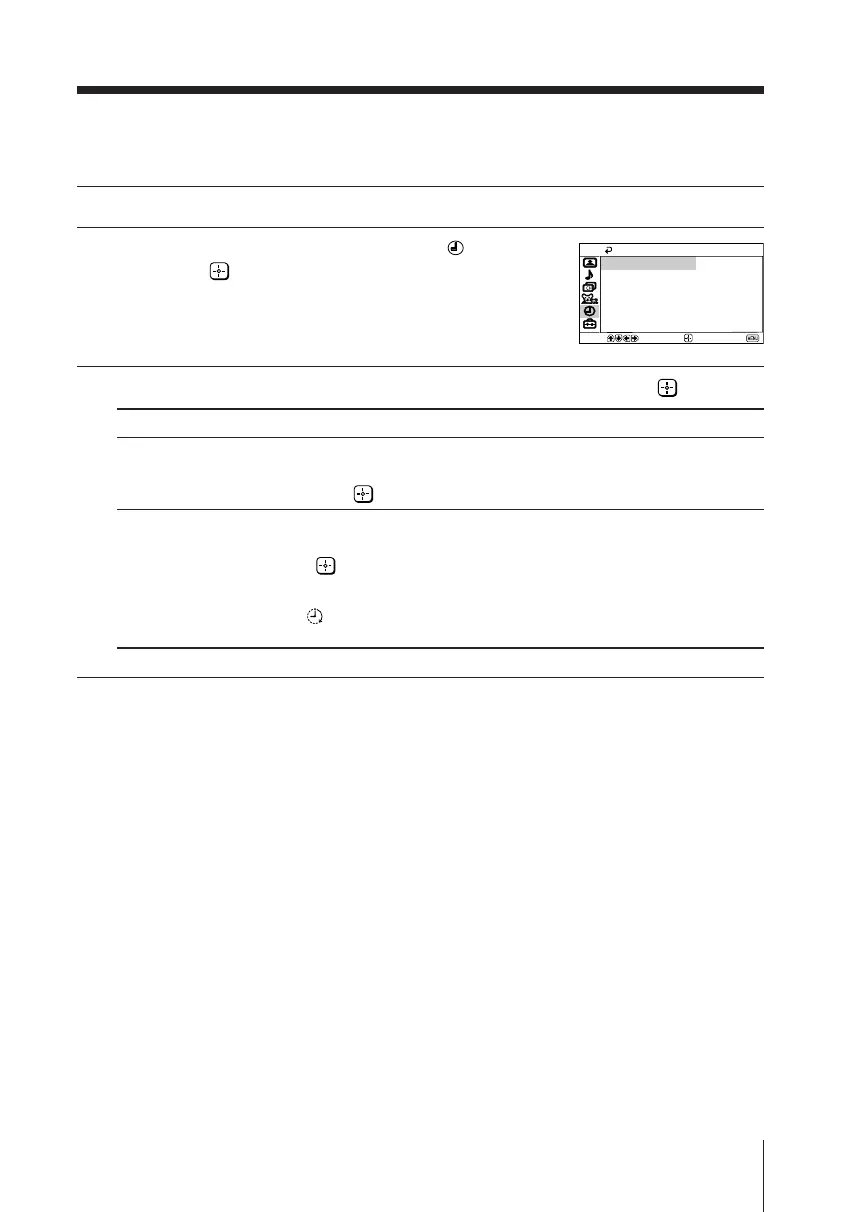
hanging the “Timer” setting
The “Timer” menu allows you to set TV to turn off and turn on automatically.
1
Press MENU.
2
Press V or v to select the “Timer” icon ( ),
then press .
3
Press V or v to select the desired item (e.g., “Sleep”), then press .
Select To
“Sleep” set TV to turn off automatically.
Press V or v to select the desired period of time (max. of 90 minutes),
then press .
“Wake Up Timer”
set TV to turn on automatically.
Press V or v to select the desired period of time (max. of 12 hours), then
press .
After the selected length of time, the TV switches on
automatically and “Wake Up Timer” will appear on the screen.
The indicator on the TV lights up amber once you set the
“Wake Up Timer”.
Notes
• You can also cancel “Sleep” and “Wake Up Timer” by turning off the TV’s main power.
• If no buttons or controls are pressed for more than one hour after the TV is turned on using
the “Wake Up Timer”, the TV automatically goes into standby mode.
Timer
Wake Up Timer:
Sleep:
Off
Off
Move
End
Select
01GB06ADJ-PHI.p65 29/08/03, 3:34 PM21






 To Next Page