47
Using Presentation Function via Network
Presentation Function via Network
3 Start Projector Station for Network
Presentation.
For Windows:
Select [Start]-[All Programs]-[Projector
Station for Network Presentation] on the
computer.
For Mac:
Double-click [Projector Station for
Network Presentation] in Applications
folder.
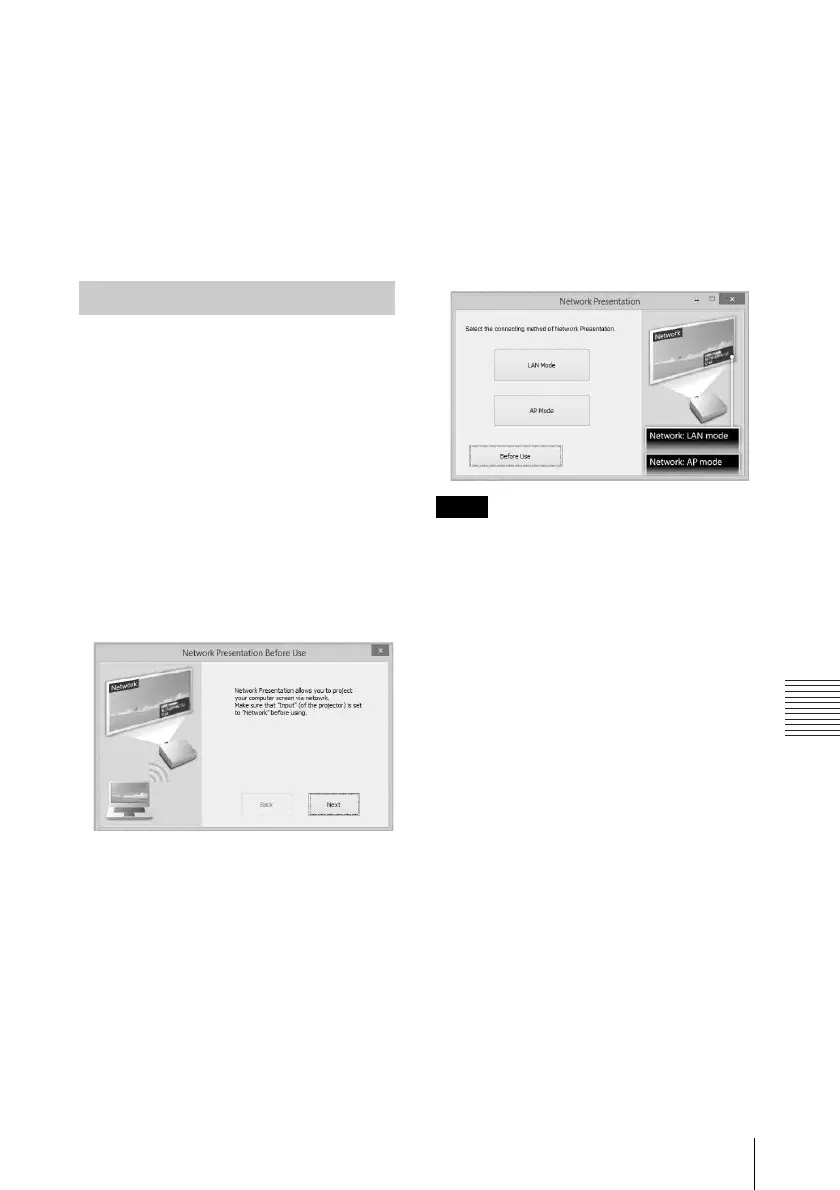
When you start Projector Station for
Network Presentation for the first time after
installing to your computer, the connection
guidance window will be displayed. This
window gives you the information for the
necessary settings for connection. Be sure to
read it thoroughly. When starting the
application after the first time, the
connection method selection window will be
displayed first. You can check the
connection guidance window anytime from
the connection method selection window.
For Windows
1 Select the connection method.
Refer to the network information on the
projected screen of the projector and
select “LAN Mode” or “AP Mode.”
LAN Mode: Select this mode if
“Display Setting” in “Network
Presentation” is set to “LAN Mode” on
the projector’s menu. In this mode, the
computer connects to the wired LAN of
the projector or the USB wireless LAN
module of the projector that operates as
a client (“WLAN Network” page 31).
AP Mode: Select this mode if “Display
Setting” in “Network Presentation” is
set to “AP Mode” on the projector’s
menu. In this mode, the computer
connects to the USB wireless LAN
module of the projector that operates as
an access point (“WLAN Network”
page 31).
For Windows:
The appearance of the application on the screen
is subject to change without notice.
2 Set the projector an image will be
projected to
.
a) For LAN Mode
Refer to the network information on the
projected screen of the projector that you
want the computer connect to, and input
the IP address and the Connection
CODE. If “CODE” is “----”,
“Connection CODE” (page 31) is set to
“Off.” The computer can connect
without inputting “CODE”.
Projecting an Image
Connection guidance window
Note
Connection method selection window



 To Next Page