7
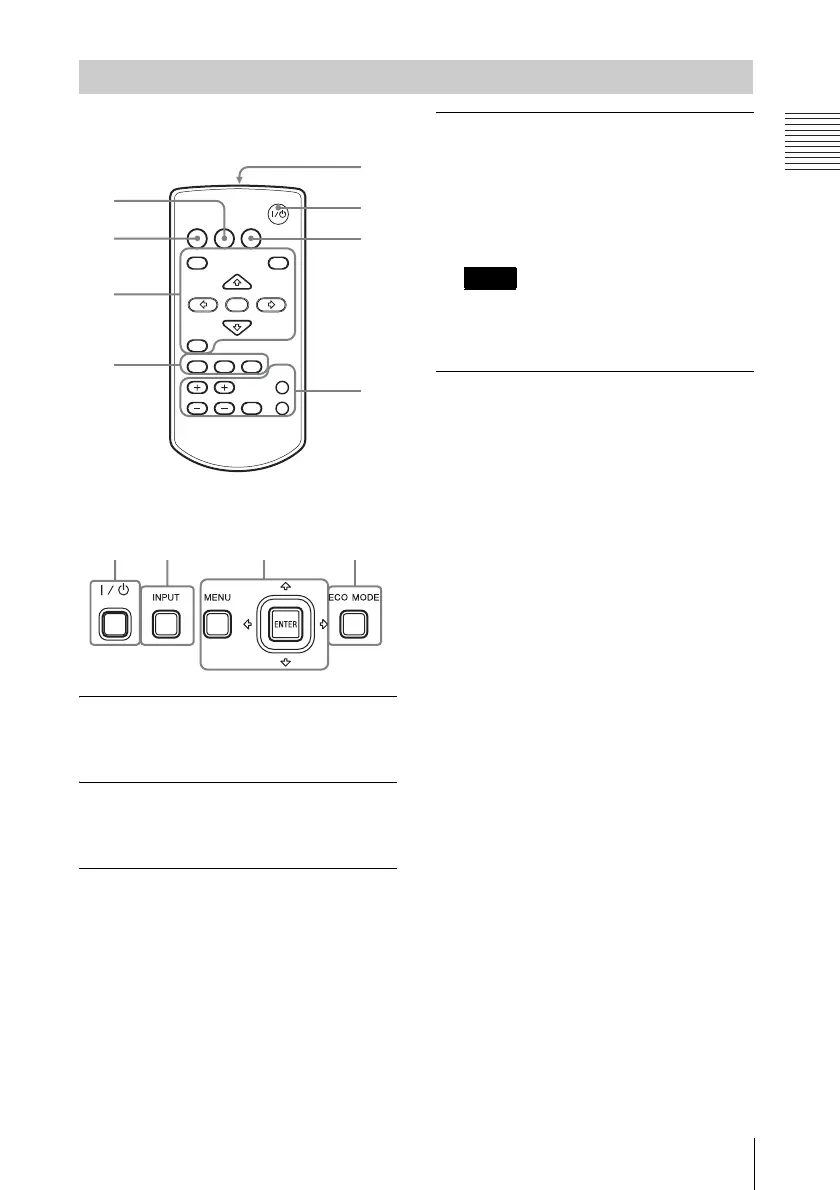
Location and Function of Controls
Overview
Remote Commander
Control Panel Keys
a Turning on the power/Going to
standby mode
?/1 (On/Standby) key
b Selecting an input signal
(page 16)
INPUT key
c Operating a menu (page 23)
MENU key
RESET key
ENTER /V/v/B/b (arrow) keys
RETURN key
d Adjusting the image (page 17)
ASPECT key (page 25)
KEYSTONE key (page 19)
PATTERN key (page 21)
APA (Auto Pixel Alignment) key
*
(page 21)
*
Use this key when inputting a computer
signal via the RGB input terminal
(INPUT A or INPUT B).
e Using various functions during
projecting
D ZOOM (Digital Zoom) +/– key
*1
Enlarges a portion of the image while
projecting.
1 Press the D ZOOM + key to display
the digital zoom icon on the projected
image.
2 Press the V/v/B/b keys to move the
digital zoom icon to the point on the
image you want to enlarge.
3 Press the D ZOOM + key or the D
ZOOM – key repeatedly to change the
enlargement ratio. The image can be
enlarged up to 4 times.
Press the RESET key to restore the
previous image.
BLANK key
Cuts off the projected image
temporarily. Press again to restore the
previous image. Picture muting helps
reduce power consumption.
MUTING key (VPL-EW348/EW345/
EW315/EX345/EX315 only)
Mutes the audio output temporarily.
Press again to restore the previous
volume.
VOLUME +/– key (VPL-EW348/
EW345/EW315/EX345/EX315 only)
Adjusts the volume output.
FREEZE key
*2
Pauses a projected image. Press again to
restore the image.
Remote Commander and Control Panel Keys
2
3
4
5
6
1
4
7
INPUT
MENU
APA ECO MODE
RETURN
ASPECT
D ZOOM
KEYSTONE
ENTER
VOLUME
PATTERN
FREEZE
BLANK
MUTING
RESET
3
6
12
Note



 To Next Page