68
Cleaning the Air Filter
Cleaning the Air Filter
When a message appears on the projected image indicating time for a filter cleaning, clean the
air filter (pages 60, 46).
If the dust cannot be removed from the air filter even after cleaning, replace the air filter with
a new one. For details on a new air filter, consult with qualified Sony personnel.
If you continue to use the projector even after the message is displayed, dust may accumulate,
clogging it. As a result, the temperature may rise inside the unit, leading to a possible
malfunction or fire.
1 Turn off the projector, and disconnect
the AC power cord from the AC outlet.
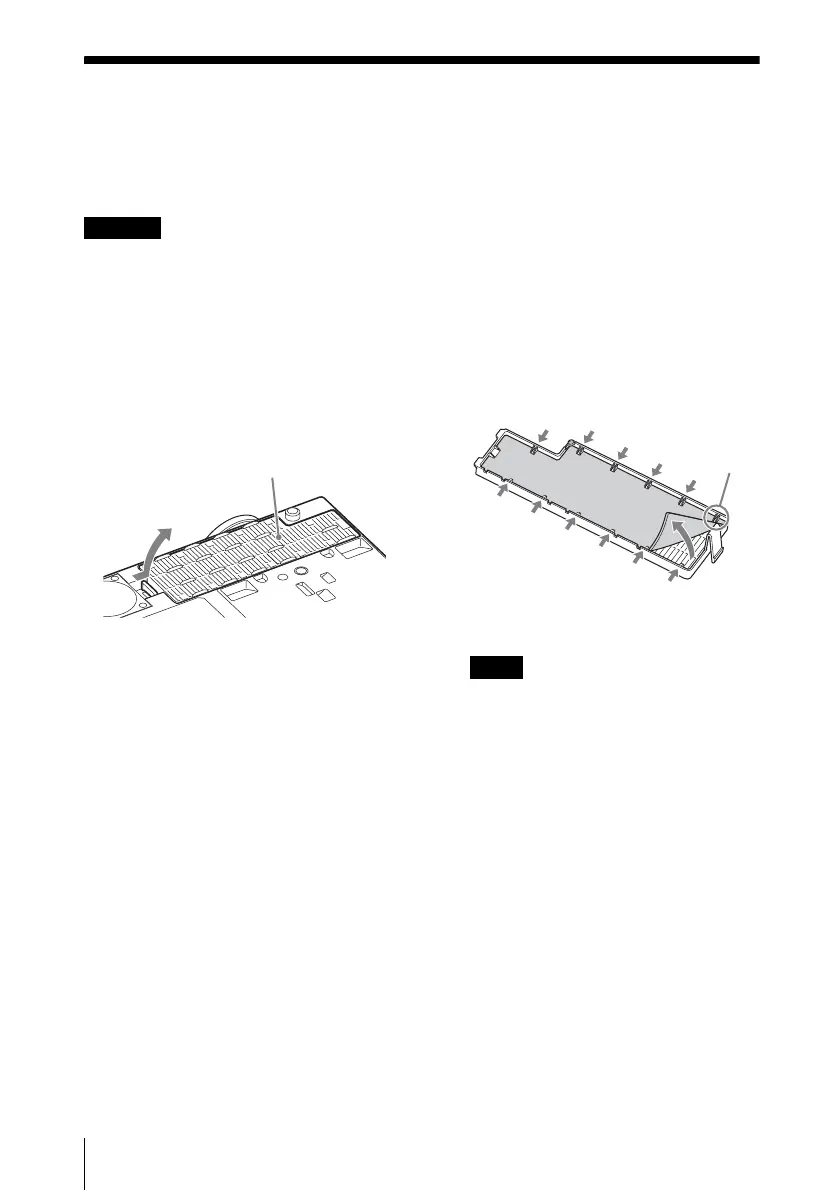
2 Slide out and remove the air filter
cover from the unit.
3 Clean the air filter with a vacuum
cleaner.
Pull out and remove the air filter cover,
and clean it with a vacuum cleaner.
4 Reattach the air filter cover to the unit.
Be sure to attach the air filter cover firmly,
otherwise it may cause a malfunction.
Caution
Air filter cover
Note
Claws



 To Next Page